Get told when an automation or trigger breaks
An automation or a trigger that stops working files nothing, and nobody notices until the work is missing. Jaah tells you when that happens: a bell item in the console, and an alert on your email, Slack or Telegram channels. Pick how loud each alert is, then use the notice to get to the fix.
Who can do this: every member gets Trigger stopped for their own triggers. Automation failures and API key expiry go only to Org Owners and Org Admins.
Choose how you hear about it
-
Select your initials at the bottom of the sidebar, then My Profile.
-
Select Preferences. Channels lists every place your alerts go.
-
Select the row of the channel you want to change (Expand). With only one channel, it is open already.
-
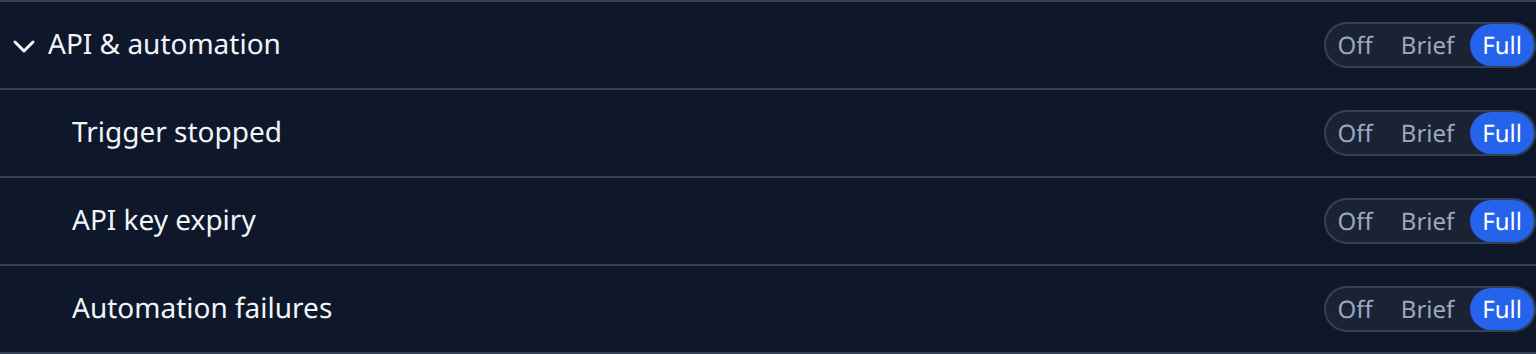
Select API & automation to open its alerts: Trigger stopped, and for Org Owners and Org Admins API key expiry and Automation failures.
-
On each alert, select Full for the whole message, Brief for a headline and a link, or Off to send nothing to this channel. Each choice saves as you select it.
-
Repeat for your other channels, for example Full on Slack and Brief by email.
An automation alert is also emailed to Org Owners and Org Admins whatever their email channel says, so you cannot miss one by turning email off.
Act on a notice
-
Select the bell at the top of the sidebar, then View all. A stopped trigger or a daily trigger digest shows as Trigger; a failing or stalled automation as Automation, with the reason after the dash.

-
Select the row. A trigger item opens the trigger, an automation item opens the automation's runs, and an API key item opens your API keys. The item is marked read.
-
Read the cause beside the automation's Failing status and the error under it, and fix it.
-
If Jaah stopped the automation, select Resume to start it again. Otherwise its next good run clears Failing.
You are told once per breakage. A new notice comes only after it recovers and breaks again.
Related
- How automations work: what counts as failing and who is told.
- Run, pause or change an automation: resume it or run it once.
- Choose which alerts you get: every group of alerts, Off, Brief or Full.
- Catch up on your notifications: work through the bell's items.