Replace an API key before it expires
An API key with an expiry date stops working at that moment, and the script or CI job that uses it starts failing. Jaah reminds the key's owner twice: seven days before and one day before. Each reminder goes to the email address you sign in with, whatever your alert choices, and adds an API key item to your bell, such as "API key ‘deploy-bot’ expires in 7 days (Nov 23)" with API keys and the key's visible characters under it.
An expiry can't be extended, and Rotate keeps it: a rotated key still ends on the same day. To keep the work running, make a new key and move it in before the old one ends.
-
Select the bell, then the API key item. The key's page opens on its Overview tab. Its Expires row shows the date and how long is left, and Last used shows when and from which address the key last made a call, which tells you where it is used.
-
Select the Permissions tab and note which boxes are ticked, so the new key gets the same access.
-
Go back to the list with the API keys link at the top of the page, and select New key. The list is under Settings › Personal › Security.
-
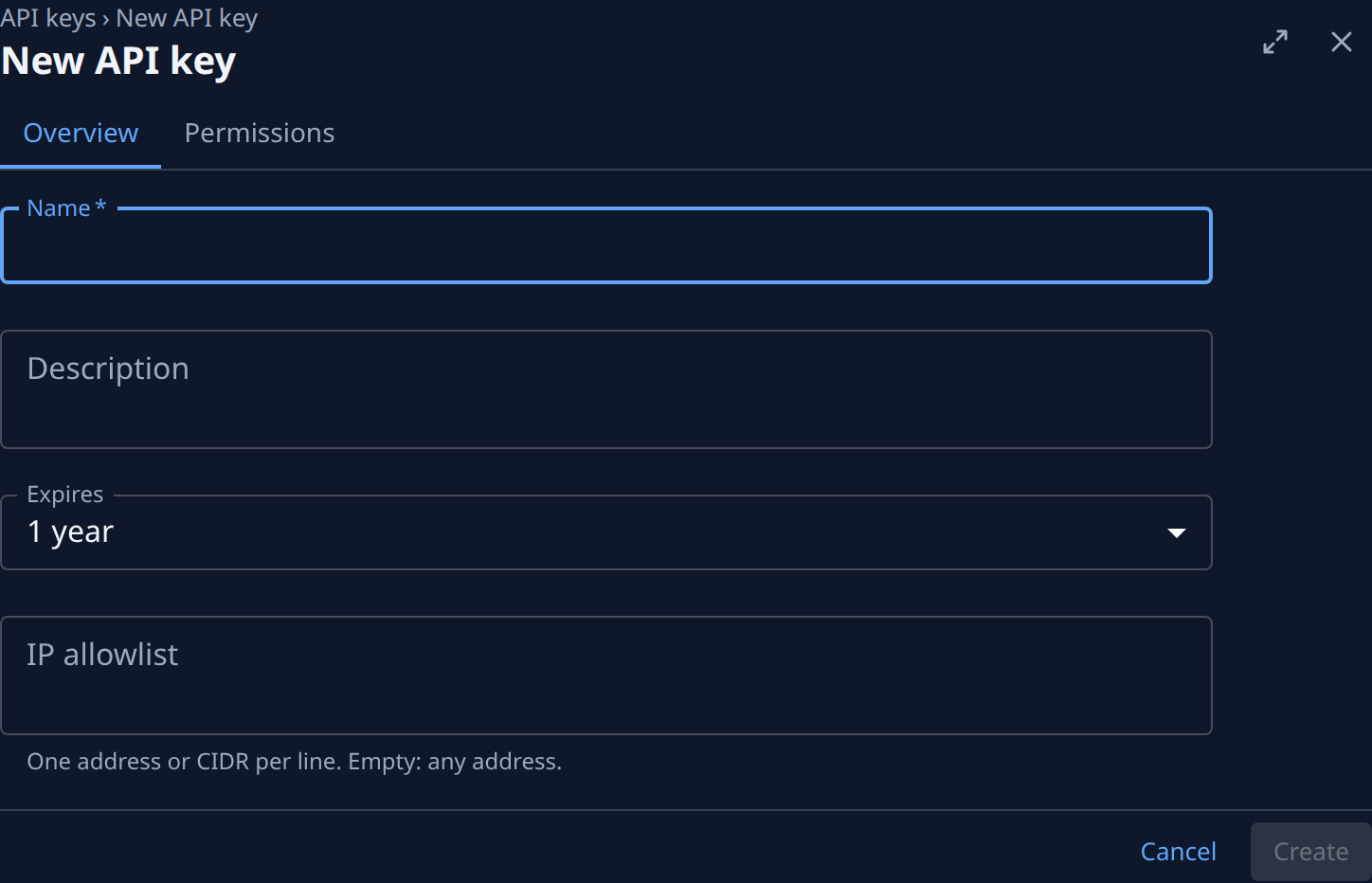
On Overview, enter a Name, pick when it Expires, and copy the old key's IP allowlist if it had one.
-
On Permissions, tick the same boxes as the old key. All, Read-only and None set the whole grid at once.
-
Select Create. Copy the secret from the dialog, then select Done. The secret is shown only this once.
-
Put the new secret wherever the old one was used: the script, the CI job's secret, or the Jaah secret your agents read (see Give agents a Jaah API key).
-
Check that the new key works: its Last used changes from Never used once the first call arrives.
-
Open the old key and select Revoke, then Revoke again in "Revoke name?". Calls with it are refused from then on, and it stays in the list as Revoked.
Org Owners and Org Admins can also get these reminders on Slack and Telegram: open the API & automation group on a channel of the Alerts section of your Preferences and set API key expiry, as in Choose which alerts you get. Other members get them by email and in the bell only.
Related
- Rotate or revoke an API key: give a key a new secret without changing its expiry, or end it now.
- API keys: every field of the key list, a key's page, Rotate and Revoke.
- How notifications work: what reaches the bell and how alerts reach your channels.
- Catch up on your notifications: work through the bell's items.