Start tasks from Slack
An automation with the Slack source files a task each time someone mentions the Jaah bot, @Jaah, in
one of the channels you list. The message becomes the task, so a teammate can ask for work without opening
Jaah.
Who can do this: Requires the org admin role. Automations are listed under Audit, which only Org Owners and Admins see.
Before you start: your organization's Slack workspace must be connected, on a plan that includes Slack. See Connect Slack. Each person who mentions the bot must also link their own Slack account to Jaah, from the same page. A mention from an unlinked account files nothing, and the bot says so in the channel.
-
In Slack, find the ID of each channel to listen in. Open the channel's details: the ID, such as
C0123ABCD, is at the bottom of the About tab. Invite the Jaah bot to the channel if it is not there. -
In Jaah, in the sidebar, select Audit, then the Automations tab.
-
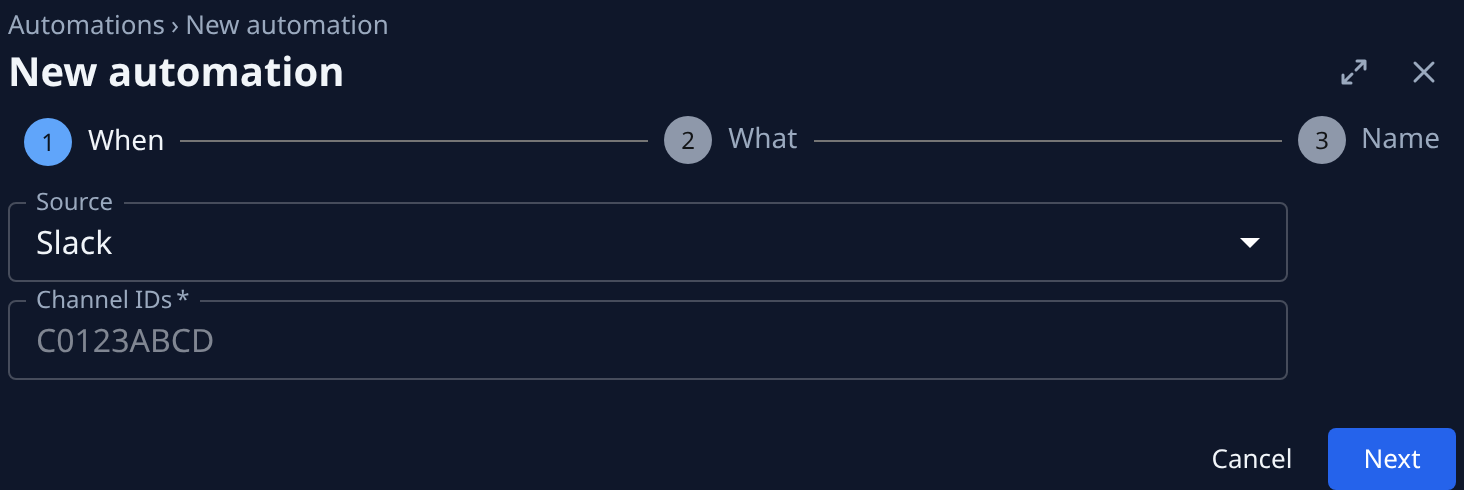
Select New automation. It opens beside the list, on When.
-
Set Source to Slack.
-
In Channel IDs, type the IDs, separated by commas. At least one is required. Select Next.
-
On What, leave Action at Task and pick the project under Target. Write what each task should do. To quote the message, use
{{slack.text}},{{slack.user}},{{slack.channel}}and{{slack.permalink}}. Hover the Title label to see them. Select Next. -
On Name, give it a name you will recognize, such as
Support channel, and select Create. -
In one of the channels, post a message that mentions
@Jaahwith the request. The mention shows under Runs on the automation's page, and its task is filed.
A channel belongs to one organization: a channel another organization already listens in is refused when you save. If two of your own automations list the same channel, only one of them files tasks from it. When a mention files nothing, the bot answers in the channel, and the reason is in the automation's Runs.
Related
- Create an automation: the other sources, and how to test an event before the first real one.
- Connect Slack: connect the workspace and link each member's Slack account.
- Start tasks from email: the same idea for mail that arrives at an address.
- Find out why an automation failed: when a mention files no task.