Connect Slack
Connect Slack once for your organization, and each member can then get their task alerts in Slack: a finished task, a question waiting for them, a mention. A question arrives as a card they can answer with one click, without opening Jaah.
Your workspace sees only your organization's tasks, and your tasks never reach another organization's workspace.
Connect your workspace
Who can do this: Org Owners and Org Admins, on a plan that includes Slack.

- In the sidebar, select Settings, then Integrations, then the Slack card.
- Select Add to Slack. Slack opens.
- Sign in to your workspace if Slack asks, check the workspace in the top-right corner, and select Allow.
Slack sends you back to the same card, which now names your workspace.

- Reconnect installs the app again, for example in a different workspace. Members who connected in the old workspace connect again.
- Disconnect removes the Jaah app from the workspace. Members get no Slack alerts until it is connected again.
If someone removes the Jaah app in Slack, the card says Uninstalled in Slack. Select Add to Slack to connect it again.
One Slack workspace serves one organization. If the card says that workspace is already connected to another organization, disconnect it there first.
Get alerts in Slack
Who can do this: everyone in an organization that has connected Slack.
-
Select your name at the bottom of the sidebar, then My Profile, then Preferences.
-
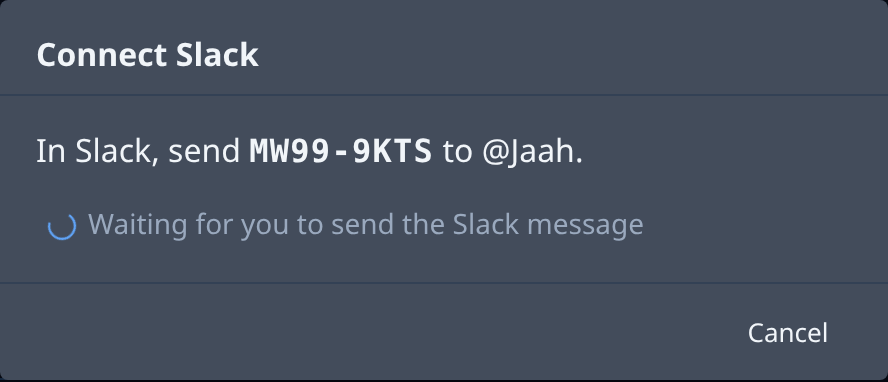
Select Add channel, then Slack DM. A code appears.
-
In Slack, open a direct message with the Jaah app. Where the dialog shows Open Slack, it opens that message for you.
-
Send the code as the message. Jaah answers Connected., and a Slack row with your Slack name appears under Channels.
-
Select the row and choose which alert groups you want on Slack. Each switch saves at once.
The code works once, for ten minutes, and only in your organization's workspace. If it expires, the dialog closes with Code expired.: select Add channel, then Slack DM again.
If your organization has not connected Slack yet, Slack DM is greyed out with Slack isn't connected. Ask an Org Owner or Org Admin to connect it.
Org Owners and Org Admins can also send alerts to a channel of the workspace: invite the Jaah app to the channel in Slack if it is private, then select Add channel, then Slack channel, and pick it. Everyone in the channel sees those alerts. See Your profile › Alerts.
Answer a question in Slack
When a task needs your answer, Jaah sends you a card with the question and its options. Select an option, or type in the box and select Comment only or Submit answer. The card changes to show what you answered, and the task carries on. You can also reply in the card's thread.
Related
- Profile: every control under Alerts.
- How team and access work: who is an Org Owner or Org Admin.