Block changes that fail a lint command
Do this when a linter you already trust, such as ruff or eslint, should stop an agent's change before
it lands. A Lint command rule runs your command on the files a change touches. Only findings on the
lines the change adds or edits count, so older problems in the same file don't block it. At Gate or
Lock, the Architectural Guard blocks a change with a finding and tells the agent what to do instead.
Who can do this: anyone with the permission to edit compliance, in your own pack. A ready-made pack shows Customize this ready-made pack to add rules. instead of the form.
Plan: needs Compliance and Advanced Compliance on your plan, which bring the Architectural Guard. Without them, Check kind offers no Change rule.
Before you start: the linter must be installed on the nodes that run your project's tasks. A missing tool is an error of the rule, never a pass.
The rest of the page, such as Applies to, works as in Add a rule to a compliance pack. These steps cover only what differs.
-
Open your own pack's Rules tab and select New rule. Enter a Name; Key fills in from it.
-
Under Rule, pick a Mode. Gate or Lock blocks the change. Both need Fix guidance: what the blocked agent is told, such as "Run ruff and fix what it reports".
-
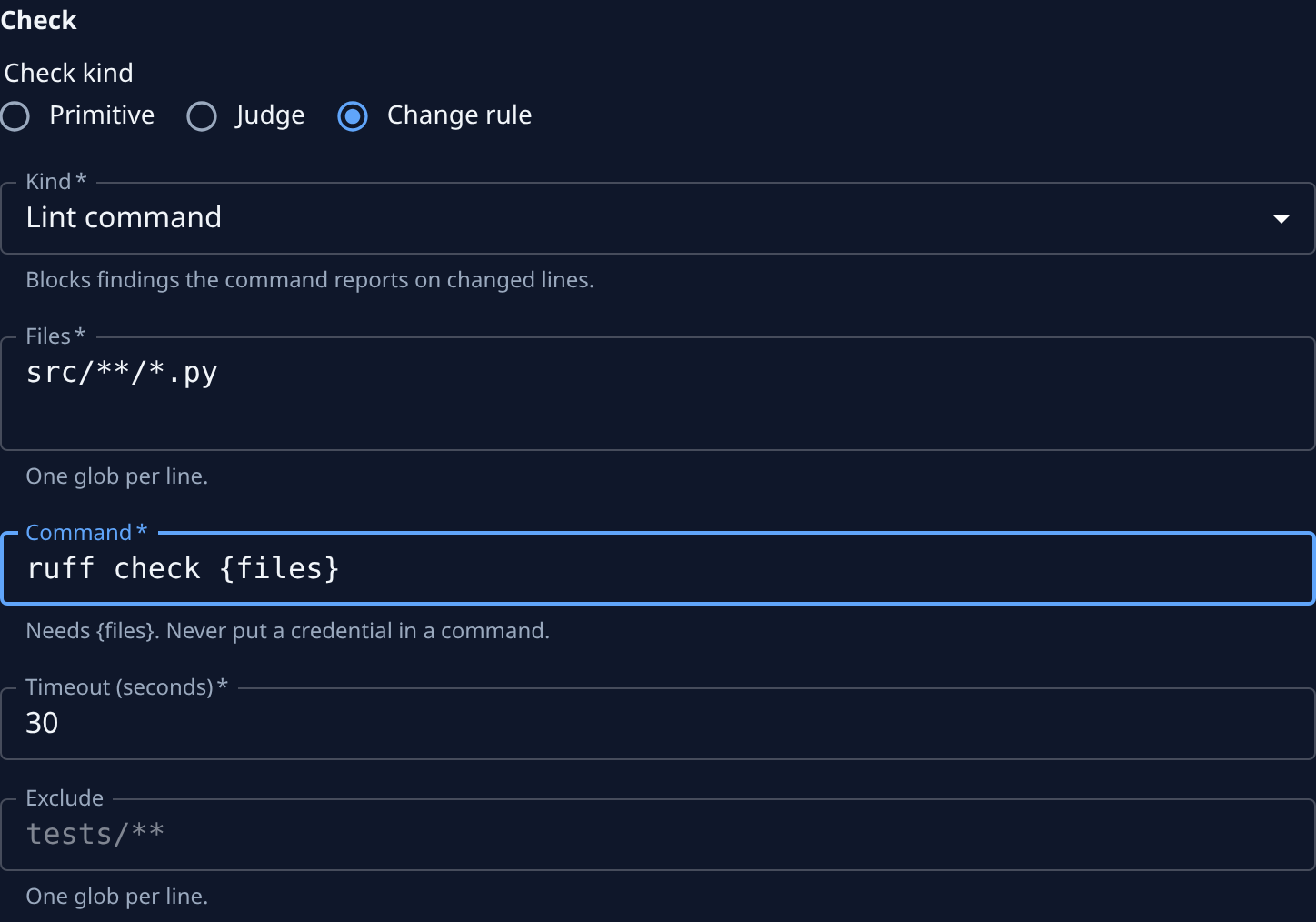
Under Check, set Check kind to Change rule, then set Kind to Lint command.
-
In Files, enter the files the rule checks, one glob per line, such as
src/**/*.py. -
In Command, enter the lint tool's command line with
{files}where the changed files go, such asruff check {files}. Shell characters such as|,;or>are refused. Never put a password or key in the command. -
In Timeout (seconds), set how long the linter may run, from 1 to 120. A longer run is stopped and counts as an error.
-
Optional: in Exclude, list files to skip even when they match Files, such as
tests/**. -
Under Oracles, fill in the two sample changes. Keep Expect at Allowed on the first and Blocked on the second. In each, add the files under Before (leave it empty for a new file) and After. The allowed change adds clean code; the blocked change adds a line the linter reports.
-
Select Save in the bar at the foot of the page. The new rule's page opens.
Unlike the other change rules, Jaah does not run a lint rule's samples when you save; it only checks that they are filled in. A node runs them the first time the rule is used.
Related
- How compliance works: what the Guard checks and when it blocks.
- Stop agents adding a code pattern: block one line or code shape without a linter.
- Review what the guard blocked: see the changes your rule stopped.