Find nodes by operating system or cloud
Do this when a change touches only some of your machines, for example a fix for Windows nodes or a check on everything running in AWS. The Search box on the Machines tab turns an operating system or a cloud into a chip, so the list keeps only the nodes that match.
Who can do this: anyone who can see the Machines tab. Searching changes nothing on the nodes.
-
In the sidebar, select Directory, then the Machines tab.
-
Select Search and start typing the operating system or the cloud, for example
ubuoraws. Below the box, Jaah suggests the matching names. The operating systems are Ubuntu, Amazon Linux, Linux, Windows, macOS, Docker and Distrobox; the clouds are AWS, Google Cloud, Azure and On-prem (a machine you run yourself).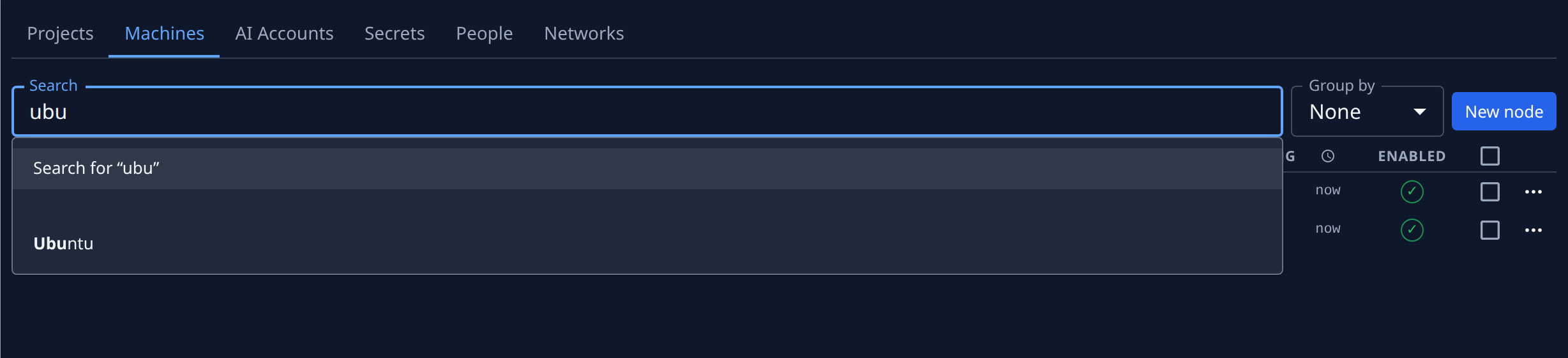
-
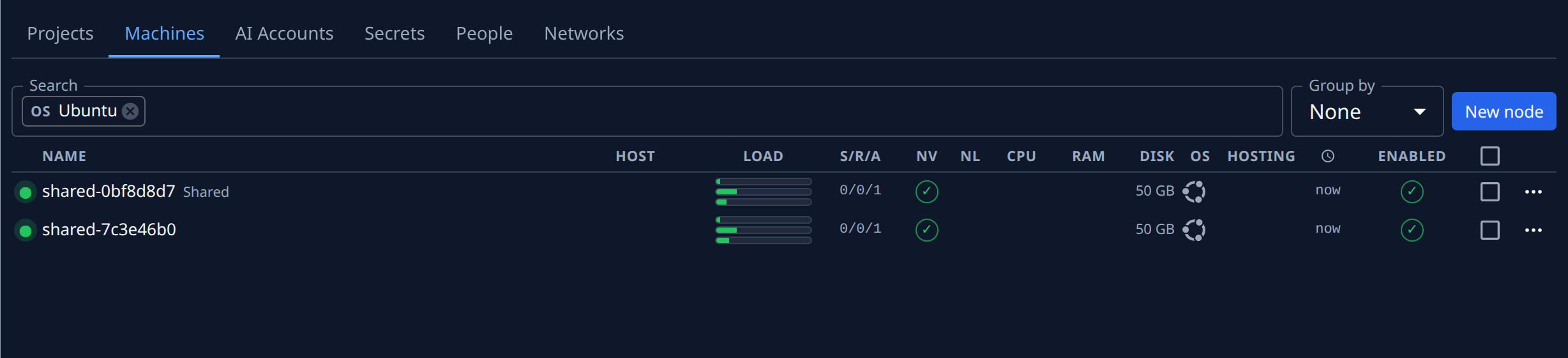
Pick the suggestion, such as Ubuntu. It becomes a chip in the box, such as OS Ubuntu, and the list keeps only the nodes it matches.
-
Add more chips if you need them. Two chips of the same kind show nodes that match either one, such as Ubuntu or Windows. Chips of different kinds must all match, such as Ubuntu and AWS.
-
To narrow further by name, tag or description, type the text and press Enter, or pick Search for and your text at the top of the suggestions. It joins the other chips.
-
Read the OS and Hosting columns to check each node. Hover a node's OS icon for its name, architecture and version.
-
To share the list, copy the page's address. Whoever opens it gets the same chips.
-
To widen the list again, select × on a chip.
A node whose operating system or cloud Jaah does not know matches no chip of that kind. Such a node shows no icon in that column; find it by name instead.
To act on the nodes you found, tick them and use the bulk actions; see Drain or disable several nodes at once.
Related
- Group the node list by host, cloud or OS: see every node, sorted into one section per host, cloud or operating system.
- Name and tag a node: give nodes names and tags the search finds.
- Read a node's status: whether a node you found is online and healthy.
- Machines: every column and control on the list.