Fix a playbook's errors
Jaah checks a playbook every time you change it. An error stops you from saving until it's fixed, such as a stage with no label or a stage that waits for itself. A warning is advice you may ignore, such as a Plan stage set to Junior seniority. This guide finds the problem and clears it. The playbook fields themselves are covered in Create a playbook.
Who can do this: changing a playbook needs the Owner or Admin role in your organization, and Playbooks must be included in your plan; without it, the Playbooks tab is not shown. Built-in playbooks are read-only and always valid.
-
In the sidebar, select Settings, then Playbooks under Customize. The mark at the start of each row says how the playbook stands: ✓ valid, ! valid with warnings, ✕ has errors. Hover the mark to read how many.

-
Select the playbook's ⋯, then Edit.
-
Look at the top of the page first. A problem that belongs to the whole playbook, such as too many stages, shows there. A problem with the Name or Description shows under that field on the Playbook tab.
-
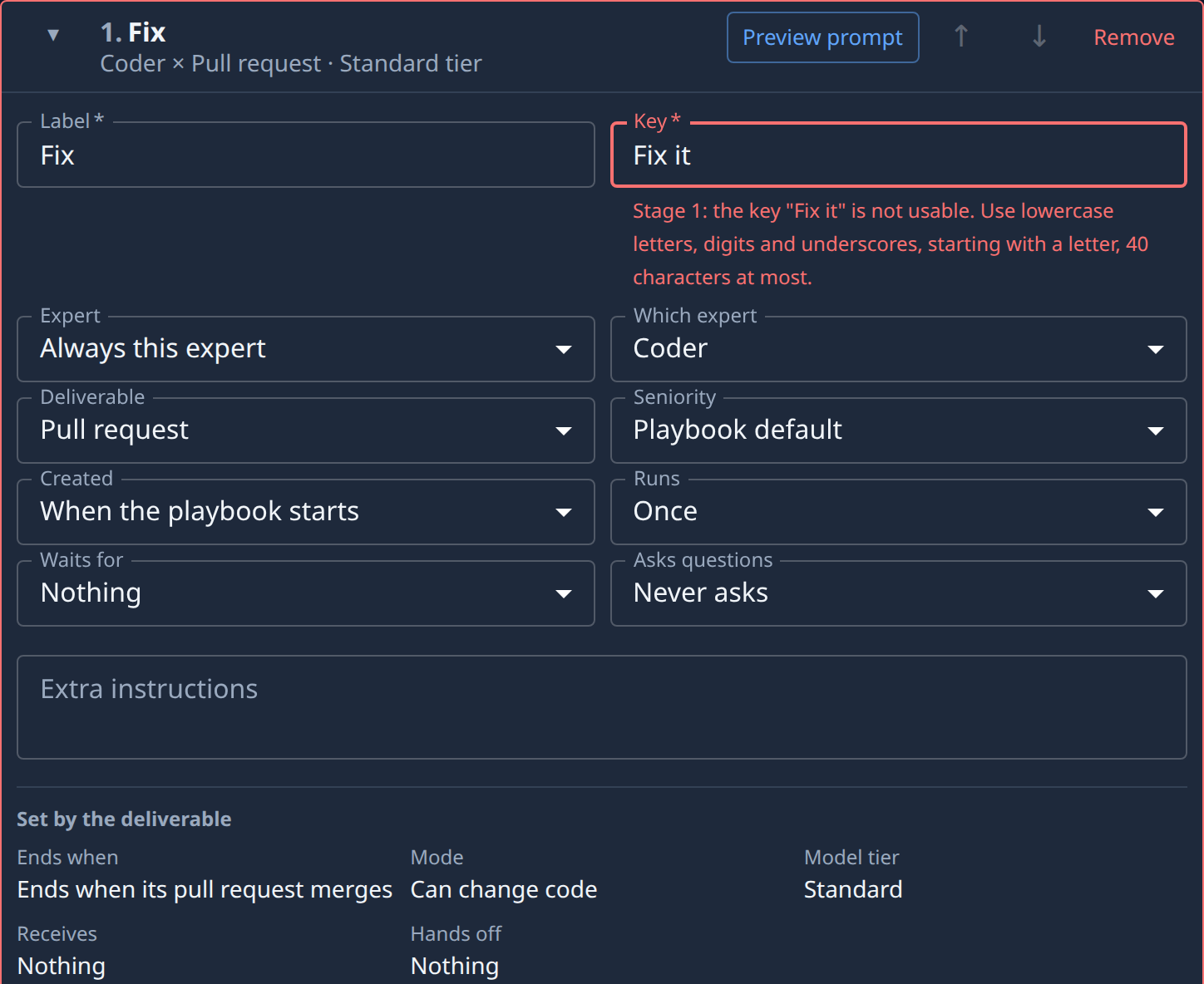
Select the Stages tab. A stage with an error has a red border, and its messages are listed in the card even while it's collapsed. Select ▸ to open the card: each error also shows under the field it belongs to.
-
Change the field the message names. The check runs again as you type, and the message goes away once the field is right. A message can name another stage, such as Created by naming a stage that doesn't come before this one: fix it on whichever card is wrong.
-
Repeat for every red card. Warnings show in yellow and don't stop you saving; read each one and decide whether to act on it.
-
Select Save (Create for a new playbook). It stays unavailable while any error is left.

If saving is refused anyway, Jaah opens the tab with the first error, opens its stage card and puts the cursor in the field to fix. Back on the list, the row's mark reads ✓, or ! if warnings remain.
Related
- Playbooks — every playbook and stage field.
- Set what a stage waits for — fix a stage that waits for the wrong stages.
- Repeat a stage for each planned item — the Plan stage a repeated stage needs.