Offer a playbook stage a choice of experts
Most stages always run as one expert, such as a Coder that hands back a pull request. Sometimes the same step in your process can be done by different experts: an Analyst writes a document, a Coder opens a pull request. Instead of keeping two playbooks, give the stage a list of allowed experts and a default, which is preselected when the playbook starts.
Who can do this: changing a playbook needs the Owner or Admin role in your organization, and Playbooks must be included in your plan. Built-in playbooks are read-only; duplicate one first, as in Create a playbook.
-
In the sidebar, select Settings, then Playbooks under Customize.
-
Under Your playbooks, select the playbook's ⋯, then Edit. For a new playbook, select New playbook instead.
-
Select the Stages tab, then ▸ at the start of the stage to open its card.
-
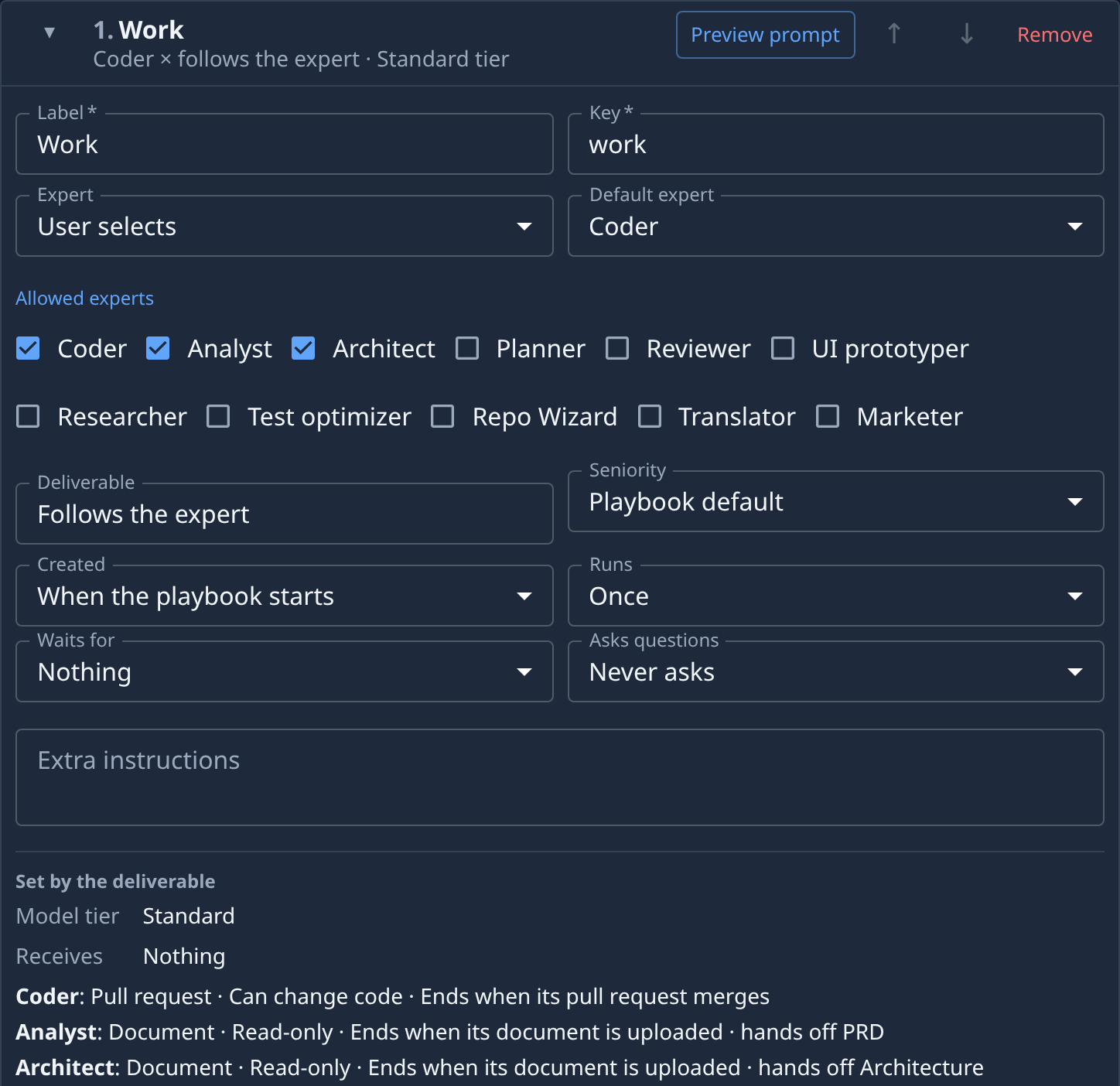
In Expert, pick User selects instead of Always this expert. The expert the stage had becomes the only allowed expert and the default, and Deliverable now reads Follows the expert: each expert hands back its own kind of work.
-
Under Allowed experts, tick each expert the stage may run as, such as Coder, Analyst and Architect. Untick any you don't want offered.
-
In Default expert, pick the one to preselect. Only allowed experts are listed.
-
Read the lines under Set by the deliverable. Each allowed expert gets one: its deliverable, whether it can change code or is read-only, when the stage ends, and what it hands off to later stages. For example, a Coder ends when its pull request merges, and an Analyst ends when its document is uploaded.
-
To read each expert's instructions, select Preview prompt, then switch the Expert picker at the top of the preview between the allowed experts. Select Close when done.
-
Select Save.
To go back to one fixed expert, pick Always this expert in Expert. The default expert becomes the stage's expert, and Deliverable returns to that expert's own.
Related
- Change what a playbook stage hands back: pick a fixed stage's Deliverable.
- Choose a persona for a task: what each expert does and hands back.
- Playbooks: every stage field, and the facts set by the deliverable.