Reorder a playbook's stages
A playbook lists its stages in order, and the Chain draws them in that order. Move a stage when the work should happen sooner or later, for example a review that should run before the fix, not after. A move changes only the order. Each stage keeps its fields, so check what it waits for before you save.
Who can do this: changing a playbook needs the Owner or Admin role in your organization. Built-in playbooks are read-only; duplicate one first, as in Create a playbook.
-
In the sidebar, select Settings, then Playbooks under Customize.
-
Under Your playbooks, select the playbook's name, or its ⋯ and then Edit.
-
Select the Stages tab. Each card shows its number, label, expert and deliverable, with ↑ and ↓ beside Remove. ↑ is greyed out on the first stage and ↓ on the last.

-
On the stage you want to move, select ↑ to move it one place up or ↓ to move it one place down. Select it again to keep going. With the keyboard, focus stays on the arrow, so press Enter once per place.
-
Open the moved stage with ▸ and read Waits for:
- Every earlier stage now means the stages above its new place.
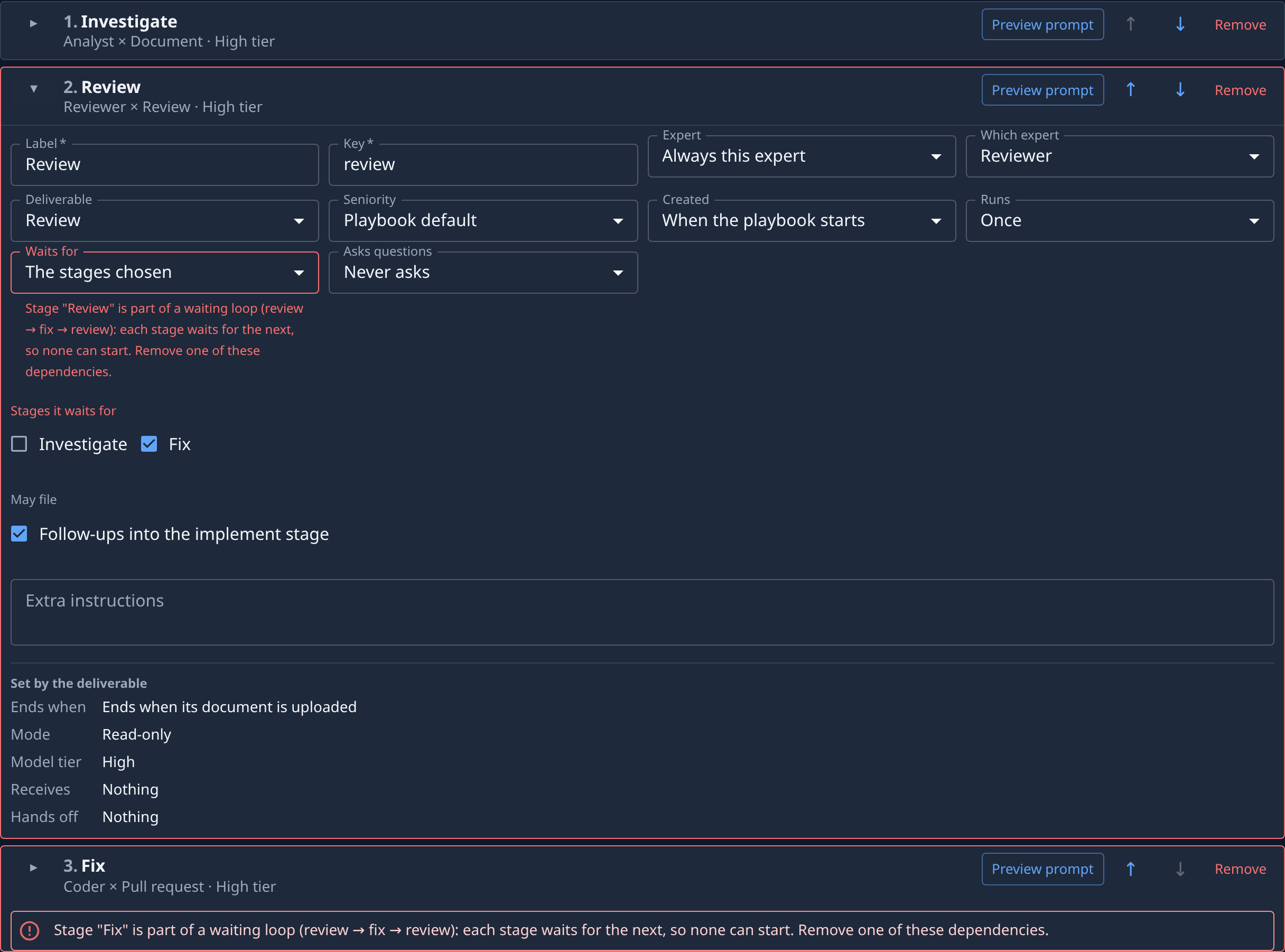
- The stages chosen keeps its ticks, even for a stage that is now below it.
-
Fix anything the move broke. A stage that waits for a stage which in turn waits for it makes a waiting loop, and both cards say so in red. A stage set to By an earlier Plan stage must stay below the stage named in Created by. Change Waits for or move the stage back.
-
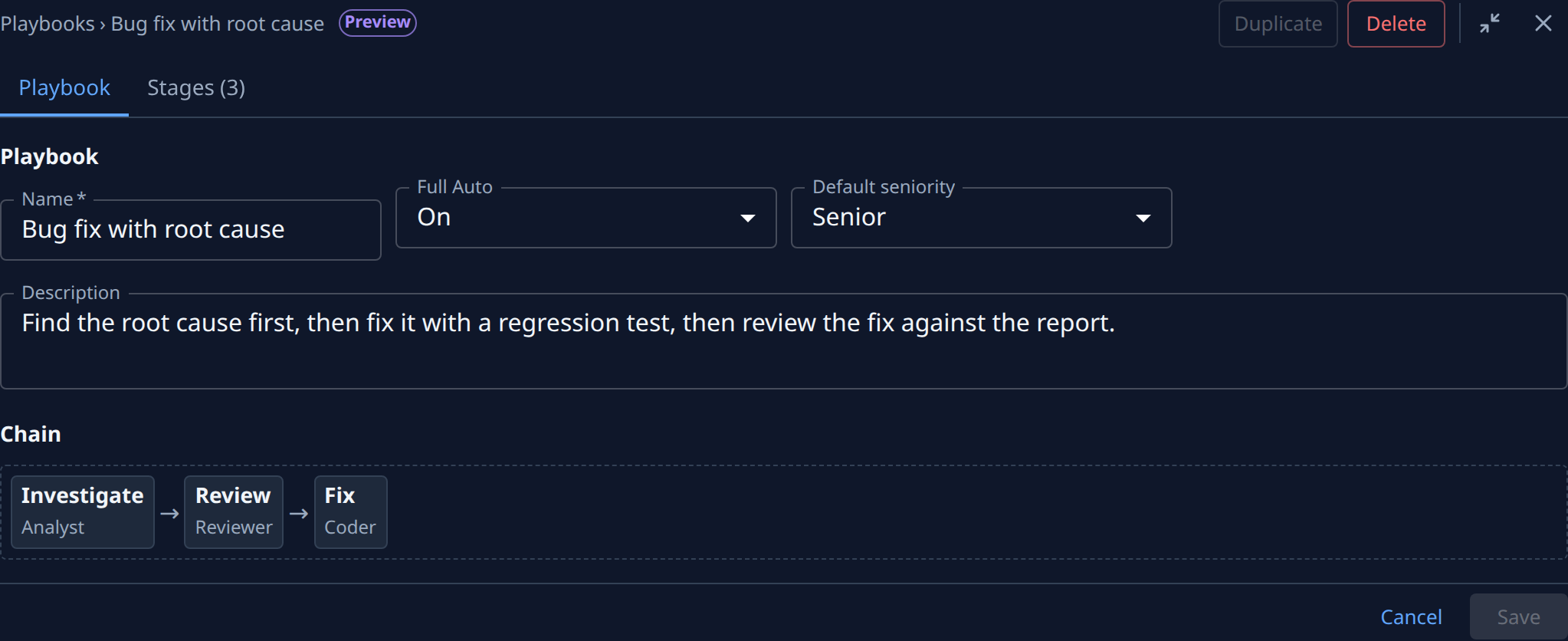
Select the Playbook tab and check the Chain. It draws the stages in their new order.
-
Select Save. It stays greyed out until every error is fixed. To drop the move, select Cancel and then Discard.
Every stage field is described in the Playbooks reference. How to choose what a stage waits for is in Set what a stage waits for, and how to read each error in Fix a playbook's errors.