Group playbooks into folders
Once your organization has more than a handful of playbooks, a flat list gets long. Jaah has no
separate folder to create: the folder is part of the playbook's name. A playbook named
Payments/Bug fix sits in a folder called Payments when the list is in Tree view. Use more than one
/ for folders inside folders, such as Payments/Refunds/Bug fix.
Who can do this: renaming a playbook needs the Owner or Admin role in your organization. Anyone can switch the list to Tree view. Built-in playbooks can't be renamed, so they never sit in a folder.
-
In the sidebar, select Settings, then Playbooks under Customize.
-
Under Your playbooks, select the playbook's ⋯, then Edit.
-
On the Playbook tab, put the folder name and a
/in front of the Name, for examplePayments/Bug fix. The name must still be unique in your organization.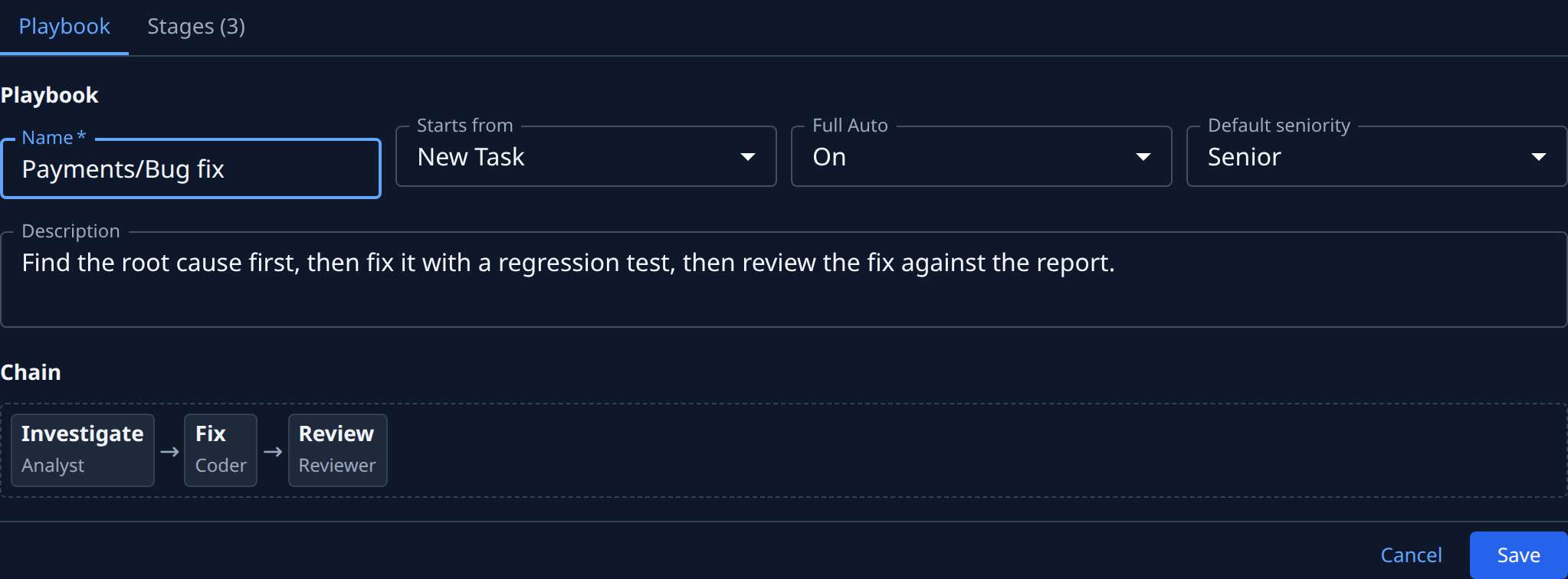
-
Select Save. Nothing else about the playbook changes.
-
Repeat steps 2 to 4 for each playbook that belongs in the same folder, using the same folder name.
-
Back on the list, select the Tree view button beside New playbook. Each folder shows as one row with a ◈ mark, its name and how many playbooks it holds.
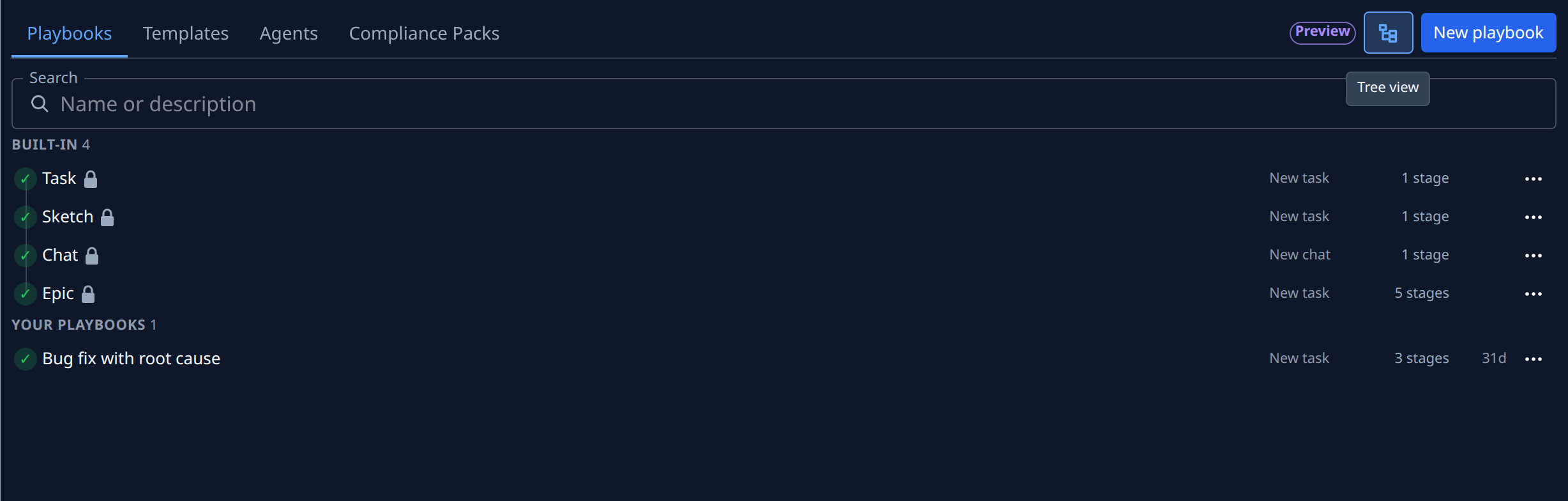
-
Select a folder's row to open it and show its playbooks. Inside a folder, a playbook shows only the part of its name after the last
/; its ⋯ menu has Full name for the whole name.
Your view, and which folders are open, stay as you left them the next time you open the tab. Select Tree view again to go back to the flat list, where every playbook shows its full name. Search works in both views.
To take a playbook out of a folder, edit it and remove the folder name and / from its Name.
Related
- Playbooks: the list, its groups and every row mark.
- Create a playbook: start a playbook, duplicate a built-in, and delete one you no longer need.
- Run a playbook on a task: pick one of your playbooks when you start a task.