Repeat a stage for each planned item
Some work is too big for one task: a planner should split it into items, and each item should be built on its own. In a playbook, that is a Plan stage followed by a stage that runs once for each planned item. When the playbook runs, the plan files one task per item, and the repeating stage runs for each of them. The built-in Epic playbook works this way.
Who can do this: creating and editing playbooks needs the Owner or Admin role in your organization. A task can run one of your own playbooks only when your organization's plan includes Playbooks.
-
Open the Playbooks list (where it sits in the sidebar is on Create a playbook). Open one of your playbooks, or select New playbook.
-
Select the Stages tab. On the stage that should split the work, set Expert to Always this expert, Which expert to Planner, and Deliverable to Plan. Its card now shows May file.
-
Under May file, keep The stage that runs once for each planned item and The finish stage ticked: the plan files both.
-
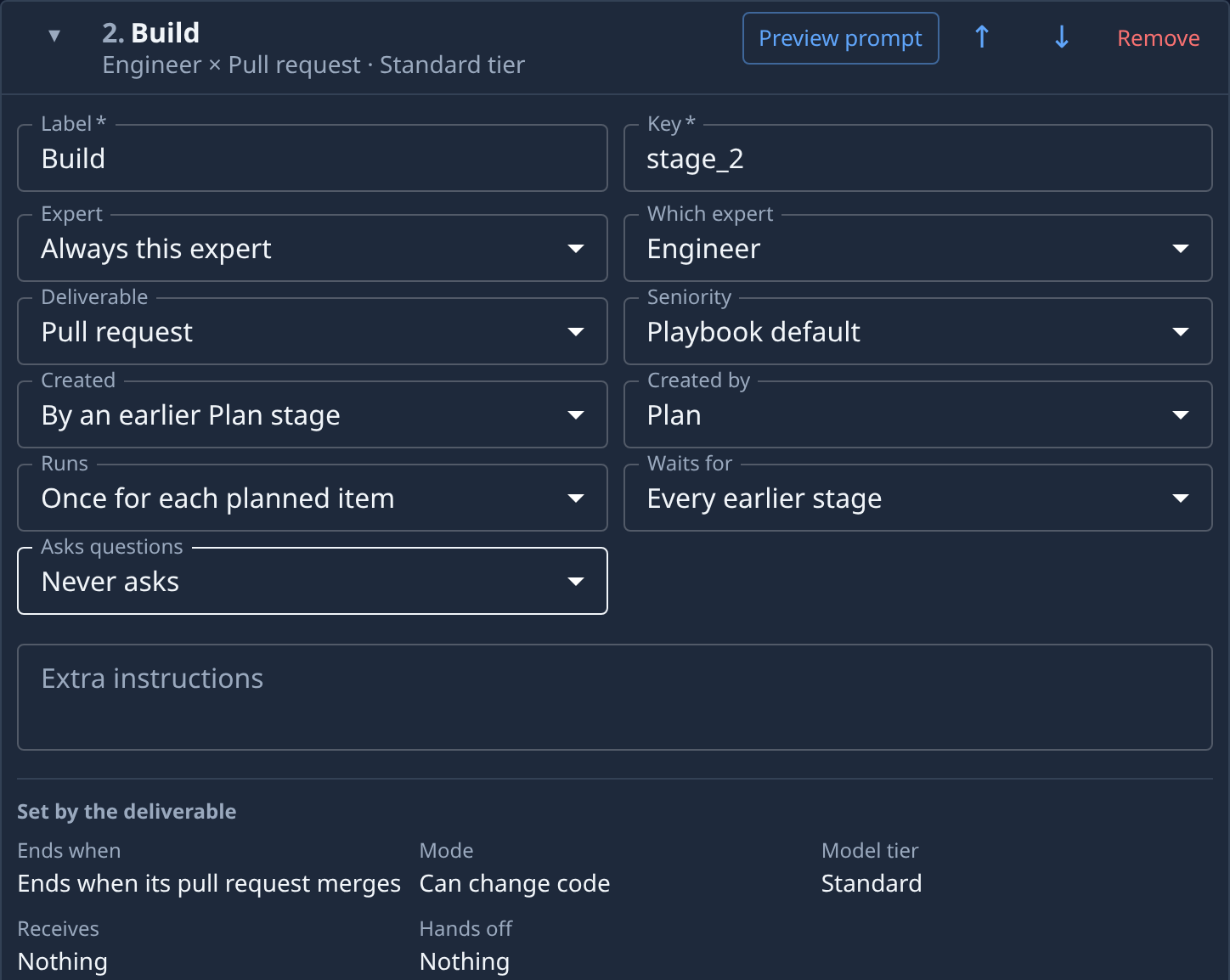
Select Add stage to add the stage that builds each item, and give it a Label, such as Build. Pick its Expert and a Deliverable such as Pull request.
-
Set its Created to By an earlier Plan stage, then pick the plan stage in Created by.
-
Set its Runs to Once for each planned item.
-
Select Add stage again for the stage that collects the items, such as Finish. Set Which expert to Reviewer, Deliverable to Review, and Created to By an earlier Plan stage, picking the plan stage, with Runs left at Once. A new stage waits for every earlier stage, so it starts once every item is built; see Set what a stage waits for. The repeating stage can't be last: nothing after it would collect the items.
-
Select the Playbook tab and check the Chain: it groups the stages into Prepare, Build × N (the repeating stage, drawn as a stack) and Finish.

-
Select Save (Create for a new playbook). Save stays unavailable while a stage has an error, such as a repeating stage that no Plan stage creates.
How many times the stage runs is up to the plan: one per item it files. A plan that finds nothing to build ends without filing any. To see each stage's prompt before saving, use Preview prompt on its card, as in Create a playbook.
Related
- How personas and playbooks work — stages, experts and how a playbook runs.
- Run a playbook on a task — start a task that runs your playbook.
- Playbooks — every stage field and its options.