Choose a persona for a task
A persona is the kind of expert a runner acts as. It decides how the runner works and what it hands back: a merged change, a report, a mockup or a conversation. Most tasks use Coder, the default; pick another when the job is something other than changing code.
Pick the persona
-
On the board, select +. The new task opens beside the board.
-
Write the description as usual.
-
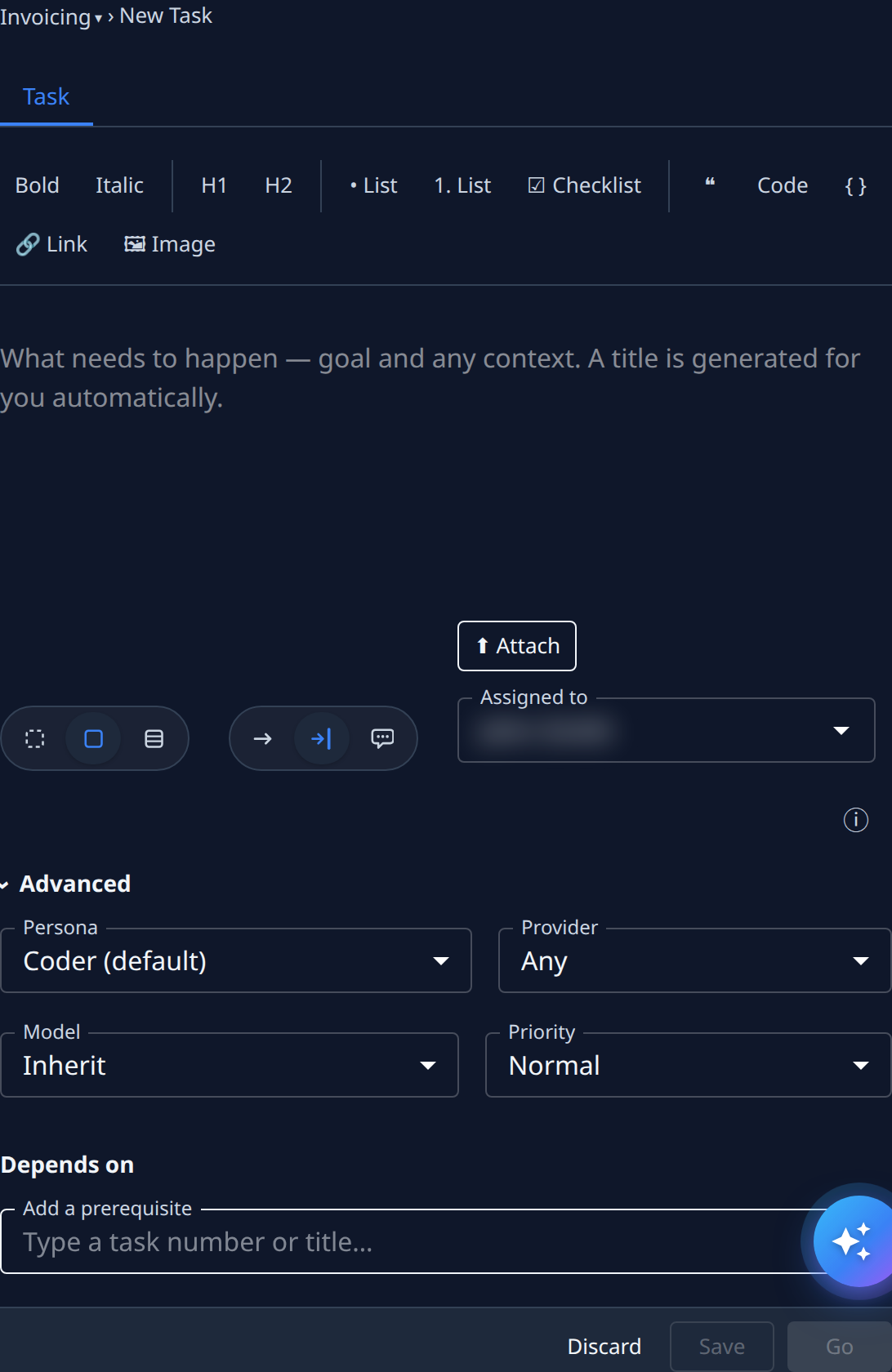
Select Advanced.
-
Open Persona and pick one from the table below. Select ⓘ to show what each choice does under the field.
-
Select Go to save and start the task.
Persona isn't offered for an epic: an epic's stages each have their own.
Which persona to pick
| Persona | Pick it when you want… |
|---|---|
| Coder (default) | The work built and shipped as a merged change. |
| Business analyst | The requirements settled, handed back as a requirements document. |
| Architect | The design settled, handed back as an architecture document. |
| Researcher | One question researched in depth and reviewed, handed back as a report, plus a docs change when the findings are guidance your project should keep. |
| Test optimizer | The cost of your test suite measured, and a change that reduces it. |
| Onboarding engineer | An existing repository prepared to take tasks, in one change that leaves its developers' setup as it was. |
| Translate | New and changed text translated into your project's other languages, shipped as a change. |
| Prototyper | A quick mockup to look at, handed back as a file, never a change. The Sketch size picks it for you. |
| Advisor | A conversation in the console until you mark it complete. The Chat involvement picks it for you. |
What a persona hands back shows up on the task's Artifacts tab or as the merged change linked from its Outcome: see Read a task's result.
Related
- Personas — each persona's details page.
- New task — every Advanced setting.
- Run a playbook on a task — chain several personas in stages.
- How personas and playbooks work — personas, playbooks and how they relate.