See how often an incident happens
Before you decide which incident to fix first, check how often each one happens: one that fired once last week can wait, one that fires every few minutes cannot. When the same problem happens again, Jaah adds to the incident's count instead of listing a new incident, so the count and its history tell you how often it happens. How incidents are recorded is in How Production QA works.
Before you start: Production QA is a plan feature. While your plan does not include it, Incidents is left out of the side menu and opening the page shows Not on your plan.
Who can do this: anyone who can view the project.
-
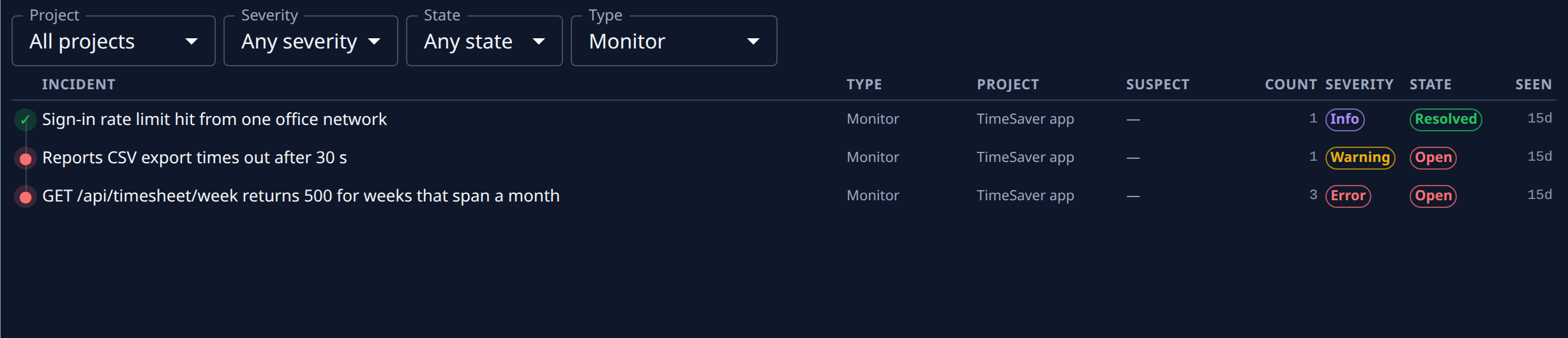
Select Incidents in the side menu. Narrow the list with Project, Severity, State or Type if it is long.
-
Compare the rows. Count is how many times each incident has happened, and Seen how long ago it last did. Hover Seen for the exact time.
-
Select an incident's title. Its page opens on Overview.
-
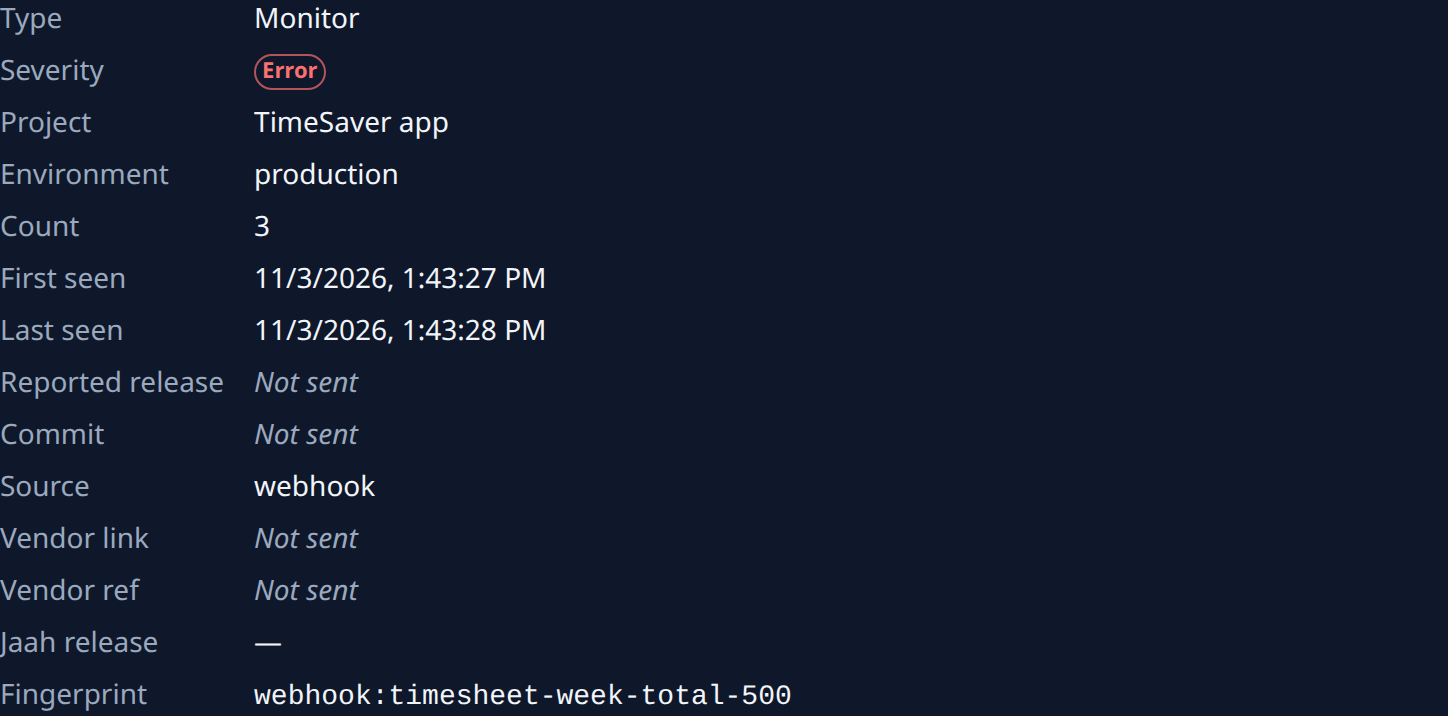
Read Count, First seen and Last seen. A count that is high for a short time between first and last seen means the problem is happening often. When Count ends in (vendor total), the number is your monitoring tool's own total, not only the reports Jaah received.
-
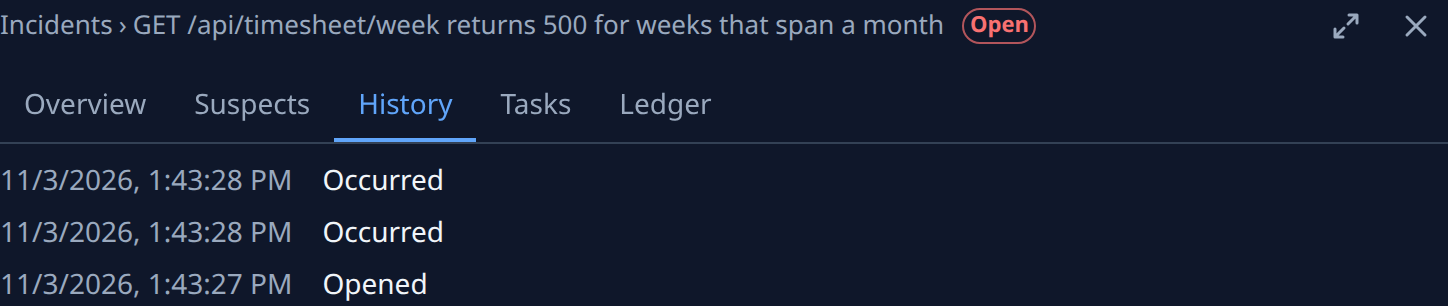
Select the History tab. Each event is listed newest first, with its time:
- Opened: the first time it happened.
- Occurred: each time it happened again.
- Resolved: when it stopped.
- Reopened: when it happened again after it stopped.
- Ignored stale: a report that arrived after a newer change to the incident, so it changed nothing.
-
Look for a pattern in the times. Occurred events close together mean it is still firing; a Resolved followed by Reopened means it came back after it stopped.
The page refreshes every 15 seconds, so a new occurrence shows without a reload. To find the change behind a frequent incident, go on to Find the pull request behind an incident.
Related
- Incidents: every column, filter and tab on the Incidents pages.
- Check that a fix resolved an incident: once a fix has shipped.
- Find a project's open incidents: narrow the list to one project.