Connect a service through your own app
Most services that sign in with OAuth let you bring your own app. Use it when your company must own the app people sign in through, or when the service has no Jaah sign-in app yet. You register an app at the service, give Jaah its client ID and secret, then sign in as usual. The steps use Linear; other services work the same way.
Who can do this: everyone. A secret you connect is yours; only Org Owners and Admins can make it an Organization secret. GitHub, GitLab, Bitbucket, Azure DevOps and Slack connect through Jaah's own app only, so their screens don't offer this choice.

- In the sidebar, select Directory, then the Secrets tab.
- Select Add secret. In the gallery, type the service's name in Search integrations, then select Connect on its card.
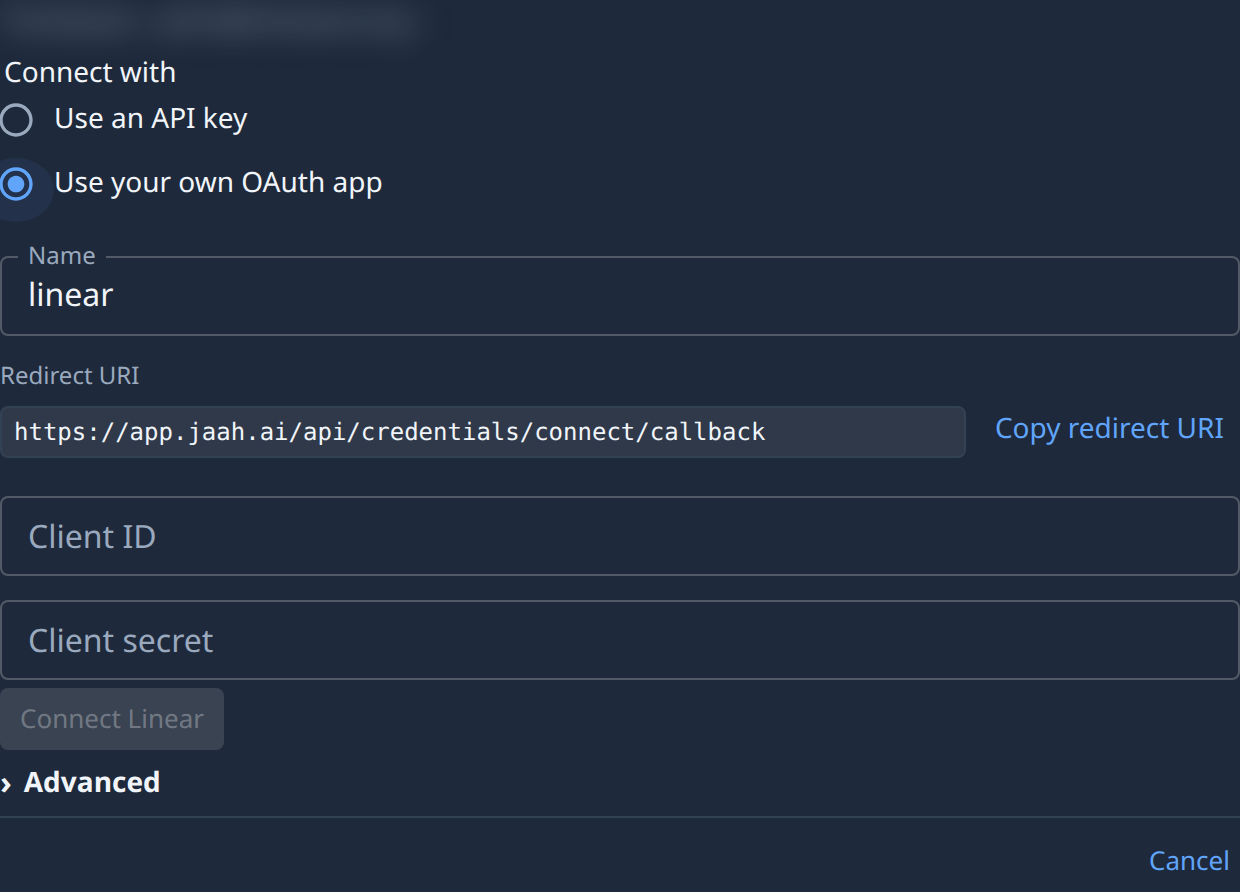
- Under Connect with, choose Use your own OAuth app. A Redirect URI, a Client ID and a Client secret appear.
- Select Copy redirect URI. At the service, create an OAuth app and add this exact address as its redirect or callback URL. The service refuses the sign-in if it doesn't match.
- Copy the app's client ID and client secret from the service. Paste them into Client ID and Client secret.
- Optional: change the Name. Open Advanced to narrow the Permissions Jaah asks for. Org Owners and Admins can also choose the Owner there.
- Select Connect with the service's name, for example Connect Linear. Allow access on the service's page.
- Back in Jaah, the new secret opens, already tested. Nothing is saved if you don't allow access.
The secret renews its sign-in through your app from then on. If you delete or change that app at the service, connect the secret again.
Related
- Add a secret — every other way to store a connection.
- How secrets work — owners, and how tasks receive a secret.
- Every choice on a service's screen: Connect a service.