Attach a credential to a project
A credential attached to a project is given to every task on that project. Attach one when a project's tasks all need the same service, for example the team's Jira or a deployment account.
Who can do this: you need to be able to edit the project — as its Project Maintainer, or as an Org Owner or Admin. Then a personal credential can be attached only by its owner; an organization credential by its owner or an Org Owner or Admin. A System credential can't be attached to a project. When you aren't allowed, the tab says why after you select Attach.
Attach it
- In the sidebar, select Directory, then the Credentials tab.
- Select the credential's name. It opens in a pane beside the list.
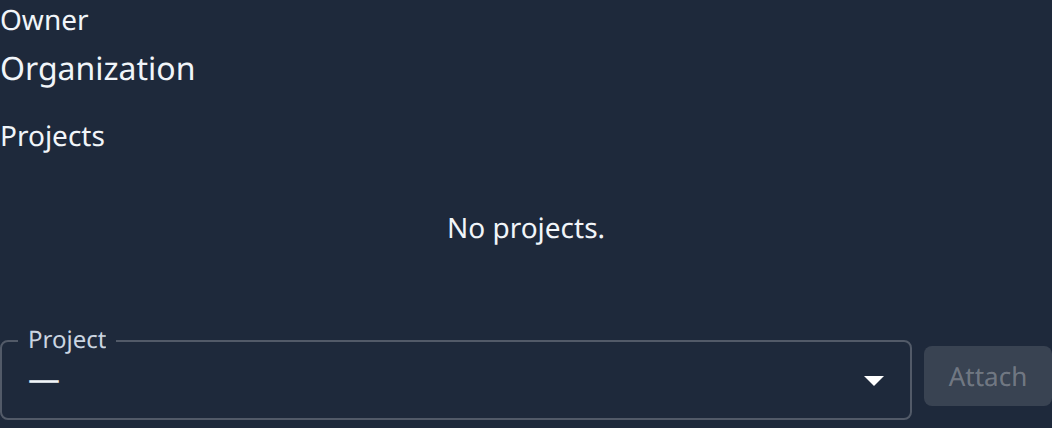
- Select the Access tab. It shows the credential's Owner and the Projects it's attached to.
- Pick the Project.
- Select Attach.
The project now appears under Projects. Tasks that start on it from now on receive the credential.
Detach it
- Open the credential's Access tab, as above.
- Find the project under Projects.
- Select Detach on its row.
- Confirm.
- Check that the project is gone from the list.
Tasks on that project stop receiving the credential.
Related
- To hand a project just one field of a credential, as a variable, see Add an environment variable.
- To choose the Jira connection a project links issues with, open the project's Advanced tab: see Projects.
- The Access tab in full: Credentials.
- How tasks receive credentials: How credentials work.