Find a service to connect
Before a task can reach Slack, Stripe or AWS, you need a secret for it. The integrations gallery lists every service Jaah connects to. Use it to find the service, learn how it signs in and what you need to have ready, and see whether you already have a secret for it.
Who can do this: everyone. Only Org Owners and Admins see the Custom connector and Custom MCP server cards.
-
In the sidebar, select Directory, then the Secrets tab, then Add secret. The gallery (Secrets › New secret) opens beside the list, one section per category.
-
Type the service's name in Search integrations. It also matches categories and summaries, so a word such as
invoicesoremailfinds services you don't know by name.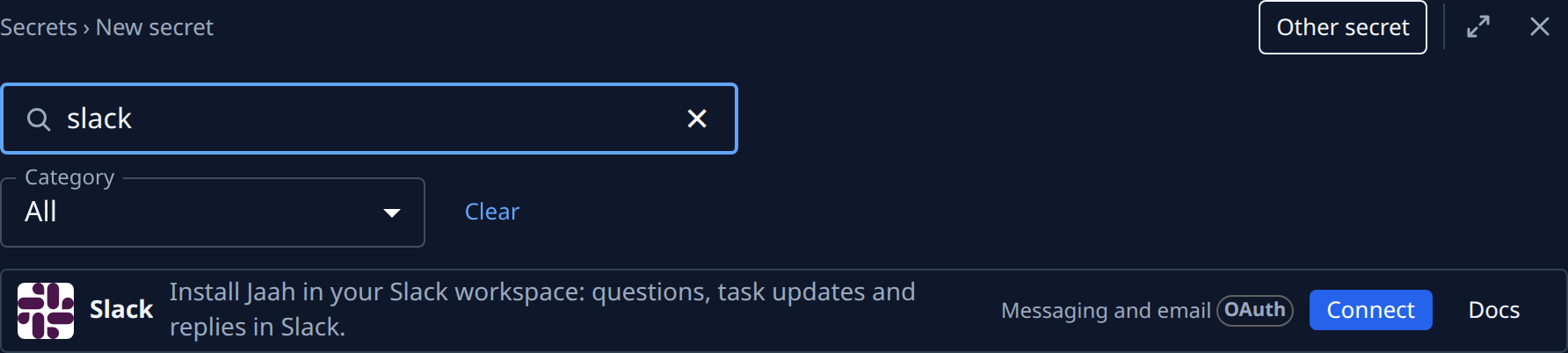
-
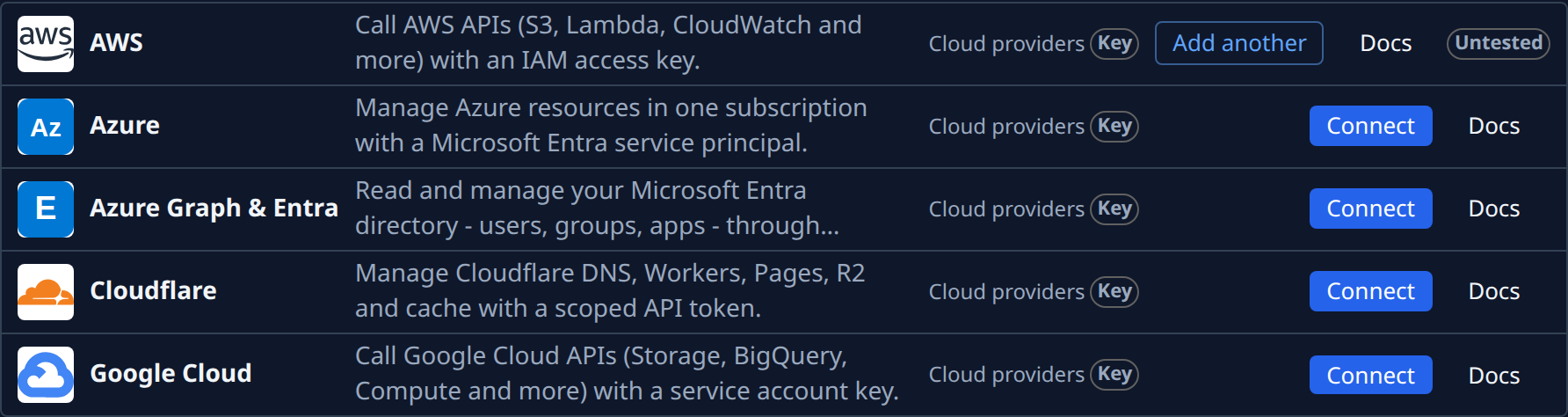
Or pick a kind of service in Category, such as Cloud providers, to see only those. All shows every category again.
-
Read how the service signs in, on its card:
- OAuth: you sign in at the service and allow access. Nothing to copy.
- Key: you paste a key, token or password you create at the service.
- MCP: agents reach the service through its MCP server.
- Beta: one-click sign-in isn't ready yet. See Vote for a beta app.
-
Select Docs on the card to see what agents can do with the service and where to find each value it asks for. It opens in a new tab, so the gallery stays put.
-
Check whether you already have a secret for it. Its card then shows a state: Connected, Untested, Test failed or Needs reconnect, with a count when you have more than one, such as Connected · 2. Its button reads Add another instead of Connect.
-
Select Connect on the card to set the service up, or Add another for a second secret.
When nothing matches, the gallery says No integrations match. Select Clear to drop the search and the category. A service with no card of its own still fits: select Other secret for the plain form, or use Generic API key or Generic login in the Custom category.
Related
- Connect a service in one click: what happens after Connect on an OAuth card.
- Add a secret: fill in a key by hand.
- Add a second secret for the same service: when the card reads Add another.
- Reconnect a secret a service stopped accepting: when a card shows Needs reconnect.
- Every part of the gallery: Secrets.