Start an epic from a template
Some templates start an epic instead of a single task, so one start is analysed, designed, planned and built in subtasks; this guide shows how to tell them apart and start one.
Starting one needs permission to create tasks in at least one project. Without it, the rows show no Start or Customize.
-
Open Settings in the sidebar, then Templates under Customize. The gallery opens.
-
Find the template. Type a few words in Search templates, such as deploy, or pick a Purpose. A template that starts an epic reads Epic before its origin on its row, such as Epic · Official; one that starts a single task names the persona that runs it, such as Coder · Official.

-
On the row, select Start. To change the brief or how involved you will be first, select Customize instead: the new-task form opens filled in from the template, and you finish there as in Start an epic and follow its stages.
-
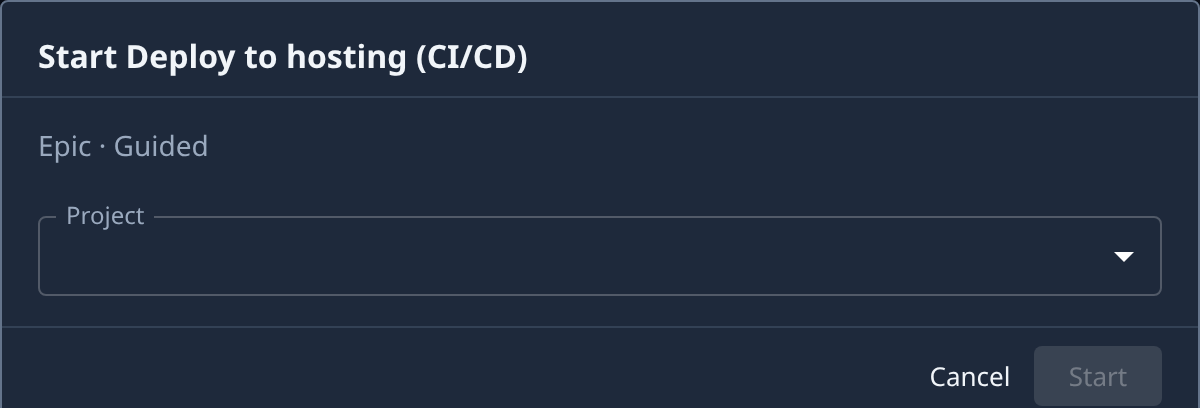
Check the line under the title of the dialog. It names the size and how involved you will be, such as Epic · Guided. Guided means the epic asks you before it settles the requirements and the design; Unattended means it decides for itself.
-
Pick the Project the epic runs in. Only projects you can start tasks in are listed. Start stays greyed out until a project is picked.
-
Fill in the template's inputs, if it asks for any. Start stays greyed out until every required one has a value.
-
Select Start. It reads Starting… while Jaah files the epic and starts it, then the epic's page opens, with From template linking back to the gallery.
-
Open the epic's Subtasks tab to follow it. Its subtasks appear stage by stage, as described in Start an epic and follow its stages. On a Guided epic, answer when a subtask stops to ask you; see Answer the questions a guided epic asks.
Cancel closes the dialog without filing anything. If the epic is filed but starting it is refused, its page opens as a draft and says why.
Related
- How templates work: the gallery, Start and Customize, and inputs.
- How epics and features work: what each stage of an epic hands on.
- Make a template that starts an epic: write your organization's own epic template.