Have a task message someone
A task can tell a person something without you passing it on: "message Dana when the report is ready", or "tell me if the build is still red". The agent sends one short message, and it reaches each person on the channels they chose for Direct messages: the bell, email, Slack, Telegram or their browser.
Who can do this: anyone who can create tasks. The people you name must be members of your organization.
-
On the board, select New task, or open a task that hasn't started yet. See Run your first task for the editor.
-
In the description, say who to message, when, and what to say. Name each person by name or email address, for example: "When you finish, send Dana Lee a message with the link to the report."
-
Keep the message to what the person needs: a result, a link or a question for them. The agent writes plain text, up to about a page.
-
Start the task as usual. The agent sends the message when it reaches the point you described.
-
The person sees it in their bell as a Message, with the agent's name. If they can open the task, the item names it and links to it; if not, they get the message alone.
-
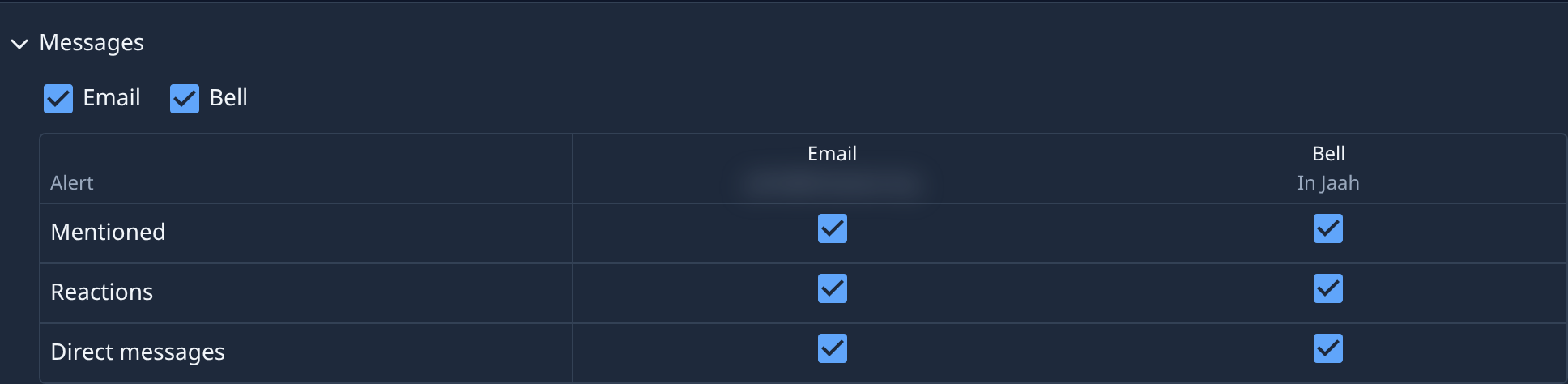
To be sure it reaches them outside the console, the person checks Direct messages under Messages in their own Preferences. Every channel starts with it ticked.
A task can send at most 30 messages an hour, so a loop can't flood anyone. Posting into a whole Slack channel, rather than to named people, reaches everyone in it: the agent does it only for a task started by an org admin, in a Slack workspace your organization has connected. See Connect Slack.
Related
- Get told when someone mentions you: choose where mentions, reactions and direct messages reach you.
- Get told when your tasks finish or need you: hear about your own tasks without asking for a message.
- Catch up on your notifications: open and mark items on the Notifications page.