Add or remove a project's repository
A project can hold several repositories, for example an API and the web app that calls it. Every task of the project gets all of them in its slot. One repository is the primary: the project's gate, stack and ports run there, and its integration branch is the project's. You add, remove and reorder repositories on the Repository line of the project's Settings › General, and nothing changes until you select Save.
Who can do this: anyone who may edit the project. Adding the first repository to a project that has none, or removing the last one, needs an org admin who can create and delete projects. Making a repository the primary when its branch differs from the integration branch needs an owner, or an admin who may edit nodes.
Add a repository
- In the sidebar, select Directory, then the Projects tab.
- Select the project's name. Its page opens on General.
- On the Repository line, select Add. An empty editor opens under the line.
- In Repo URL, type to search the repositories your connected Git accounts reach, or paste the repository's address. If Jaah can't tell which forge the address is on, a Forge list appears: pick yours.
- Check Integration branch, the branch its pull requests open against. Jaah fills it in when it can read the repository.
- Select Done. The repository joins the end of the line.
- Select Save at the bottom of the page.
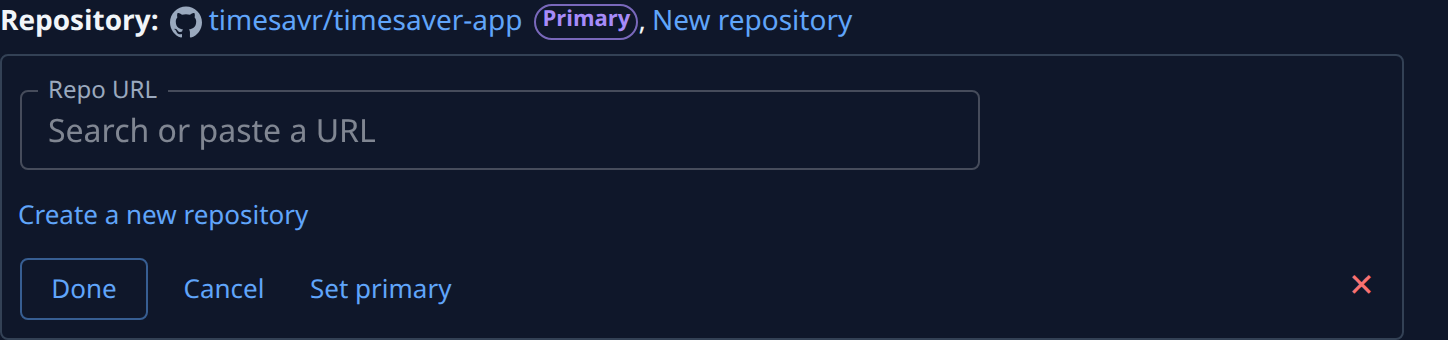
To start a repository that doesn't exist yet, select Create a new repository in the editor, pick its Owner and type a Repository name. It shows on the line marked New, and Jaah creates it, private, with main and develop, when you save. Use an existing repository goes back.
Make another repository the primary
With two or more repositories, the primary carries a Primary mark on the line.
- Select the name of the repository that should be the primary.
- In its editor, select Set primary.
- Select Done, then Save.
If Set primary is greyed out, hover it to read why: the repository's branch differs from the project's integration branch, and you may not change that branch.
Remove a repository
- Select the repository's name on the Repository line.
- Select ✕ at the right of its editor.
- Select Save.
Remove the primary last, or make another repository the primary first. Removing the last repository shows Save leaves this project without a repository: tasks run in an empty folder. Saving then turns the project into one that works outside a codebase: tasks already running in its slots stop and start again without it.
To undo changes you haven't saved, select Cancel in an open editor (or press Escape), or Discard at the bottom of the page.
Related
- What each field in General means: Projects.
- Connect a project for the first time: Add a project.
- Set the push rules and gates for each repository: Set how runners push to a repository.
- What the primary repository decides: How projects work.