Let a project's sessions reach another site
On a MicroVM node, each task runs in its own VM, and that VM reaches only a list of internet names: package registries, forges and model providers. When a task needs another site, such as your own package server, add its name to the project. You can also block a default name for this project only.
Who can do this: anyone who can edit the project. Others see the lists but no fields.
Plan: needs MicroVM nodes on your plan. The MicroVM section of a project's settings shows only while your plan includes it.
-
In the sidebar, select Directory, then the Projects tab.
-
Select the project's name, then the Settings tab, then MicroVM in the list of sections. You can also type a name into Search settings.
-
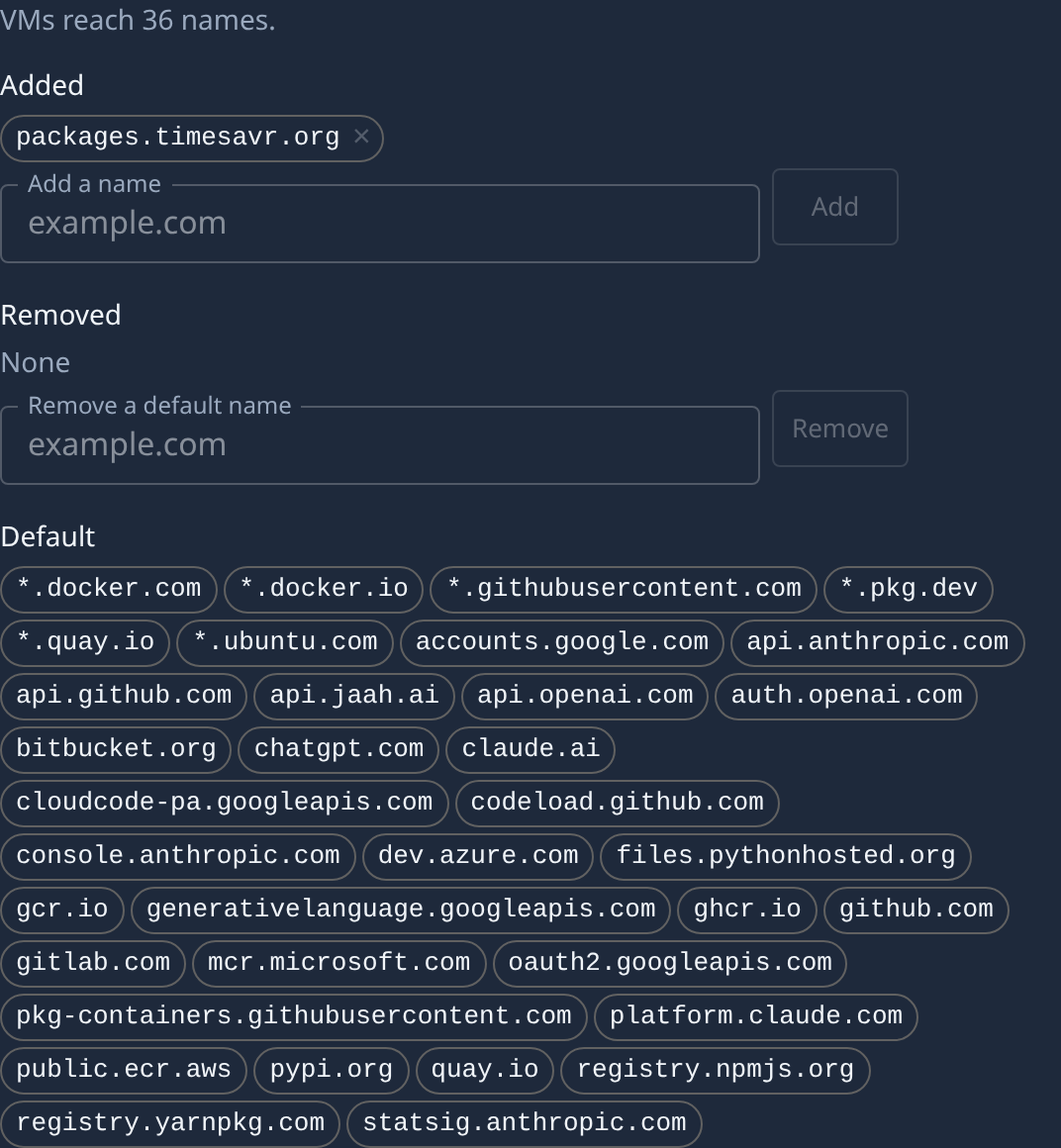
Under Egress, read VMs reach and the three lists: Added (names this project adds), Removed (default names this project blocks) and Default (the names every project's VMs may reach).
-
To let the VMs reach a site, type its name in Add a name, such as
packages.example.com, and select Add.*.example.comcovers every subdomain. The name joins Added and saves at once. -
To stop the VMs reaching a default name, type it in Remove a default name and select Remove. It joins Removed, and is struck through under Default.
-
To undo either change, select × on the name under Added or Removed.
-
Check VMs reach: it counts the names the project's VMs may now reach.
A name that is already in a list says Already listed., and its button stays off. Whatever the lists say, the VMs can always reach Jaah and your forge, and never reach private or link-local addresses.
When a task still can't reach a site, open the node it ran on: its Shape tab lists Egress refusals under Report.
Related
- Choose a node's shape — turn MicroVM on for a node.
- Change how big each session's VM is — its vCPUs, RAM and disk.
- Projects — every field of the MicroVM section.