Track a release until it deploys
Until a project's deploys are tracked, a release to Production reads Released as soon as its pull request merges, even if the deploy that follows fails. Connect Deploy tracking and Jaah waits for the workflow that deploys Production: the release stays Releasing until that run succeeds. It works on every plan.
This page covers a project on a basic pipeline. On a custom pipeline the same section sits under the Production stage's deploy target; see Set a stage's deploy target.
Who can do this: anyone who may edit the project. Others read Maintainers set this up. in place of the fields. On Bitbucket, only an Org Admin connects: others read Org Admins connect Bitbucket releases.
Connect it
-
In the sidebar, select Directory, then the Projects tab, and select the project's name.
-
Select the Settings tab, then CI Pipeline. Deploy tracking is under the pipeline's fields and reads Not connected. until it is set up.
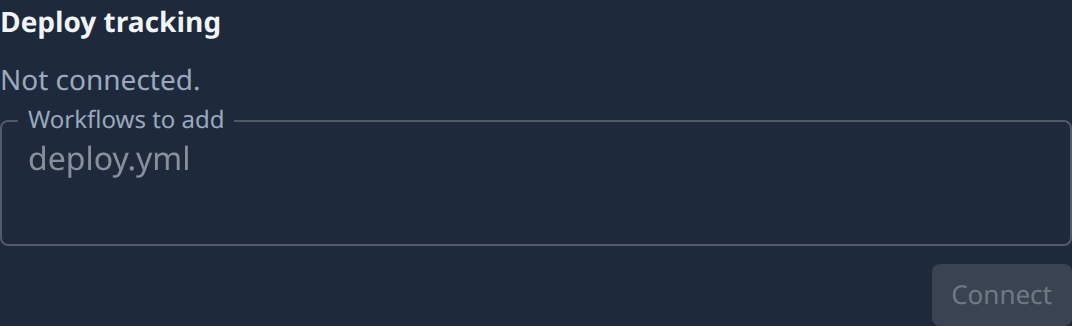
-
Name what deploys Production, one per line. The field depends on where the repository lives:
- GitHub: Workflows to add, the workflow that deploys Production. Jaah suggests the deploy workflow it finds in the repository; Also found: offers others, one click each to add.
- GitLab: CI config, the pipeline file that deploys Production.
- Azure DevOps: Pipelines to add, a pipeline or release name.
- Bitbucket: Production branch, and optionally Release statuses: the build statuses that count. Leave it empty to count every build status on the branch.
-
Select Connect. It stays disabled until a field is filled in, except on a GitHub repository whose Pages build from a branch, which connects with none.
-
Finish on the forge:
- On GitHub, Jaah adds the webhooks itself. If it can't, a line says why: install the Jaah GitHub App on the repository's owner, or allow it to manage webhooks. Select Install app, then Connect again, or Set up manually to add the webhooks yourself.
- On another forge, a dialog such as Add these webhooks in GitLab lists each webhook with its address and secret. The secrets are shown only now: add each webhook on the forge before you select Done.
-
Check the section: it now lists each webhook by name, with the events it listens to. Your next release reads Releasing until the deploy run succeeds.
To change the workflows later, edit the field and select Save.
Related
- Release to production: what a release does once it starts.
- Choose a basic pipeline: the rest of the CI Pipeline section.
- Turn on Production QA for a project: the same connection, as Production QA uses it to link incidents to releases.
- Projects: every field of CI Pipeline.