Set how runners push to a repository
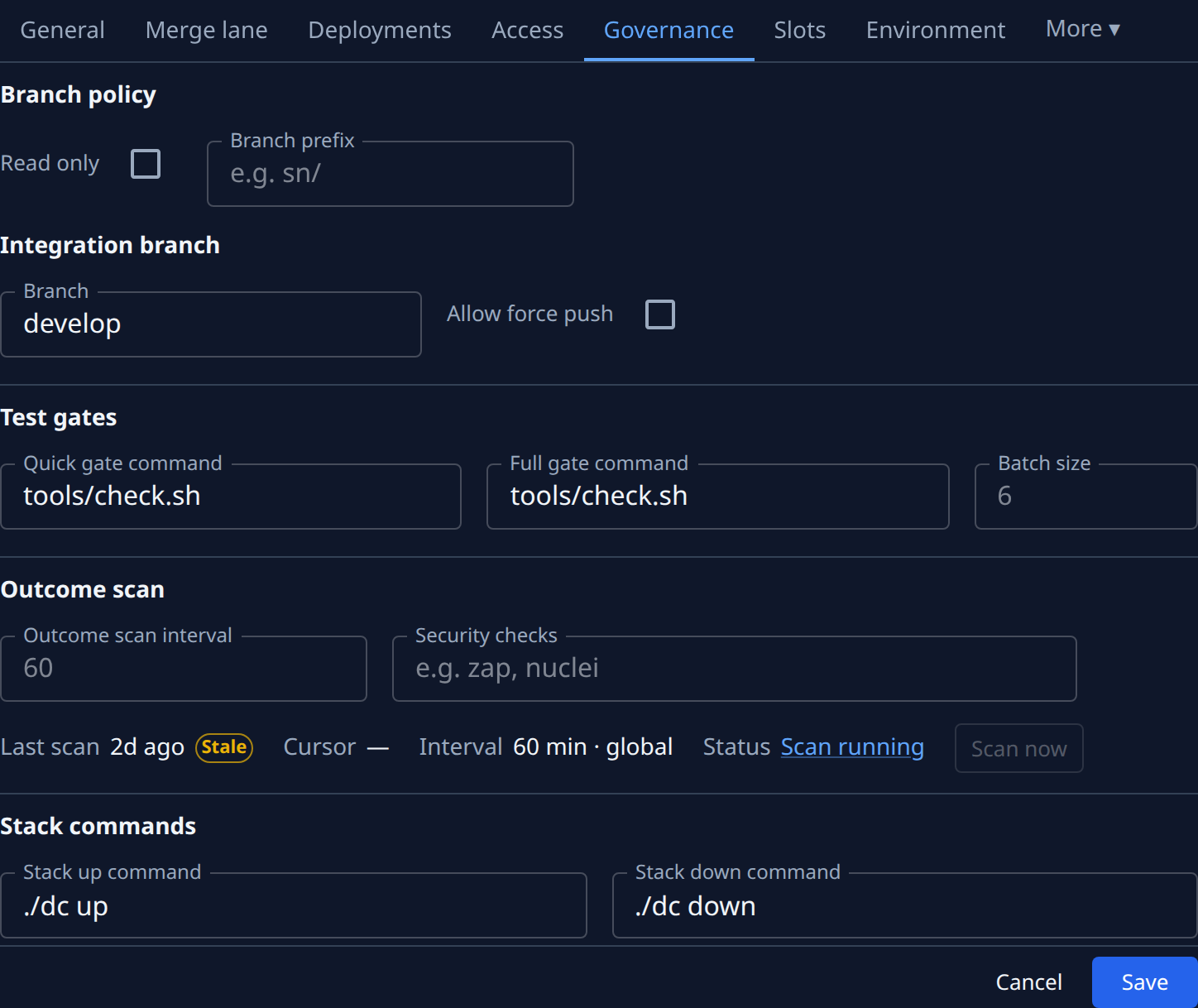
A project's Settings tab decides, in its Branches section, what runners may do with each of its repositories: push or not, from which branches, and whether they may force-push the integration branch. Its Testing section holds the gates their work must pass before it ships. Both appear only on a project with a repository.
Who can do this: anyone who can edit the project opens the tab. Changing the branch policy, the quick gate and the stack commands also requires the org owner role, or the org admin role with permission to edit nodes, because those commands run as a shell on every node. Without it the fields are locked and a notice says so; your other changes still save.
Set the branch policy and gates
-
In the sidebar, select Directory, then the Projects tab.
-
Select the project's name to open its settings, select the Settings tab, then Branches. With two or more repositories, pick one in Branch policy for first: the fields below it apply to that repository only. On General, the shield (a lock on a read-only repository) beside a repository's branch opens Branches with it picked.
-
Tick Read only to stop runners pushing or opening pull requests at all. They still work in the repository and report. Branch prefix and Allow force push turn off with it.
-
With push on, type a Branch prefix, such as
jaah/. Jaah puts it in front of every branch it creates, and pushes and opens pull requests only from branches under it. Leave it empty for no restriction. An integration branch outside the prefix is warned about, not refused: runners can't push to it. On a custom pipeline the primary repository's prefix is set in the custom pipeline under CI Pipeline: here it reads only, and Edit in CI Pipeline opens it (Set up a project's pipeline). The integration branch reads only too; Edit goes to General, where it is set. -
Under Integration branch, tick Allow force push only if runners may force-push that branch. A runner asks you in the task first, and your yes lasts the rest of that task.
-
Select Testing and set the Quick gate command, which runs on every commit and should be fast. Leave it empty for no gate. Set the Full gate command too: it runs once before a change merges. On a custom pipeline the full gate is set on the Merge step under CI Pipeline instead: Open CI Pipeline → Merge gates goes there.
-
Optional: under Testing's Outcome scan, list in Security checks the CI checks that count as security scans, separated by commas, such as
zap, nuclei. CodeQL and the usual scanners always count. The section appears only where your plan includes agent performance. -
Select Save.
Anyone who can view the project can read these commands, so never put a password or token in them.
Related
- Connecting the repository in the first place: Add a project.
- Testing and merging pull requests together with the full gate: Use the merge lane.
- Every field on the tab: Projects.