Add a project
A project is one repository Jaah works on. Add one before you start tasks on a new repository.
Who can do this: adding a project needs the permission to create projects. Without it, the Add project button doesn't appear. Picking a node requires the org admin role; without it, the form has no Node field and an admin adds the project's slots later.
Create the project
- In the sidebar, select Directory, then the Projects tab.
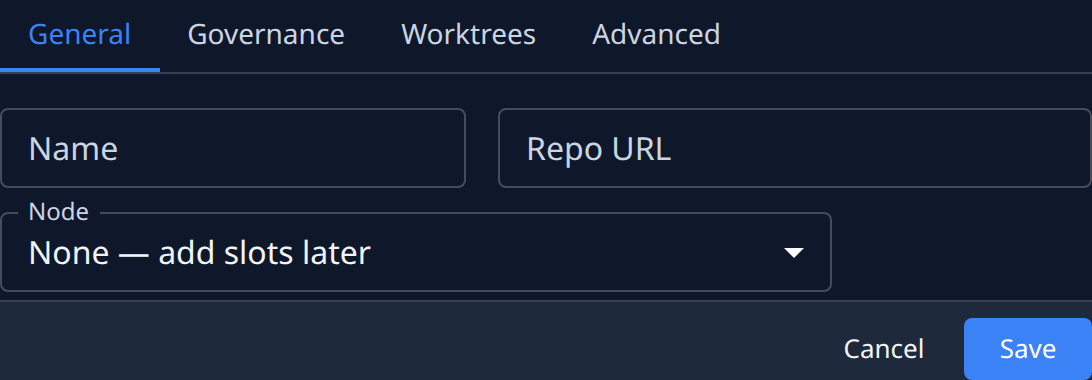
- Select Add project. The new project opens beside the list, on its General tab.
- Enter a Name for the project. It's required.
- Enter the repository's address in Repo URL. If Jaah can't tell which forge the repository is on, a Forge list appears: pick yours.
- In Node, pick the node the project's worktrees run on. Pick None — add slots later to create the project without any.
- If you picked a node, set Slots: how many worktrees it holds there, from 1 to 10. Tasks need at least one free slot to run.
- Select Save.
The project now appears in the list. Its round mark shows whether runners are dispatched to it.
Check how runners deliver
Before the first task, check that runners will work the way your team does.
- Select the project's name in the list to open its settings.
- Select the Governance tab.
- Check Integration branch: the branch runners open pull requests into.
- Check Quick gate command and Full gate command: the checks a runner runs as it works and before it opens a pull request.
- Turn off Push enabled if runners may work in the repository but must never push to it.
- Select Save.
Commands and agent instructions are readable by anyone who can view the project, so never put a password or a token in them. To hand a project a secret, use an environment variable read from a credential.
Next steps
- Give someone access to a project so your team can use it.
- Add more worktrees on the Worktrees page.
- What each field on each tab means: Projects.
- How a project ties tasks, worktrees and nodes together: How projects work.