Start tasks from GitHub
An automation with the GitHub source files a task each time a repository sends an event you list, such as a new issue or a labelled pull request. The event's details go into the task, so a new issue gets a first look without anyone opening Jaah.
Who can do this: requires the org admin role. Automations are listed under Audit, which only Org Owners and Admins see. Adding the webhook in GitHub needs admin access to the repository.
Create the automation
-
In the sidebar, select Audit, then the Automations tab.
-
Select New automation. It opens beside the list, on When.
-
Set Source to GitHub.
-
In Events, type the GitHub event names, separated by commas, such as
issuesorissues, pull_request. At least one is required. -
Optional: in Actions, narrow those events to some actions, such as
opened, labeled. Empty, every action counts. In Repository, type the repository asowner/repo; empty, it is the target project's own primary repository. Select Next.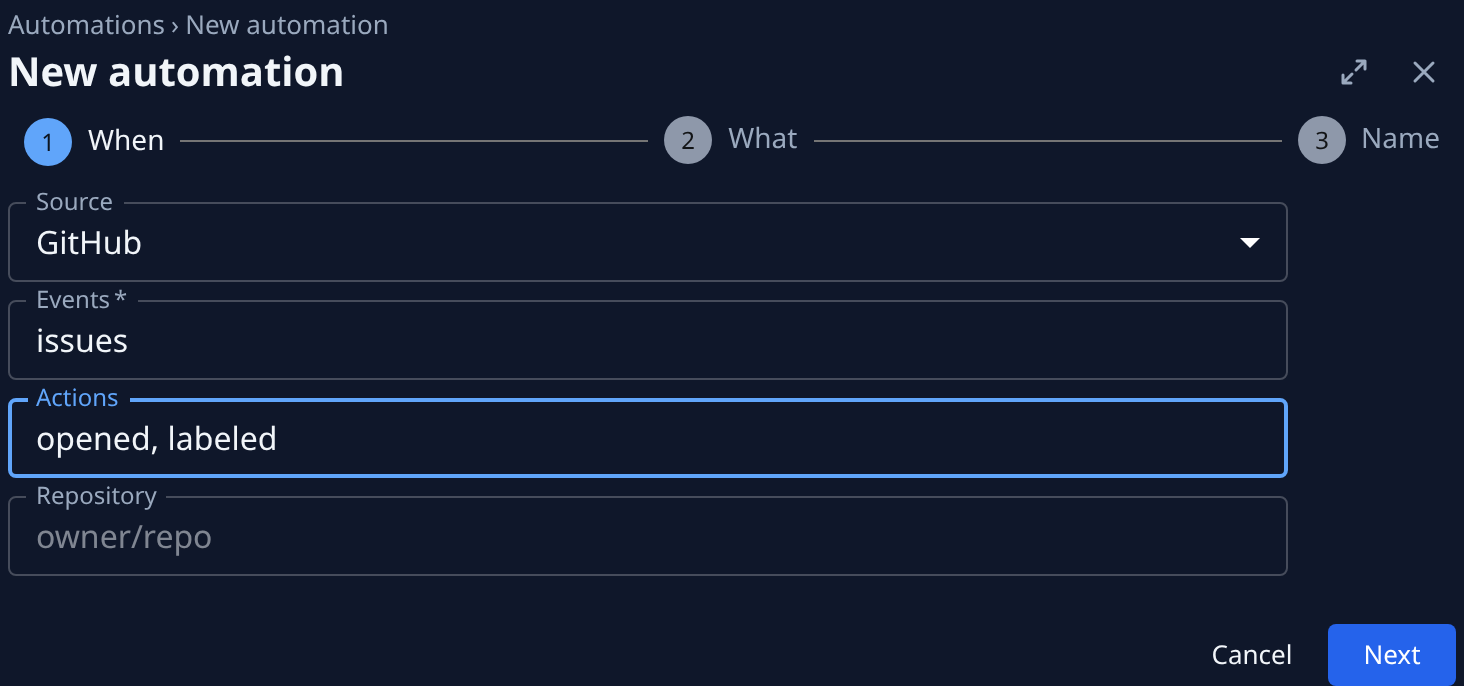
-
On What, leave Action at Task and pick the project under Target. Write what each task should do, such as
Reproduce this issue, label it and propose a fix.To quote the event, hover the Title label for its placeholders, such as{{body.issue.title}}. Select Next. -
On Name, give it a name you will recognize, such as
Triage new GitHub issues, and select Create. -
The Store this secret now dialog shows the secret once. Select Copy secret, keep it for the next part, then select I’ve stored it.
Add the webhook in GitHub
The automation's Setup tab lists, under Endpoint, what GitHub's Add webhook form asks for, row by row.
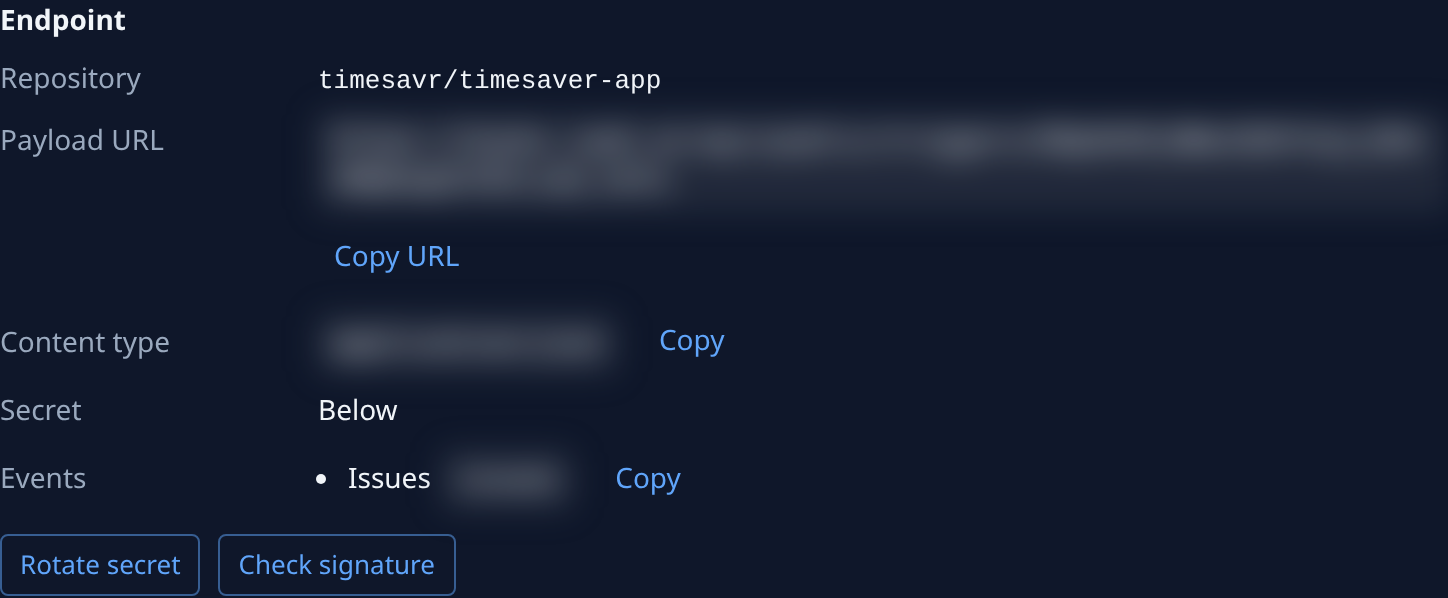
- In GitHub, open the repository's Settings, then Webhooks, and select Add webhook.
- In Jaah, select Copy URL beside Payload URL and paste it into GitHub's Payload URL.
- Set Content type to
application/json, and paste the secret you stored into Secret. - Under the events question, pick Let me select individual events and tick each event listed under Events in Jaah, such as Issues. Select Add webhook.
- GitHub sends a ping at once. Open an issue in the repository to try it: the automation's Runs tab shows the run and the task it filed.
Lost the secret? Select Rotate secret under Endpoint and paste the new one into GitHub. The old one stops working at once. To check the secret GitHub signs with before you rotate, see Check which secret a sender signs with.
Before the first real event
To see the task an event would file without waiting for one, paste a sample of GitHub's payload into Sample payload on the Advanced tab and select Test. Nothing is filed. See Test it before the first real event.
A busy repository can file many tasks. Cap them on the Settings tab: see Limit what an event automation files.
Related
- Create an automation: every source, and the settings each automation has.
- How automations work: who an automation runs as, and what each run skips.
- Find out why an automation failed: when GitHub's events file nothing.
- Start tasks from Jira: the same idea for Jira issues, through an issue tracker.