Apply for an organization of your own
Any signed-in person can apply for a new organization, with themselves as its Owner, without leaving the organization they work in now. Use it for a side project, a client, or a team that needs its own plan and billing. For a copy of your organization to test changes in, create a staging organization instead.
Who can do this: anyone signed in, whatever their role.
-
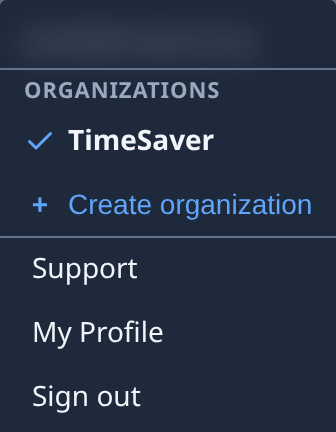
Select your initials at the bottom of the sidebar to open your account menu.
-
Under Organizations, select Create organization. The Create organization page opens.
-
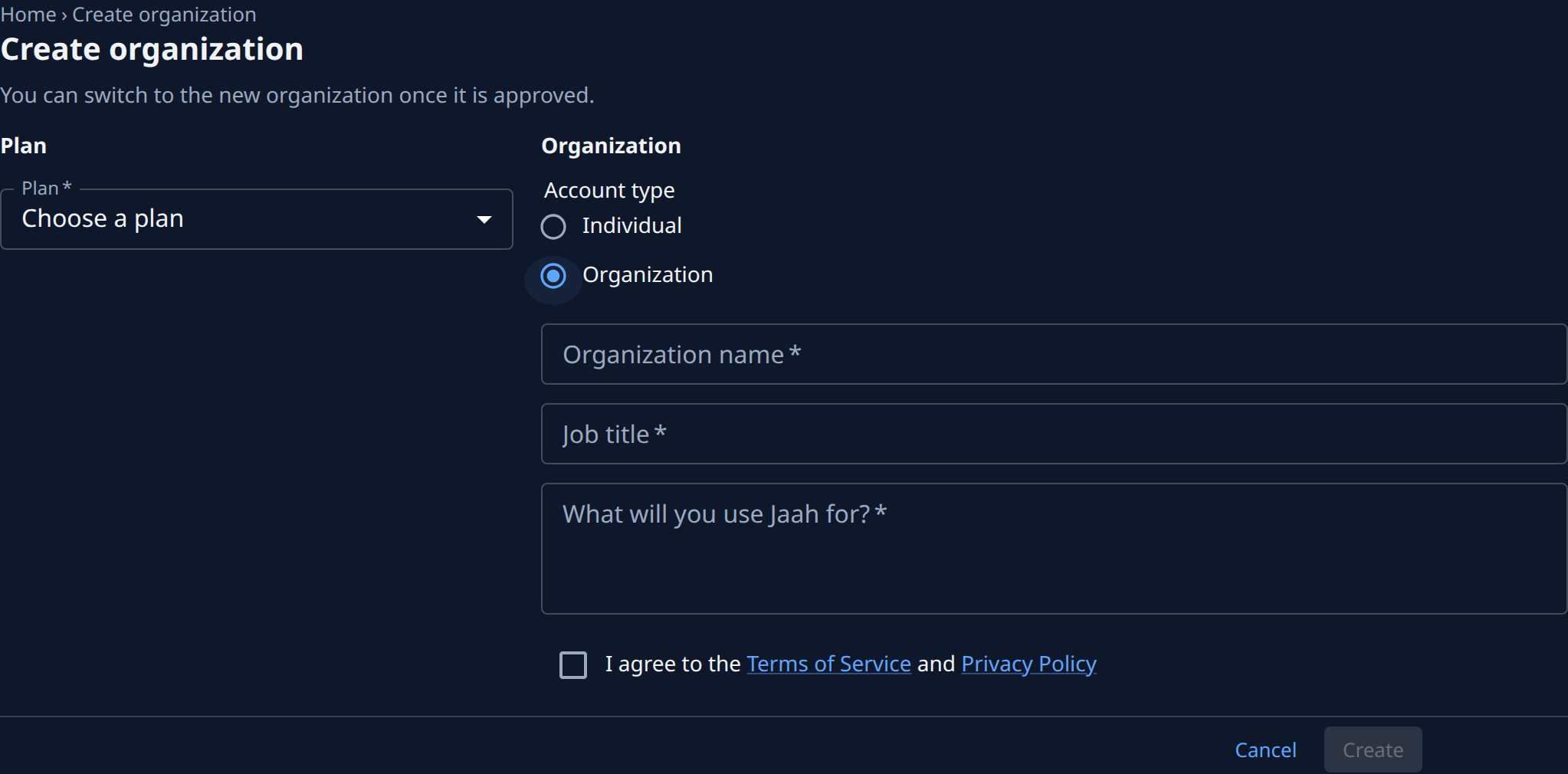
In Plan, pick the plan for the new organization. It decides the organization's features and price. See Plans and prices.
-
Under Account type, pick Individual for an organization of your own, or Organization for a company or team. The rest of the form appears.
-
Fill in what it asks:
- Individual: Occupation.
- Organization: Organization name and Job title.
- First name and Last name, only if your profile has no name yet.
- What will you use Jaah for?: a few lines on what the organization is for.
-
Tick I agree to the Terms of Service and Privacy Policy. Each name opens that document in a new tab.
-
Select Create. It turns on once a plan and an account type are picked and the box is ticked. The console home opens.
-
Open your account menu again. The new organization is listed with Pending approval until Jaah approves it. Where new organizations are approved automatically, it is ready at once.
-
Once it is approved, select it in the account menu to switch to it. See Switch to another organization.
Cancel goes back to the console home without applying. Leaving the page with anything filled in asks Your answers have not been sent. Create the organization before leaving? first.
If it is refused
| Message | What to do |
|---|---|
| You already have an organization awaiting approval. You can create another once it is reviewed. | Wait until the earlier application is reviewed. |
| Creating organizations is turned off right now. | New organizations are closed for now; try again later. |
| Our Terms of Service or Privacy Policy just changed. Review them, then tick the box again. | Read the terms from the links, tick the box and select Create again. |
A second organization on the free plan is refused, with the reason shown at the top of the page. Pick a paid plan instead.
Related
- Create organization — every field and message on the page.
- How plans and billing work — what the plan you pick decides.
- Invite a person and grant access — bring your team in once the organization is ready.