Check what someone can access
When someone can't see a project or a button, check what they hold. Access lists every role and where it comes from; Check access answers one question with the reason.
Who can do this: you can check your own account. Checking another person's requires the org admin role.
See every role they hold
-
In the sidebar, select Directory, then the People tab.
-
Select the person's row. Their account opens.
-
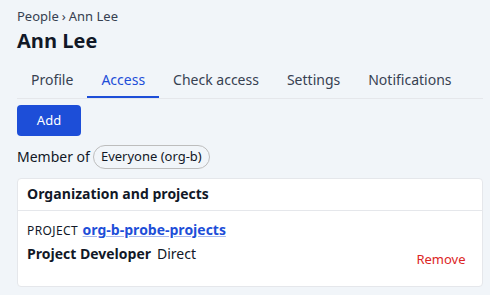
Select the Access tab.
-
Read Member of: the groups they belong to.
-
Read Organization and projects: each role they hold, and how — Direct, Via group, or Inherited from the organization.
-
Read Accounts: the roles they hold on model accounts.
Ask whether they may do one thing
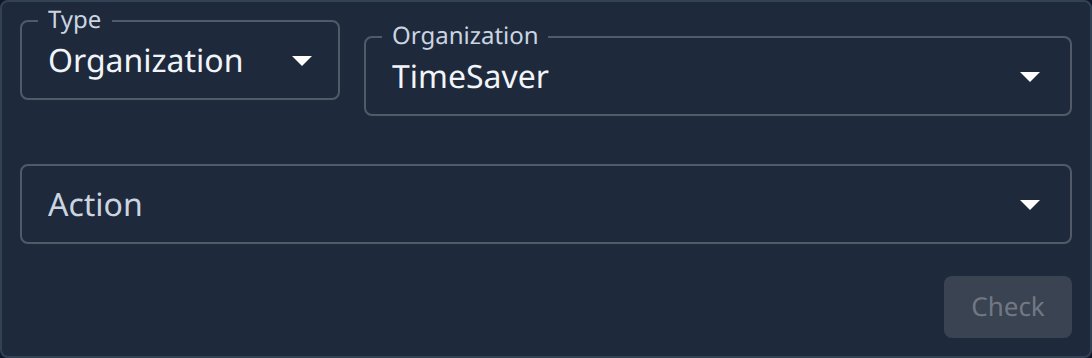
- On the person's account, select the Check access tab.
- Pick the Type of thing, for example Organization, then the thing itself.
- Pick the Action.
- Select Check.
- Read the answer: whether it's allowed, and the chain of roles and groups that allows it, or what's missing.
Fix what's missing
- Add a Direct role on their Access tab, or add them to a group that holds the role: Invite a person and grant access.
- Grant the role on one project: Give someone access to a project.
- Every tab of an account: People.
For the roles and where they come from, see How team and access work.