Create an API key
An API key lets a script, a CI job or another service call the Jaah API as you, without signing in to the console. Give each job its own key, with only the permissions that job needs, so you can end one without breaking the others.
Who can do this: every member, for their own keys. A key never does more than you can: it acts with your own access, narrowed to the boxes you tick.
-
Open your keys: select your initials at the bottom of the sidebar, then My Profile, then Security. Your keys are under API keys.
-
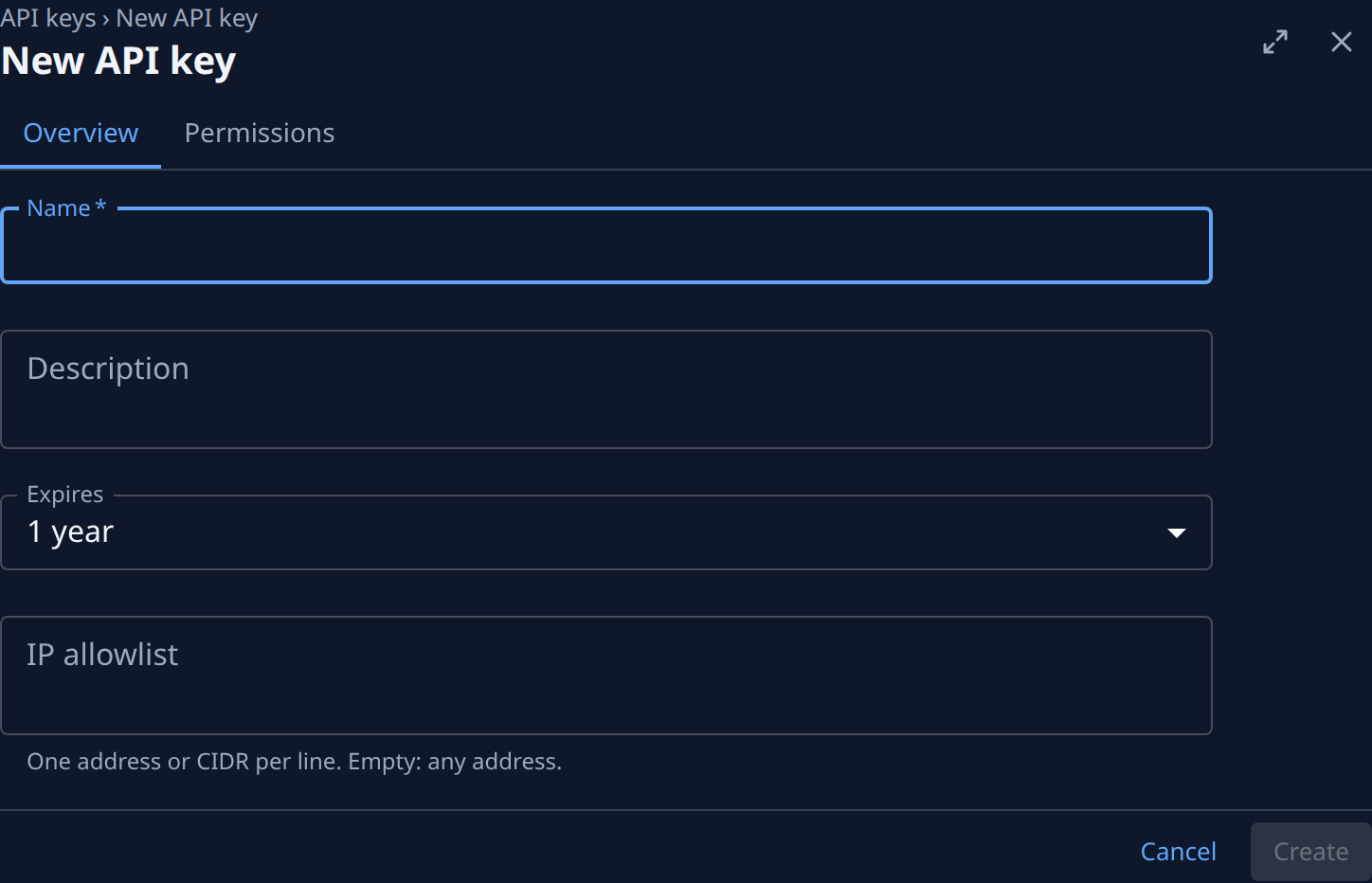
Select New key. The New API key page opens on its Overview tab.
-
Type a Name that says what uses the key, for example
Nightly report job. It is required and shows in lists; calls never send it. Add a Description if others need to know more. -
Pick when it Expires: 7 days, 30 days, 90 days, 1 year (the default), Custom date or No expiration. Calls are refused after that, and the expiry can't be extended later. For Custom date, set the Expiry date.
-
Optional: in IP allowlist, list the addresses the job calls from, one address or CIDR range per line. Leave it empty to accept any address.
-
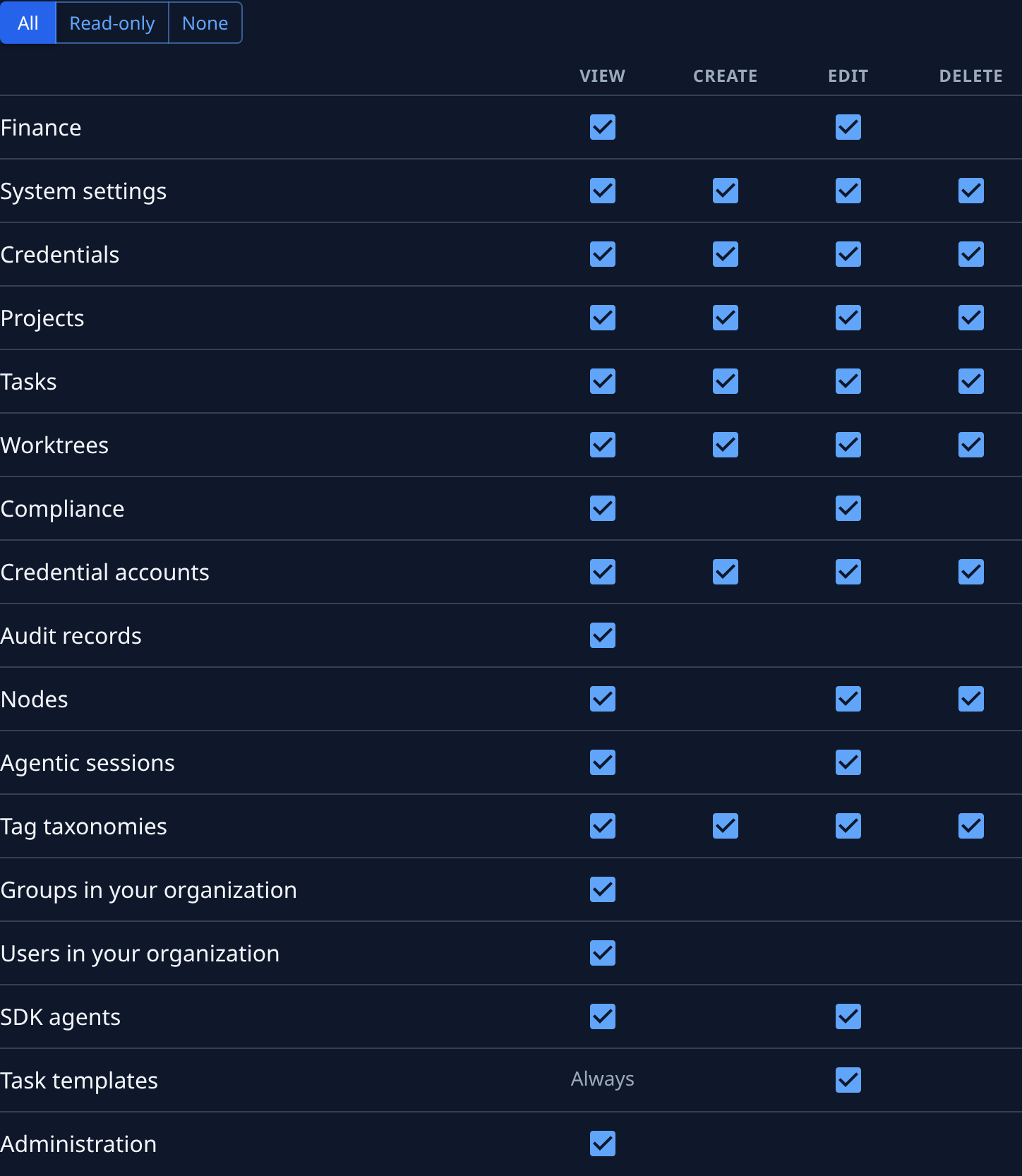
Select the Permissions tab. Every box starts ticked. Select Read-only for a job that only reads, or None and then tick just the boxes it needs, row by row, under View, Create, Edit and Delete.
-
Select Create. It stays greyed out until the key has a name and a valid expiry.
-
The dialog "name: your secret" shows the secret once. Select Copy secret, store it where the job reads it, such as the secret store of your build pipeline, then select Done. The key's own page opens.
What to expect
- The secret is never shown again. The list and the key's page show only its first and last characters. If you lose it, rotate the key to get a new secret.
- The key's Last used shows when it last made a call and from which address. Its Activity tab lists every request made with it.
- An Org Owner or Org Admin sees your key in the list and can revoke it, but never sees its secret.
- Jaah reminds you before a key expires; see Replace an API key before it expires.
Related
- Rotate or revoke an API key: give a key a new secret, or end it.
- Give agents a Jaah API key: save a key as a secret your agents can use.
- API keys: every field on the list and on a key's page.
- How team and access work: the roles you hold, which are all a key can ever use.