Add a design stage to a playbook
For work that touches several parts of a project, a coder that starts straight away picks its own design as it goes. Put an Architect stage first and it writes the design down as an Architecture document. The stage that writes the code waits for it and gets that document with its own instructions.
Who can do this: changing a playbook needs the Owner or Admin role in your organization. Built-in playbooks are read-only; duplicate one first, as in Create a playbook.
-
In the sidebar, select Settings, then Playbooks under Customize.
-
Under Your playbooks, select the playbook's ⋯, then Edit. To start a new playbook instead, select New playbook and give it a Name.
-
Select the Stages tab, then Add stage below the last stage. In a new playbook, use the stage that is already there instead: it is first already and waits for nothing.
-
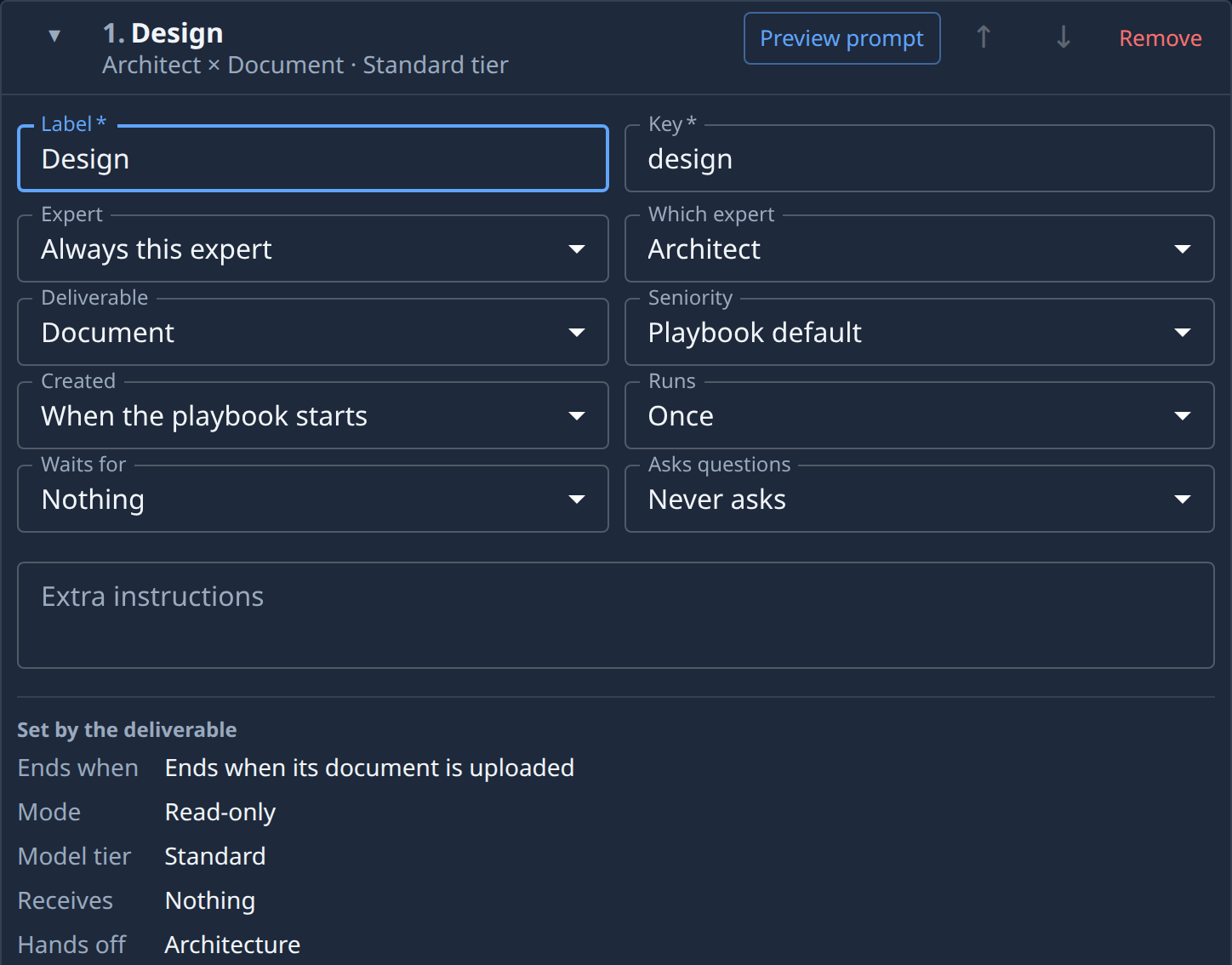
Fill in the design stage:
- Label: a name such as Design. The Key follows it.
- Expert: Always this expert, then Architect in Which expert.
- Deliverable: Document.
Under Set by the deliverable, the card now reads Ends when its document is uploaded, Read-only and, beside Hands off, Architecture.
-
If you added the stage to an existing playbook, select ↑ on it until it sits before the stage that codes.
-
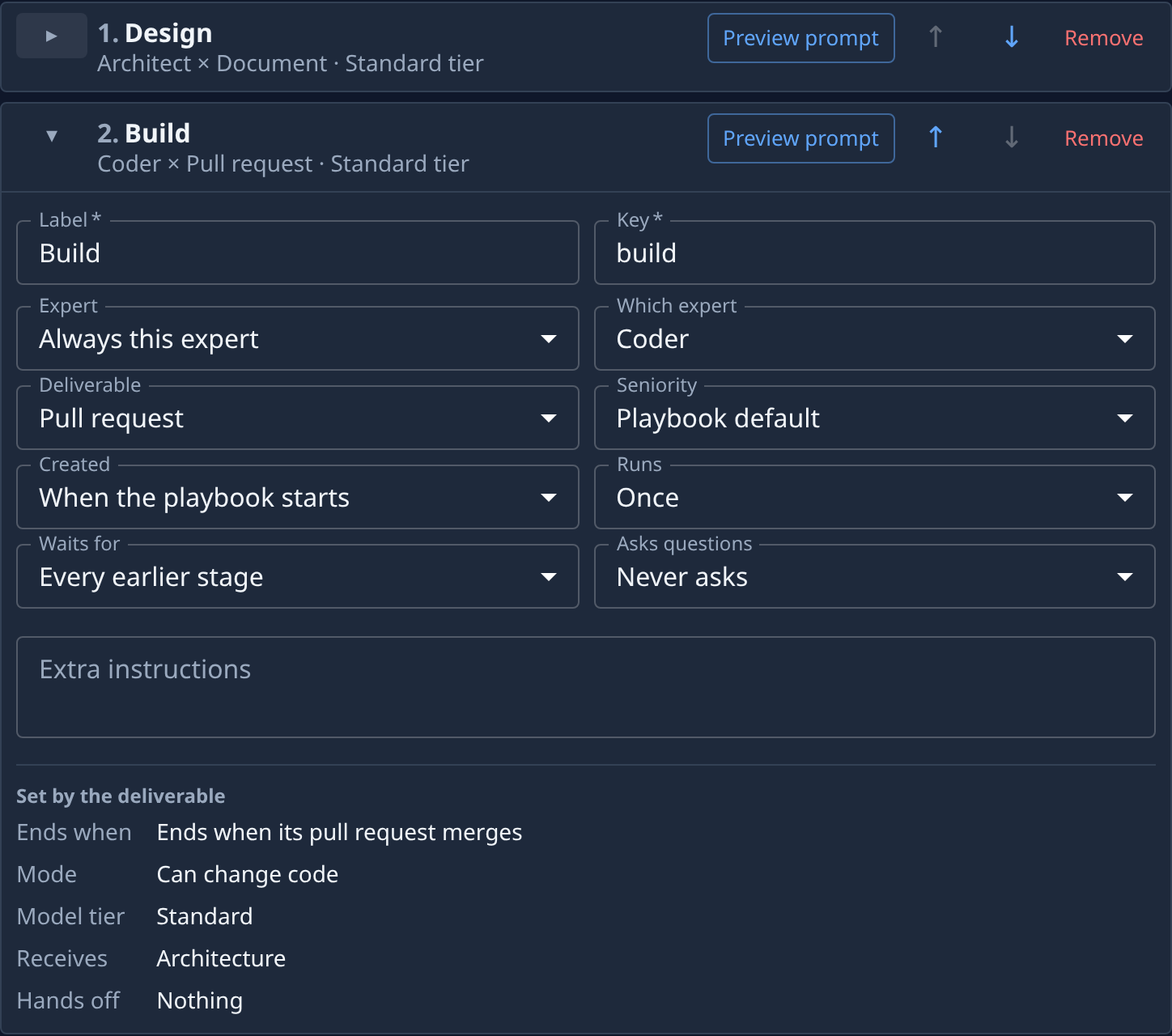
Open the stage that writes the code with ▸. In a new playbook, select Add stage to add it, then set Label to a name such as Build: it is a Coder delivering a Pull request. Set its Waits for to Every earlier stage, or to The stages chosen with your design stage ticked under Stages it waits for.
-
Check Receives on that stage: it reads Architecture. If it reads Nothing, the stage does not wait for the design stage yet; go back to step 6.
-
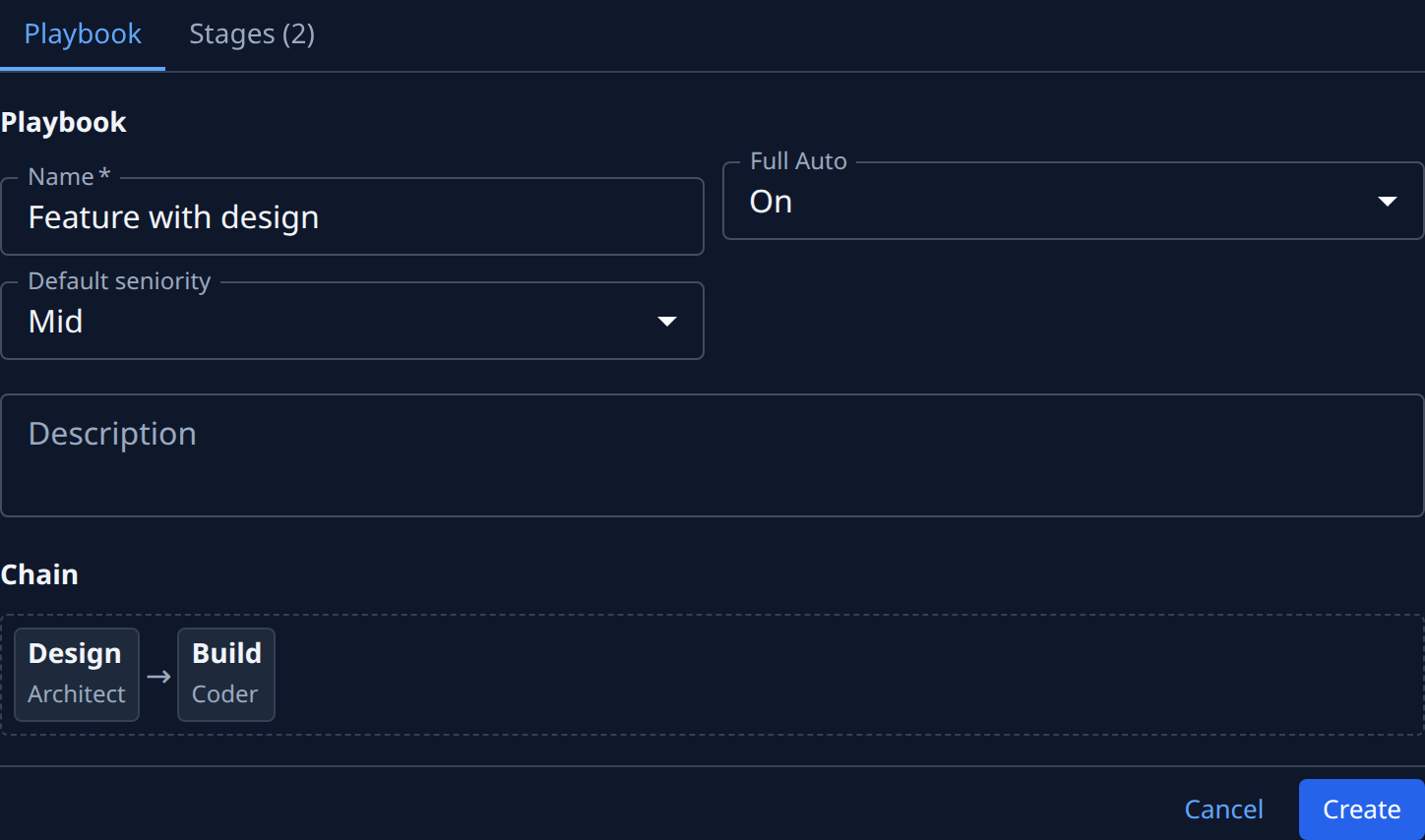
Select the Playbook tab. The Chain shows the design stage before the coding stage.
-
Select Save, or Create for a new playbook.
A design is only as good as the requirements behind it. To give the Architect written requirements too, put an Analyst stage before it, as in Add a requirements stage to a playbook. The design stage then receives the PRD, and a coding stage that waits for both receives PRD, Architecture.
Design work suits a senior expert. An Architect stage set to Junior shows a warning on its card; see Set how senior a playbook stage is. To read the instructions the Architect will get, select Preview prompt on its card, as in Check what a playbook does before you run it.
Related
- Set what a stage waits for: run stages one after another or side by side.
- Change what a playbook stage hands back: every deliverable and what it ends with.
- Playbooks: what Receives and Hands off mean.