Get marketing copy written in your voice
The Marketer persona writes marketing material: website and landing pages, blog posts, lead magnets, emails and social posts. It writes in the voice your project already uses, has each piece reviewed before it ships, and ships the copy as a change to your repository. On a project with no repository, it hands the pieces back as files on the task instead.
Who can do this: anyone who can create tasks in the project.
Start the task
-
On the board, select New task. The new task opens beside the board. Check the project at the top left; the copy lands in that project's repository.
-
In What needs to happen?, name each piece you want and who it is for, for example "A landing page for the new mobile app, for small shop owners". Add the facts the copy may use: features, numbers, customer quotes. To rule something out, add a paragraph that starts with "Out of scope:"; the Marketer keeps to it.
-
Attach anything it should read: a written brief, screenshots, a competitor's page or a mockup. Select Attach (the paperclip) and pick the files. See Attach files to a task.
-
In the second list, pick Guided or Interactive, so the Marketer can ask you to choose between headlines. On Unattended it chooses for itself.
-
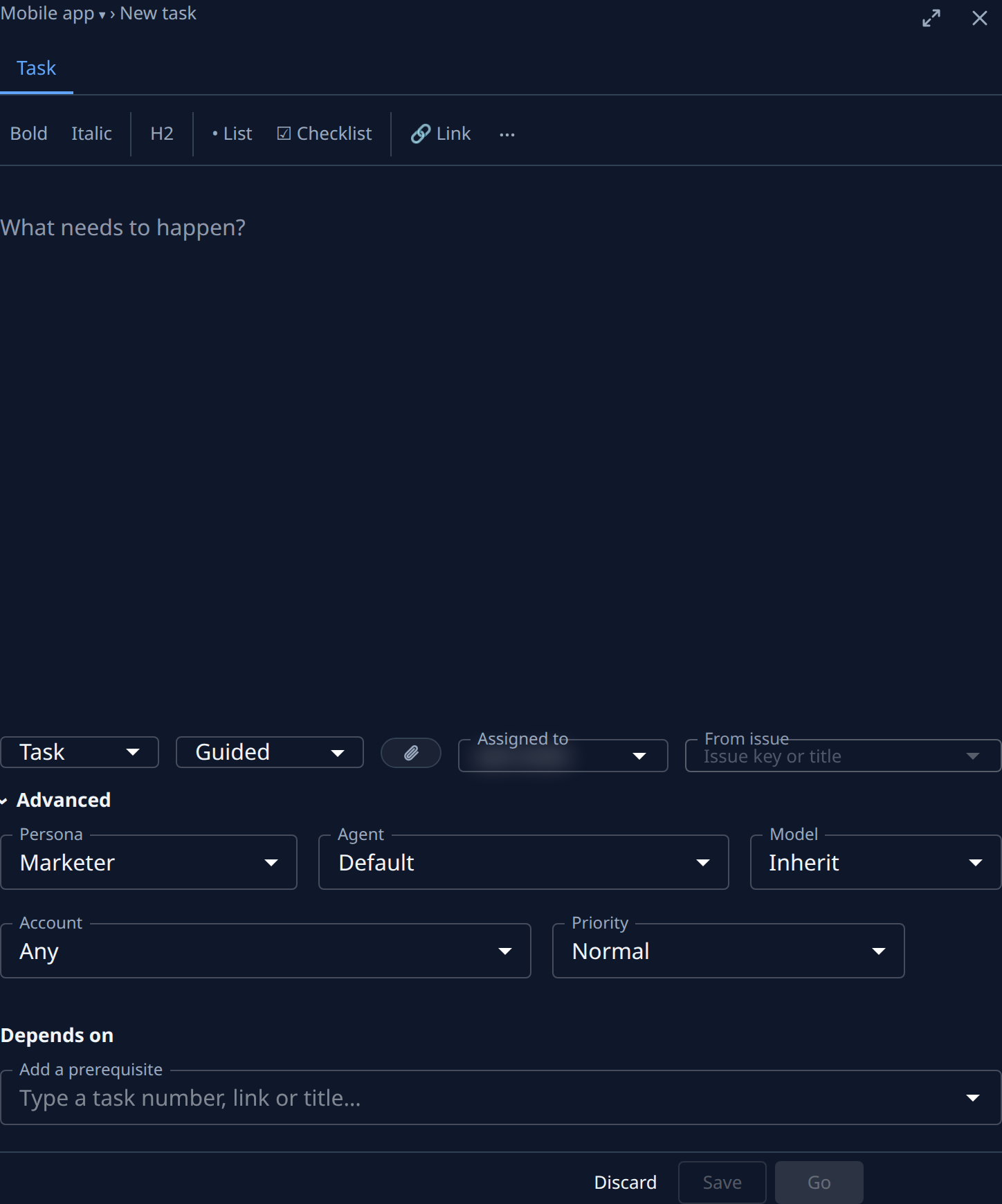
Select Advanced, open Persona and pick Marketer.
-
Select Go to save the task and start it.
The Marketer reads your repository's own word rules first: a voice or style guide, a glossary, and the copy already on your pages. Where there are none, it writes a short brief of its own and works from that.
Pick the headline and review the copy
- When a headline or title is yours to choose, the task shows Asking. Open it: the options are drawn as a sketch in the Artifacts pane beside the question, so you can see each one in place. See Look at an artifact beside a question.
- Pick an option and send your answer. The Marketer finishes the piece with it.
- When the task is done, read its Outcome: it links the change that carries the copy. On a project with no repository, the pieces are files on the Artifacts tab. See Read a task's result.
- On Interactive, read the copy before it ships, then select Finish, or Request changes with what to fix.
For a project whose tasks are mostly copy, such as a sales or marketing project, make Marketer its default persona: see Set a project's default persona.
Related
- Choose a persona for a task: every persona and what each one hands back.
- Start a task: the rest of the new task form.
- Answer a task's question: reply when a task stops to ask.