Answer the questions about your new app
A new web app starts with an epic named Build and the app's name. Its first stage is the App Wizard, a persona that interviews you about the app in business words before anything is designed or built. It asks only what your description left open, up to four questions a round, usually in one or two rounds. The design and plan stages after it don't ask you anything.
The questions come from these topics, in this order: what people do with the app, who uses it, the pages of the first version, what the app should remember, how it looks and feels, its name and colors, and whether you already have a logo. It never asks how the app is built.
Answer them
-
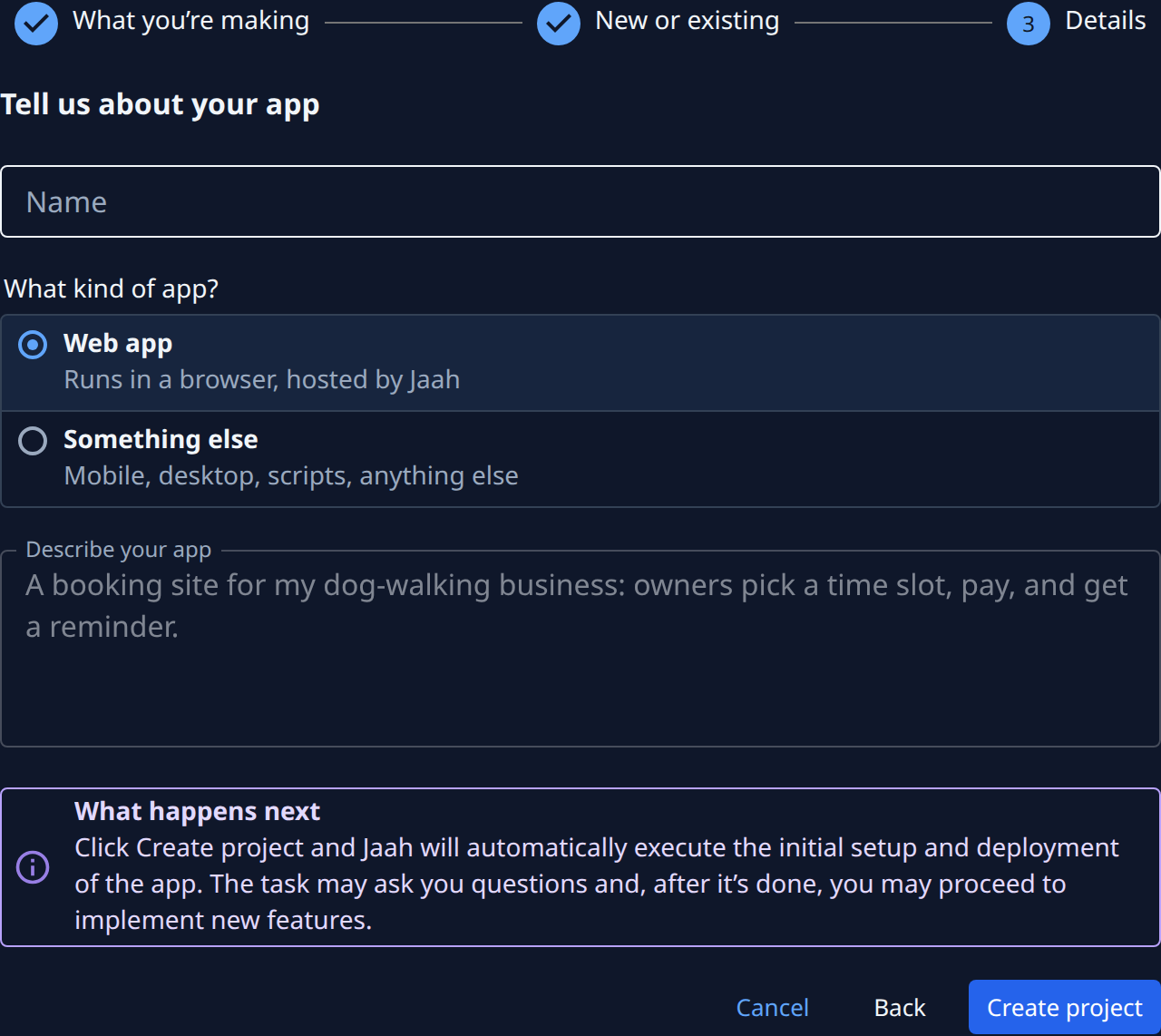
Create the project as a New app, kind Web app, and fill in Describe your app. The more it says about who the app is for and what they do, the fewer questions follow. See Add a project.
-
Select Create project. You land on the new project's board, where the tour points at Your first epic.
-
Wait for the ? beside the epic's title: the App Wizard has a question. The epic shows under Questions with the state Asking.
-
Select the epic's title, then its Subtasks tab, and select the App Wizard subtask that shows Asking. It opens on its Q&A tab.
-
Answer each question: pick an option, or type in Note (optional) in your own words. The option the wizard suggests is marked Recommended. On the last question, picking or Send sends every answer together.
-
If a second round comes, answer it the same way.
The logo question
The wizard asks Do you already have a logo? unless your description already settled it:
| Answer | What happens |
|---|---|
| Yes, it's on my website | The wizard asks for the website's address. Type it in Note (optional). It checks that the site answers and shows a logo, and never sends you back to fix it. |
| Yes, I'll attach it | Select the paperclip (Attach files) under that question's answer box, or paste the picture into it. |
| Design one for me | The builders design a logo that fits the name and the look you chose. |
If you skip the question, or the website shows no logo, the builders design one too. The first version puts the logo in the app's header, its browser tab icon and the picture shown when someone shares a link to it.
After you answer
The wizard writes up what you told it, with your answers quoted word for word and anything you left open marked as an assumption. The design stage reads that next, then the plan and the builders follow. To read the write-up, see Review an epic's requirements, design and plan. When the epic is done, the app is live at the Address shown when you created the project.
Related
- Answer a task's question: every control on the Q&A tab, attaching files included.
- Answer the questions a guided epic asks: find a waiting subtask in any epic.
- How personas and playbooks work: what a persona is and how stages chain.