Rename a stage
Each stage of a playbook has two names. Its Label is what you read: it names the stage in the Chain and on its card. Its Key is how other stages point at it: their Waits for and Created by fields name a stage by its key. You can change the label at any time without touching anything else. A new key needs more care, because the stages that named the old one stop finding it.
Who can do this: Requires the org admin role (Owner or Admin). Built-in playbooks are read-only; duplicate one first, as in Create a playbook.
-
In the sidebar, select Settings, then Playbooks under Customize.
-
Under Your playbooks, select the playbook's ⋯, then Edit.
-
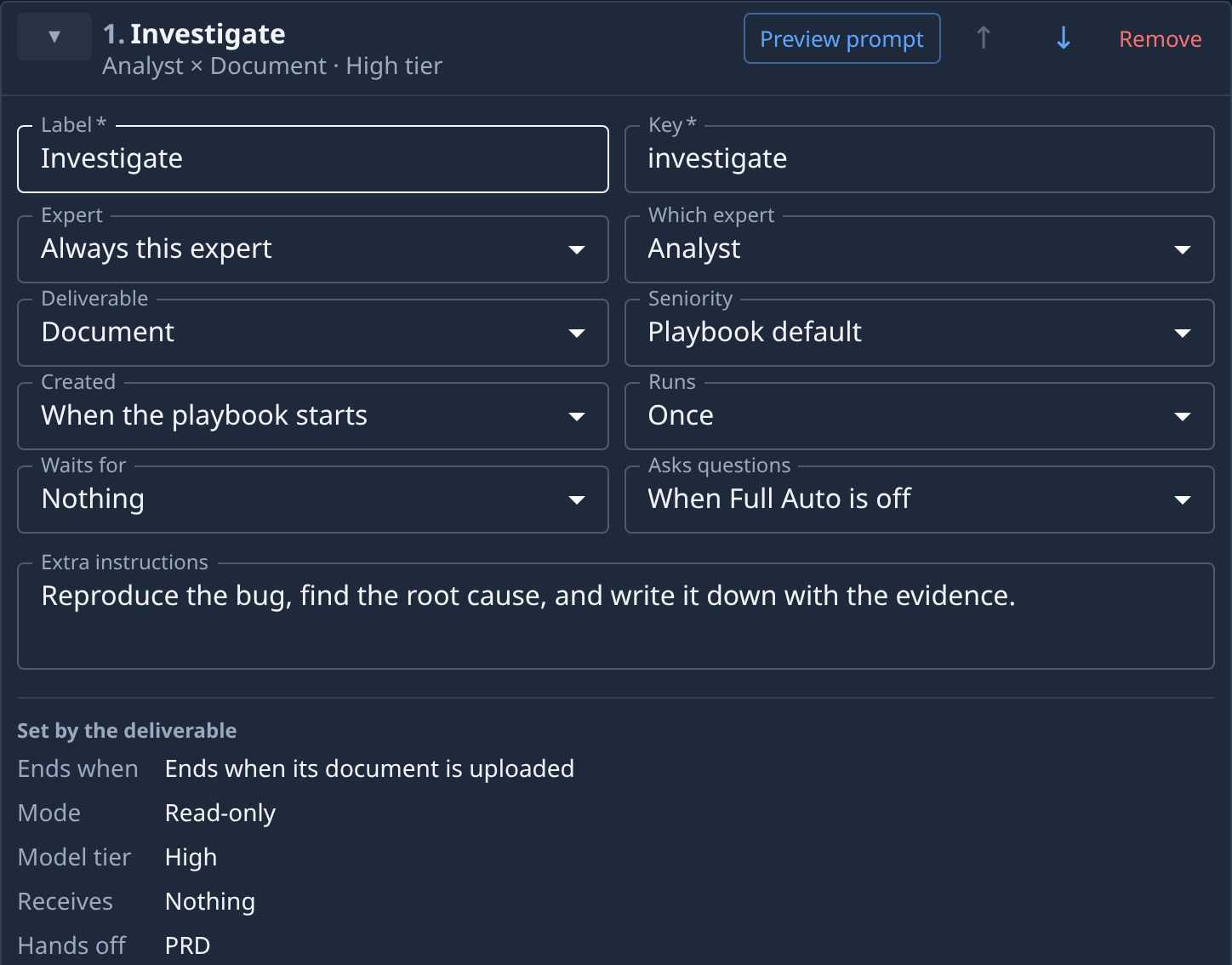
Select the Stages tab, then ▸ on the stage you want to rename to open its card.
-
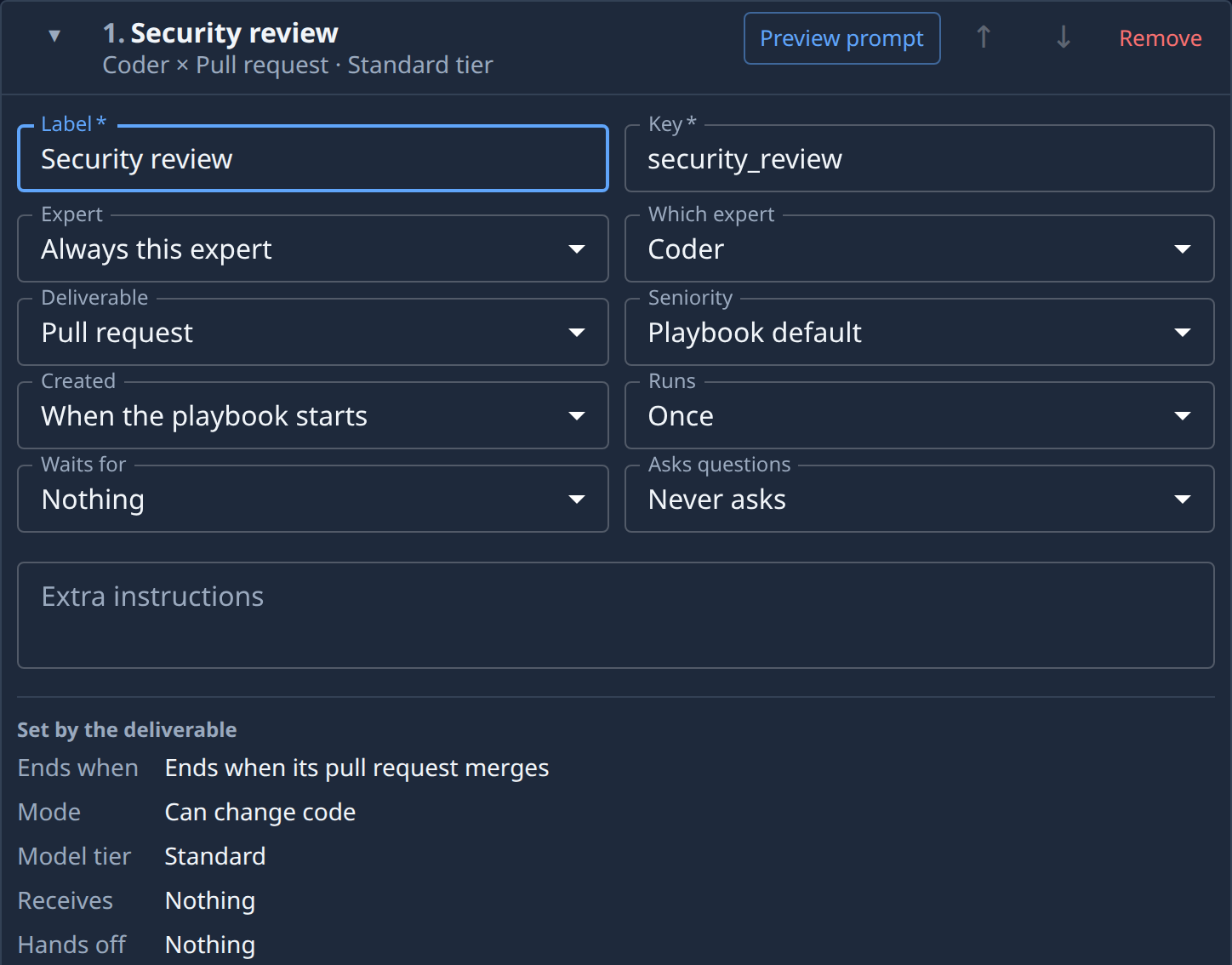
In Label, type the new name, for example
Security review. The card's heading and the Chain on the Playbook tab show it at once. -
Leave Key as it is if only the name people read should change. Change it only when you want the key to match, for example
security_review. A key uses lowercase letters, digits and_, starts with a letter, and no other stage in the playbook may use it. -
If you changed Key, open every stage that waited for this one or was created by it. Their cards show an error such as: Stage "Review" waits for "investigate", but no stage has that key. Tick the renamed stage again under Stages it waits for, or pick it again in Created by.
-
Select Save. It stays greyed out while any card shows an error.
When the key follows the label
On a stage you add before saving, the key follows the label: type Security review in Label and
Key becomes security_review by itself. Stages that wait for that stage, or are created by it, move to
the new key with it, so nothing breaks. This holds for every stage of a new playbook, and for a stage you
add with Add stage to an existing one, until you save. Once you type in Key yourself, or save the
playbook, the key stays put when the label changes.
Related
- Set what a stage waits for: the Waits for field that names other stages by key.
- Edit a playbook: save your changes, or leave without them.
- Playbooks: every stage field.