Add a requirements stage to a playbook
A coder that starts from a one-line task guesses at what you meant. Put an Analyst stage first and it writes the requirements down as a PRD. The stage that writes the code waits for it and gets that PRD with its own instructions.
Who can do this: changing a playbook needs the Owner or Admin role in your organization. Built-in playbooks are read-only; duplicate one first, as in Create a playbook.
-
In the sidebar, select Settings, then Playbooks under Customize.
-
Under Your playbooks, select the playbook's ⋯, then Edit. To start a new playbook instead, select New playbook and give it a Name.
-
Select the Stages tab, then Add stage below the last stage.
-
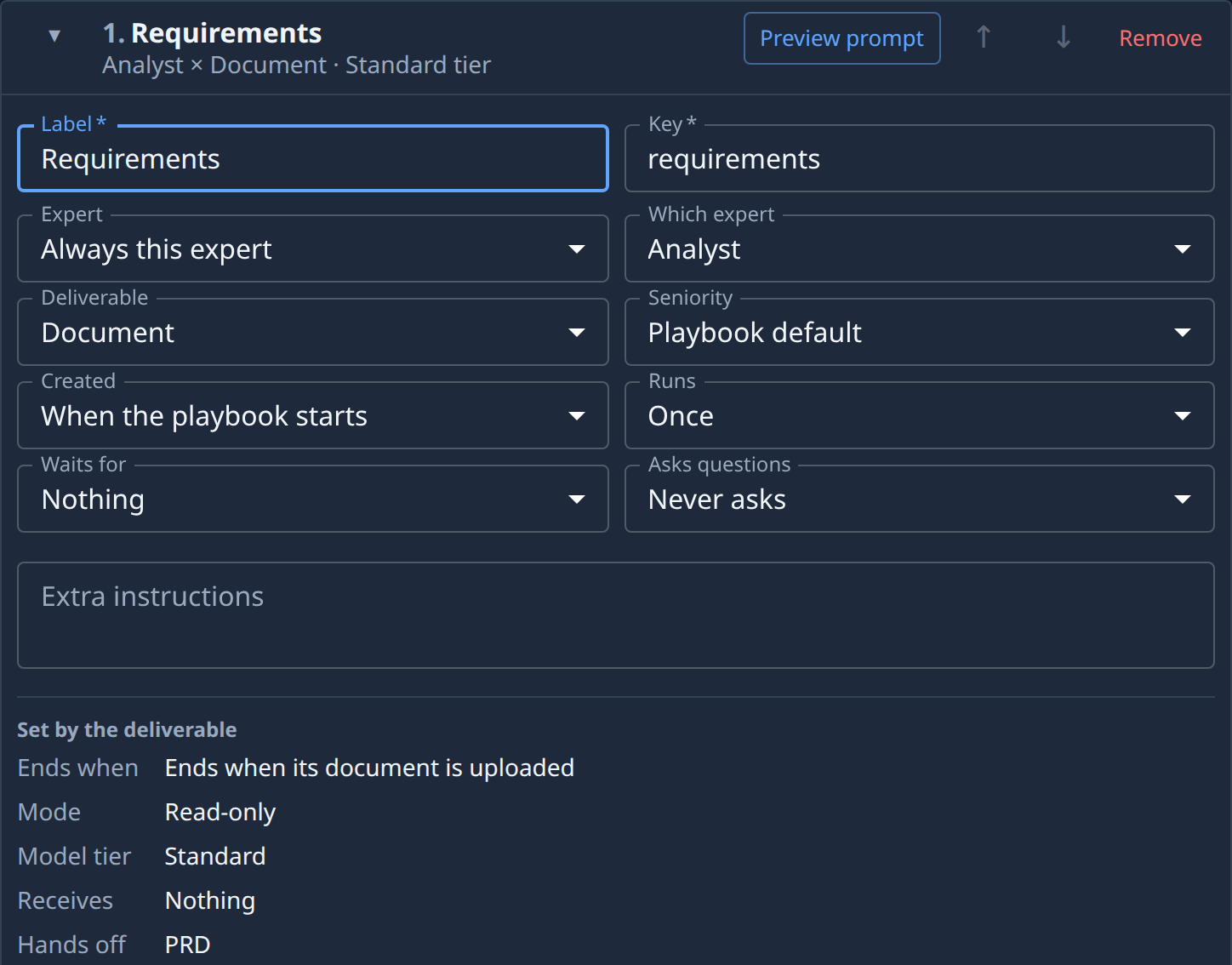
Fill in the new stage:
- Label: a name such as Requirements. The Key follows it.
- Expert: Always this expert, then Analyst in Which expert.
- Deliverable: Document.
Under Set by the deliverable, the card now reads Ends when its document is uploaded, Read-only and, beside Hands off, PRD.
-
Select ↑ on the stage until it is first in the list, then set its Waits for to Nothing. In a new playbook, use the stage that is already there instead of adding one: it is first already and waits for nothing.
-
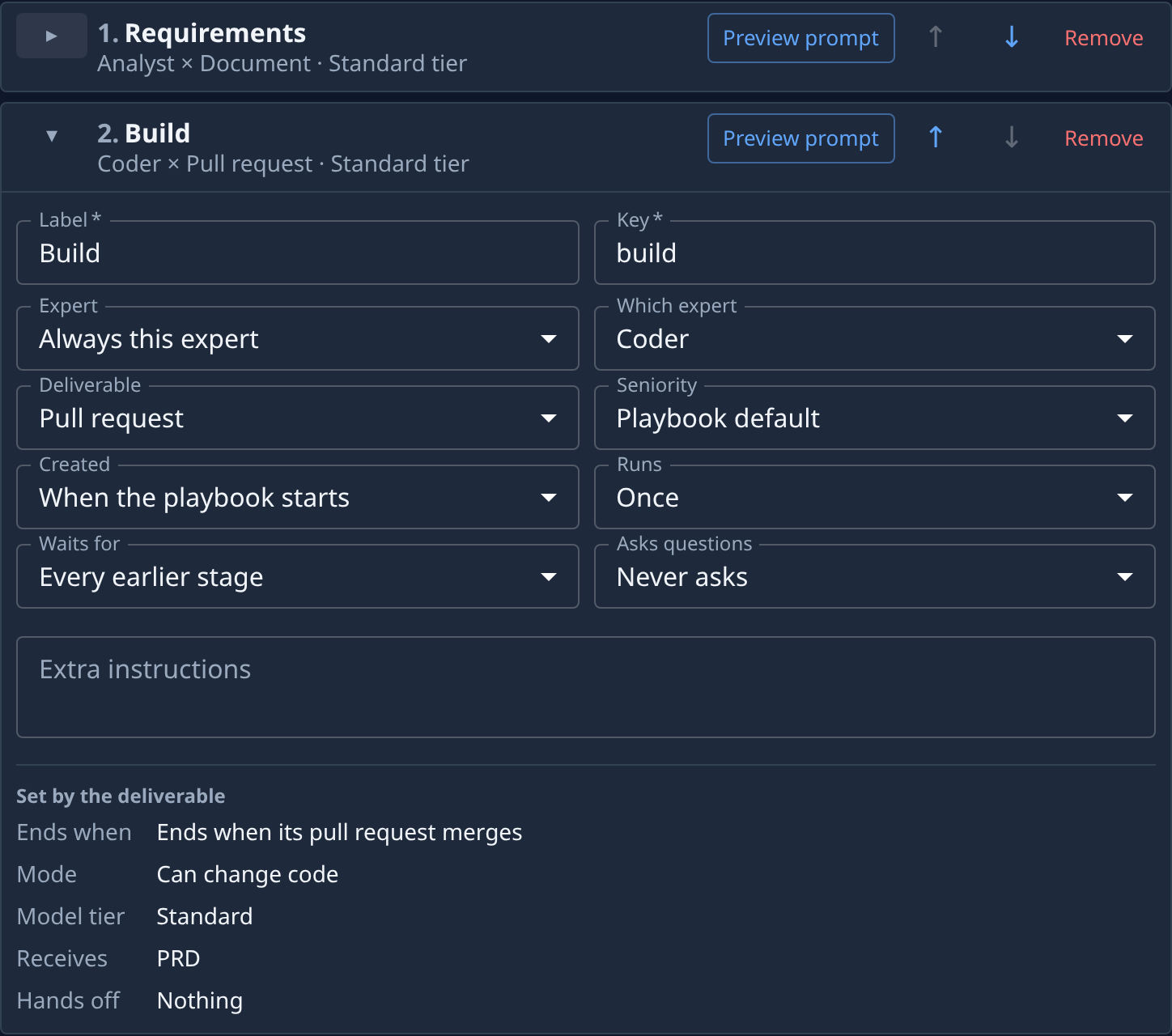
Open the stage that writes the code with ▸. Set its Waits for to Every earlier stage, or to The stages chosen with your requirements stage ticked under Stages it waits for.
-
Check Receives on that stage: it reads PRD. If it reads Nothing, the stage does not wait for the requirements stage yet; go back to step 6.
-
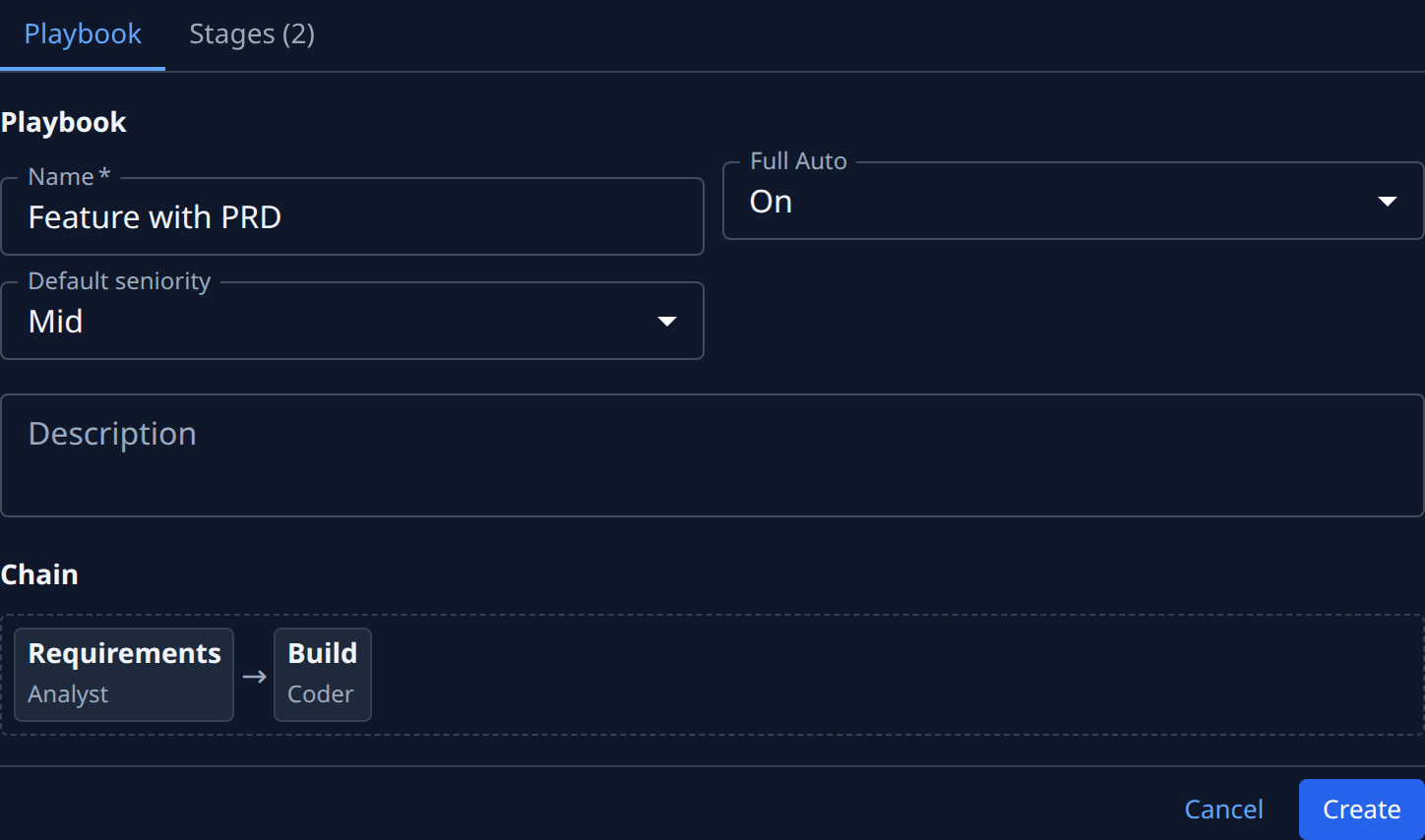
Select the Playbook tab. The Chain shows the requirements stage before the coding stage.
-
Select Save, or Create for a new playbook.
Want a design as well? Add an Architect stage that delivers a Document after the requirements stage. It hands off an Architecture document, and a coding stage that waits for both stages receives PRD, Architecture. The built-in Epic playbook's Plan stage gets both documents this way.
Only an Analyst or Architect stage that delivers a Document hands anything off. To see the instructions the coder will get with the PRD, select Preview prompt on its card, as in Check what a playbook does before you run it.
Related
- Set what a stage waits for: run stages one after another or side by side.
- Change what a playbook stage hands back: every deliverable and what it ends with.
- Playbooks: what Receives and Hands off mean.