See what a project changed from its defaults
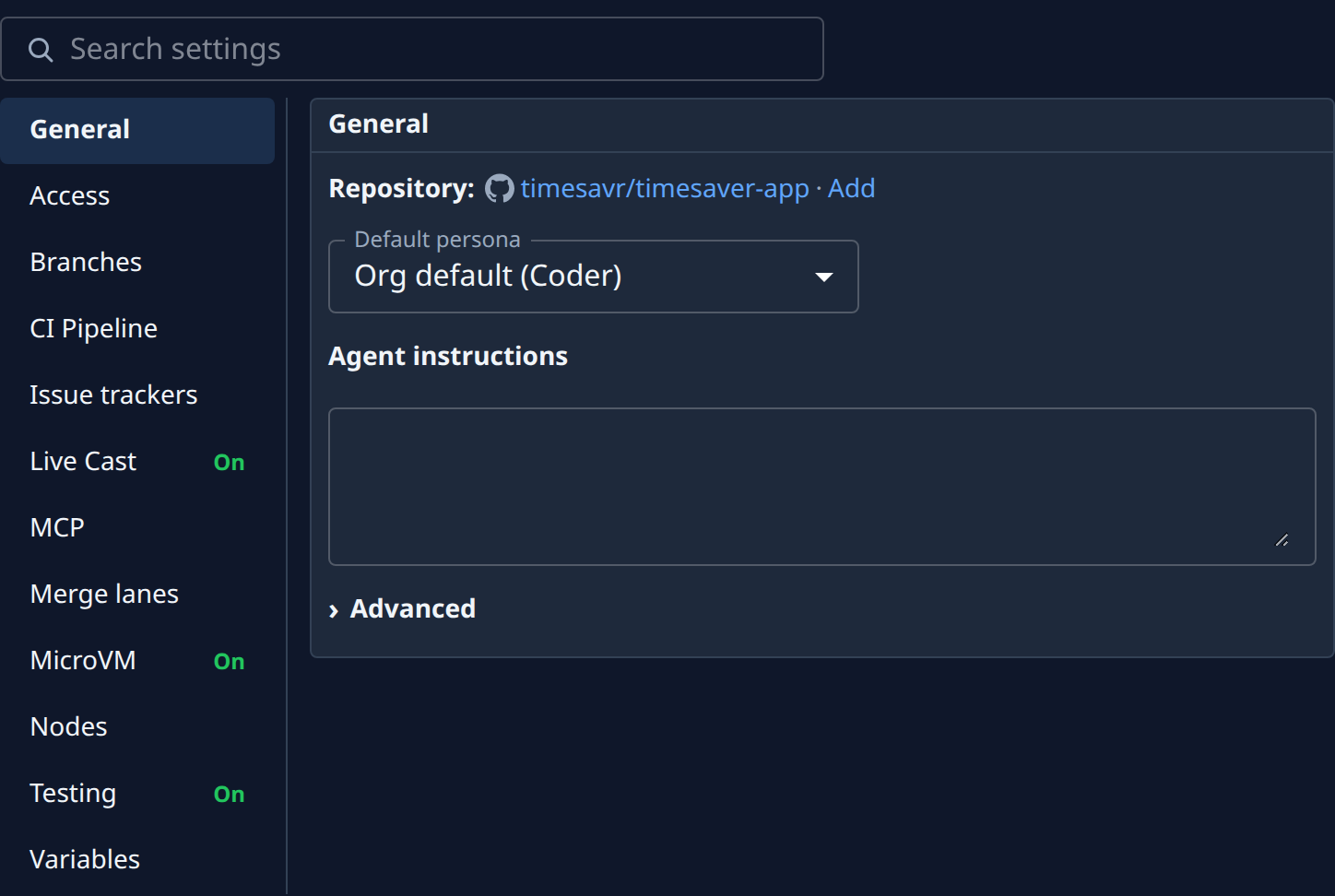
A new project starts with Jaah's defaults. Over time someone ticks Squash task PRs, sets a gate command or publishes a Live Cast, and the project behaves differently from its neighbours. The Settings tab marks each section that holds such a change with On, so you can find them without opening every section.
Who can do this: anyone who can open the project. Putting a setting back needs edit access to the project.
-
In the sidebar, select Directory, then the Projects tab, and select the project's name.
-
Select the Settings tab. The list of sections is on the left, with General open beside it. On a phone the list fills the page.
-
Look down the list for On at the right of a section's name. Each section marked On holds at least one setting changed from its default.
-
Select a section marked On. Its title shows ● On too. Read its settings to find the changed one, using the table below.
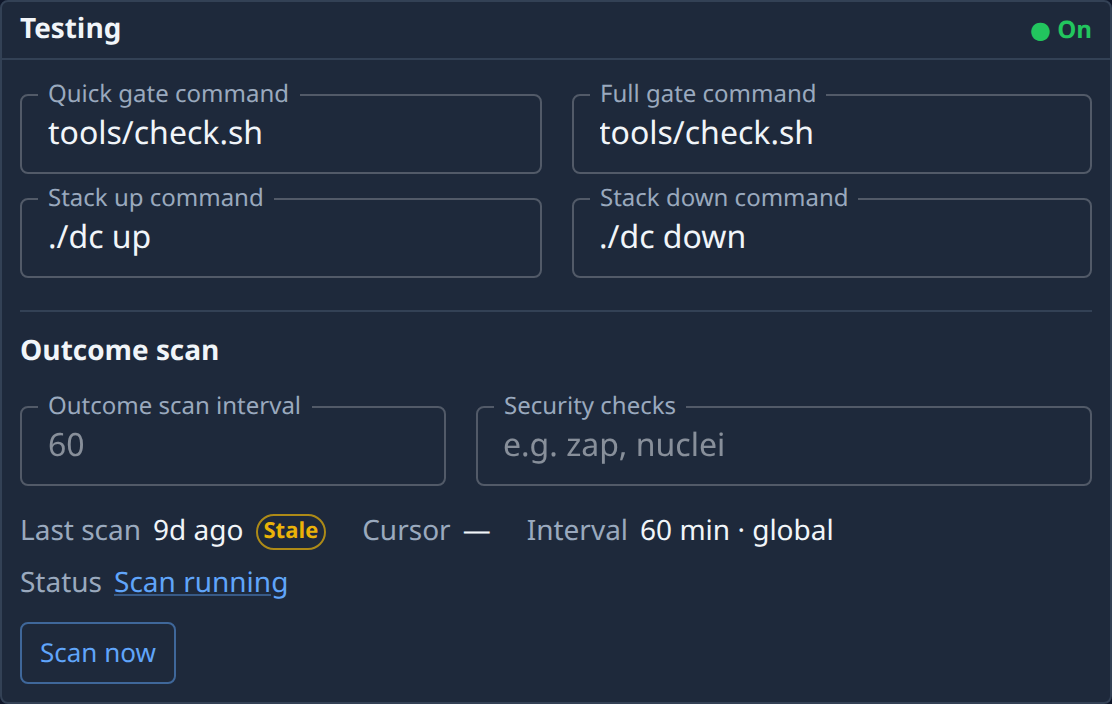
Here Testing is on because its gate and stack commands are filled in.
-
To put a setting back, return it to its default: untick the box, clear the field, or pick the default choice. On goes away once nothing in the section differs.
-
Select Save, which shows under the section once you change something. MCP, MicroVM and Live Cast save with their own controls instead.
| Section | Shows On when |
|---|---|
| Branches | Read only is ticked, a Branch prefix is set, Allow force push is ticked on a repository, or Squash task PRs is ticked. |
| Testing | The Quick gate command, Stack up command, Stack down command, Outcome scan interval or Security checks is filled in. |
| Merge lanes | Merge lanes is ticked. |
| CI Pipeline | The pipeline is anything but Integration + Release, the one a new project starts on. |
| MCP | An MCP connection is linked. |
| MicroVM | The project has its own VM size, or its own allowed or blocked names. |
| Live Cast | The project's Live Cast is on. |
| Memory | Project memory is set to On. Default shows nothing, even when it follows On. |
In Branches, Testing, Merge lanes and Memory, the mark follows your edits before you save: tick a box and On appears at once. Discard, beside Save, drops an edit you have not saved.
General, Access, Variables, Issue trackers and Nodes never show On. Open them to check their values; Find a setting in a project's settings finds one by name.
Related
- How projects work: what a project holds and who can change it.
- Projects › Settings: every section and field on the Settings tab.
- Set how runners push to a repository: the Branches and Testing settings.
- Squash task pull requests into one commit: one setting that turns Branches on.