Add a mockup stage to a playbook
A quick mockup lets your team see a screen before anyone builds it. A mockup stage runs as the UI prototyper, the expert behind the built-in Sketch playbook: it draws the screens and hands them back as a web page, and never changes code. Put one first in a playbook, and the stage that writes the code starts once the mockup is ready.
Who can do this: changing a playbook needs the Owner or Admin role in your organization. Built-in playbooks are read-only; duplicate one first, as in Create a playbook.
-
In the sidebar, select Settings, then Playbooks under Customize.
-
Under Your playbooks, select the playbook's ⋯, then Edit. To start a new playbook instead, select New playbook and give it a Name.
-
Select the Stages tab, then Add stage below the last stage. In a new playbook, use the stage that is already there instead: it is first already and waits for nothing.
-
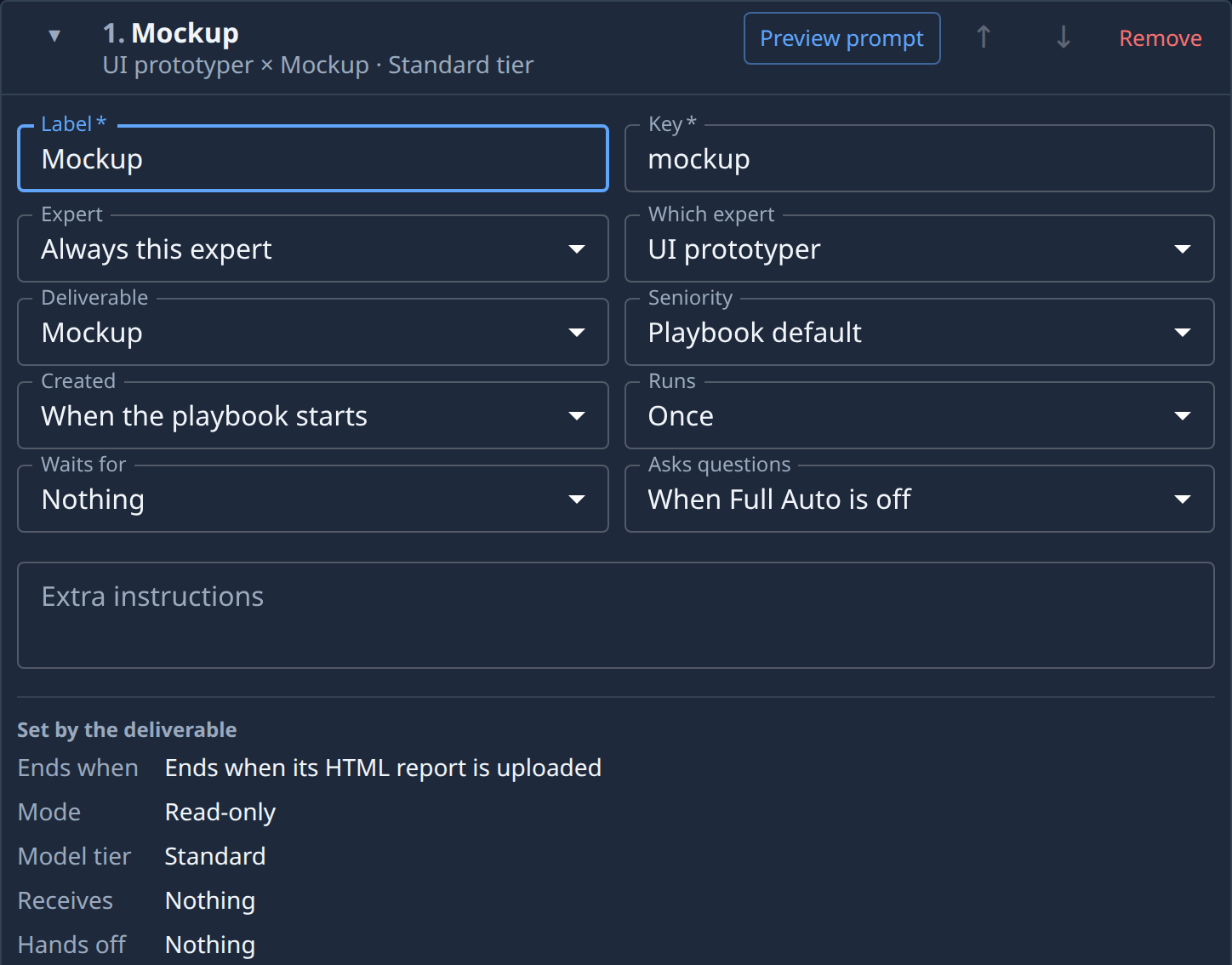
Fill in the mockup stage:
- Label: a name such as Mockup. The Key follows it.
- Expert: Always this expert, then UI prototyper in Which expert.
- Deliverable: Mockup.
Under Set by the deliverable, the card now reads Ends when its HTML report is uploaded and Read-only.
-
If you added the stage to an existing playbook, select ↑ on it until it sits before the stage that codes.
-
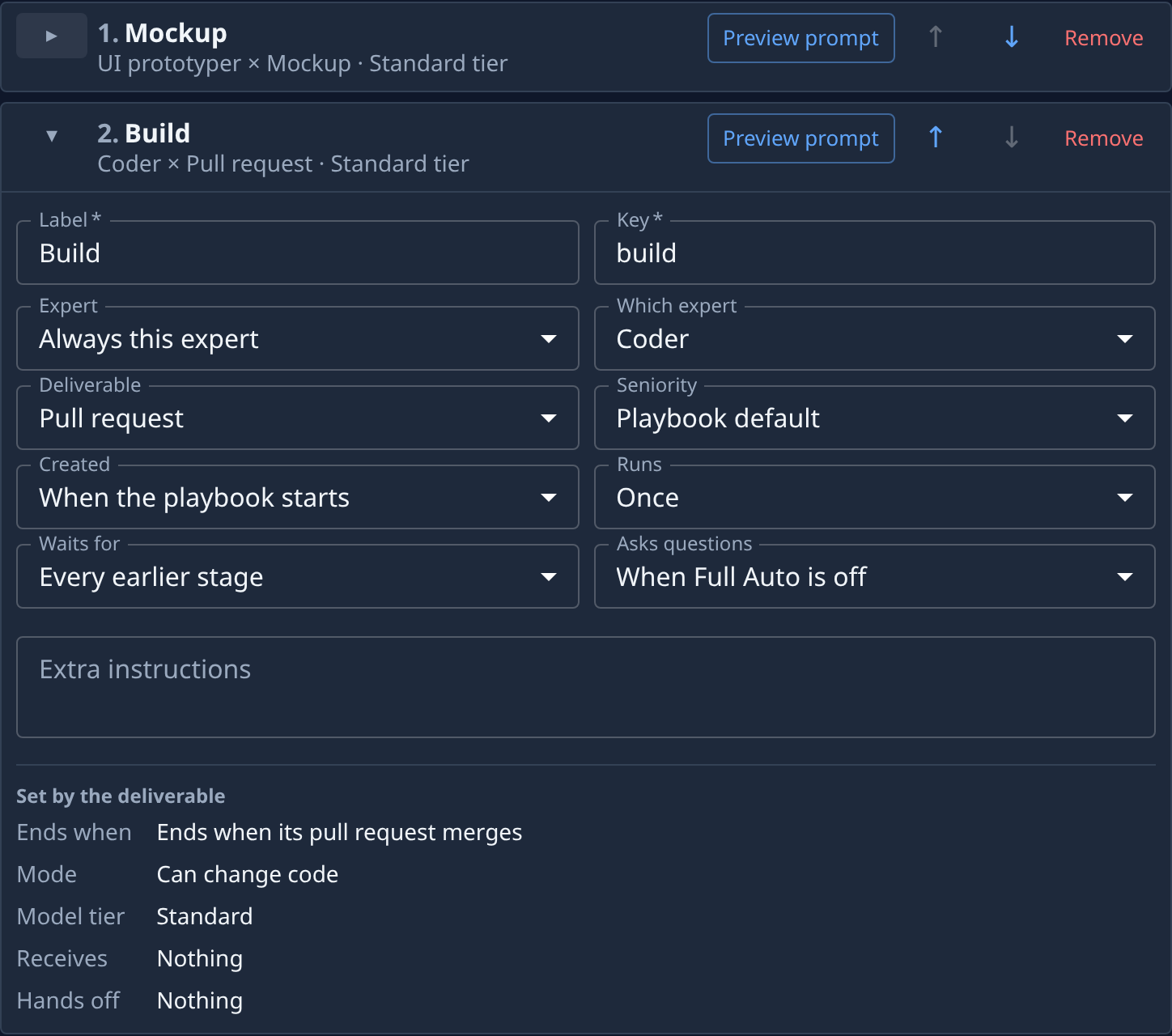
Open the stage that writes the code with ▸. In a new playbook, select Add stage to add it, then set Label to a name such as Build: it is a Coder delivering a Pull request, and a stage you add waits for Every earlier stage. On an existing stage, set its Waits for to Every earlier stage, or to The stages chosen with your mockup stage ticked under Stages it waits for.
-
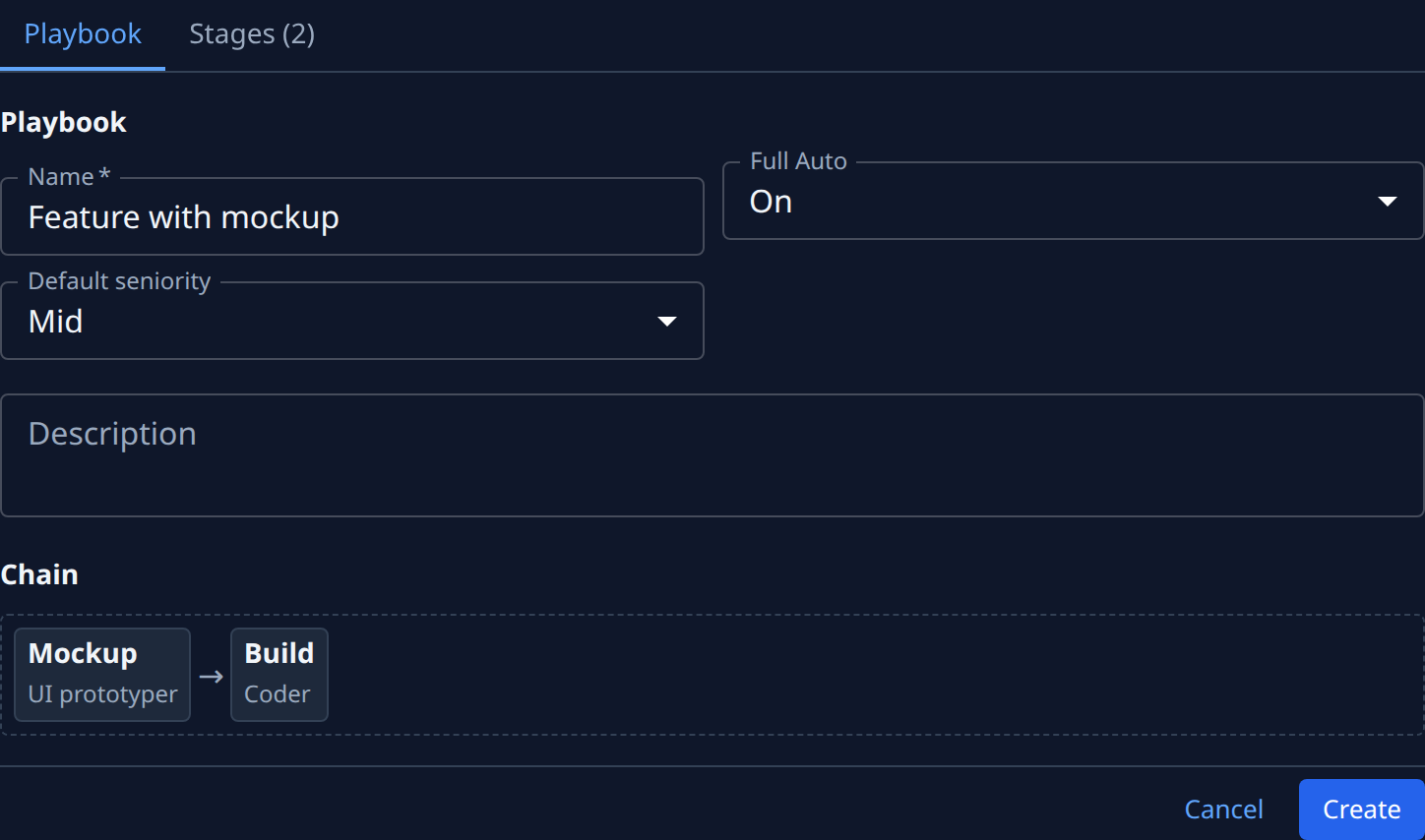
Select the Playbook tab. The Chain shows the mockup stage before the coding stage.
-
Select Save, or Create for a new playbook.
The coding stage's Receives still reads Nothing: a mockup is for people to look at, and it is not passed to the coder. Open the mockup stage's task to see it, as in Read a task's result. If the coder should build from the screens, use an Analyst or Architect stage instead: when the work changes a screen, they mock it up too, and the coder receives their written document. See Review a stage's mockups.
A quick mockup suits a junior expert, the seniority the Sketch playbook uses; see Set how senior a playbook stage is.
Related
- Set what a stage waits for: run stages one after another or side by side.
- Change what a playbook stage hands back: every deliverable and what it ends with.
- Playbooks: what Receives and Hands off mean.