Run a GitHub automation for every repository
A new GitHub automation listens to one repository: the target project's primary one. A project with several repositories, such as an app and its API, often wants the same triage for all of them. Set Repository to Any repository and add the same webhook to each repository.
Who can do this: requires the org admin role. Automations are listed under Audit, which only Org Owners and Admins see. Adding a webhook in GitHub needs admin access to the repository.
-
In the sidebar, select Audit, then the Automations tab, and select the GitHub automation. It opens on Setup.
-
Scroll to When. Repository shows the repository the automation listens to, such as
owner/app (primary).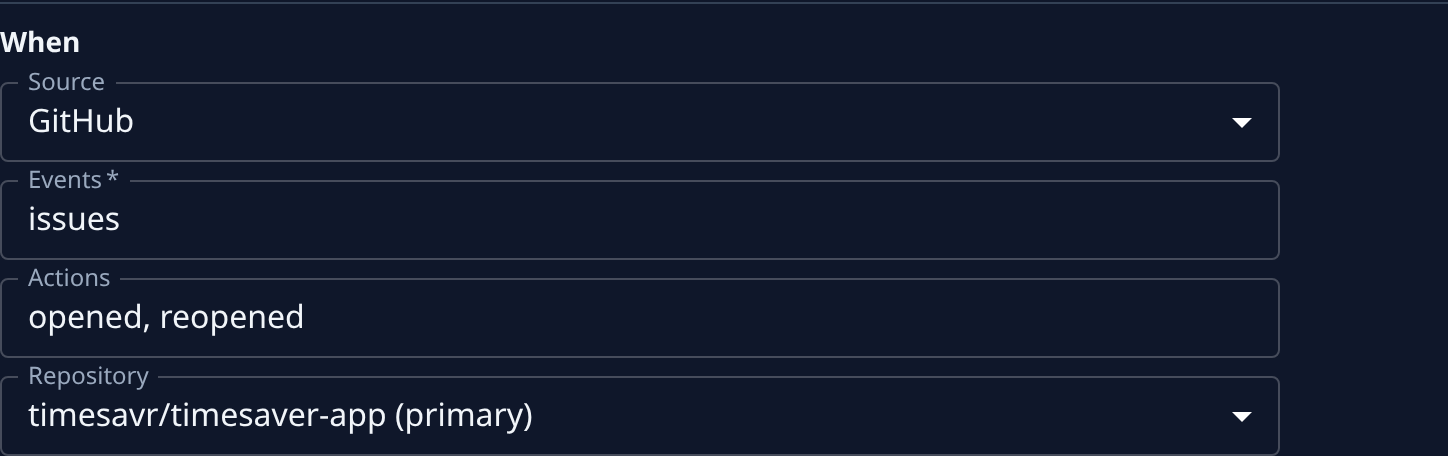
-
Open Repository and pick Any repository. The list also offers each repository connected to the target project, so pick one there instead to move the automation to another single repository.
-
Select Save. It saves Setup and Settings together.
-
Scroll back to Endpoint and note the Payload URL (Copy URL), the Content type and the Events to tick. The secret is the one you stored when you created the automation.
-
In GitHub, add a webhook to each other repository with those values, as in Add the webhook in GitHub. Lost the secret? Select Rotate secret and put the new one on every repository, since the old one stops working at once.
-
Trigger an event in one of the other repositories, such as opening an issue. The automation's Runs tab shows the run and the task it filed.
If Repository reads owner/repo (not connected), the project no longer connects that repository, and
Not connected to this project: pick a connected one or Any repository. shows under it. Pick another and
select Save. When the automation's target is not a project, Repository is a text box: type
owner/repo, or leave it empty for any repository.
Related
- Start tasks from GitHub: create the automation and add its first webhook.
- Add or remove a project's repository: connect the repositories Repository lists.
- Check which secret a sender signs with: confirm each webhook signs with the current secret.