Change what an API key can do
A key's permissions and addresses can change after you make it. Narrow a key when the job that uses it needs less, widen it when the job grows, or tie it to the addresses the job now calls from. The secret stays the same, so nothing that uses the key has to change. Only the expiry is fixed: it is set when the key is made and never moves.
Who can do this: every member, for their own keys. If the key's page reads "owner's key. Only its owner can change or rotate it.", ask its owner. A revoked or expired key can't be changed.
-
Open your keys: select your initials at the bottom of the sidebar, then My Profile, then Security. Your keys are under API keys.
-
Select the key's row. Its page opens on Overview.
-
To rename it, change Name, which shows in lists; calls never send it. Change Description for a note to others; it never changes what the key can do.
-
In IP allowlist, list the addresses the job calls from, one address or CIDR range per line, such as
203.0.113.0/24. Clear the box to accept calls from any address. Your organization's own IP allowlist applies as well. -
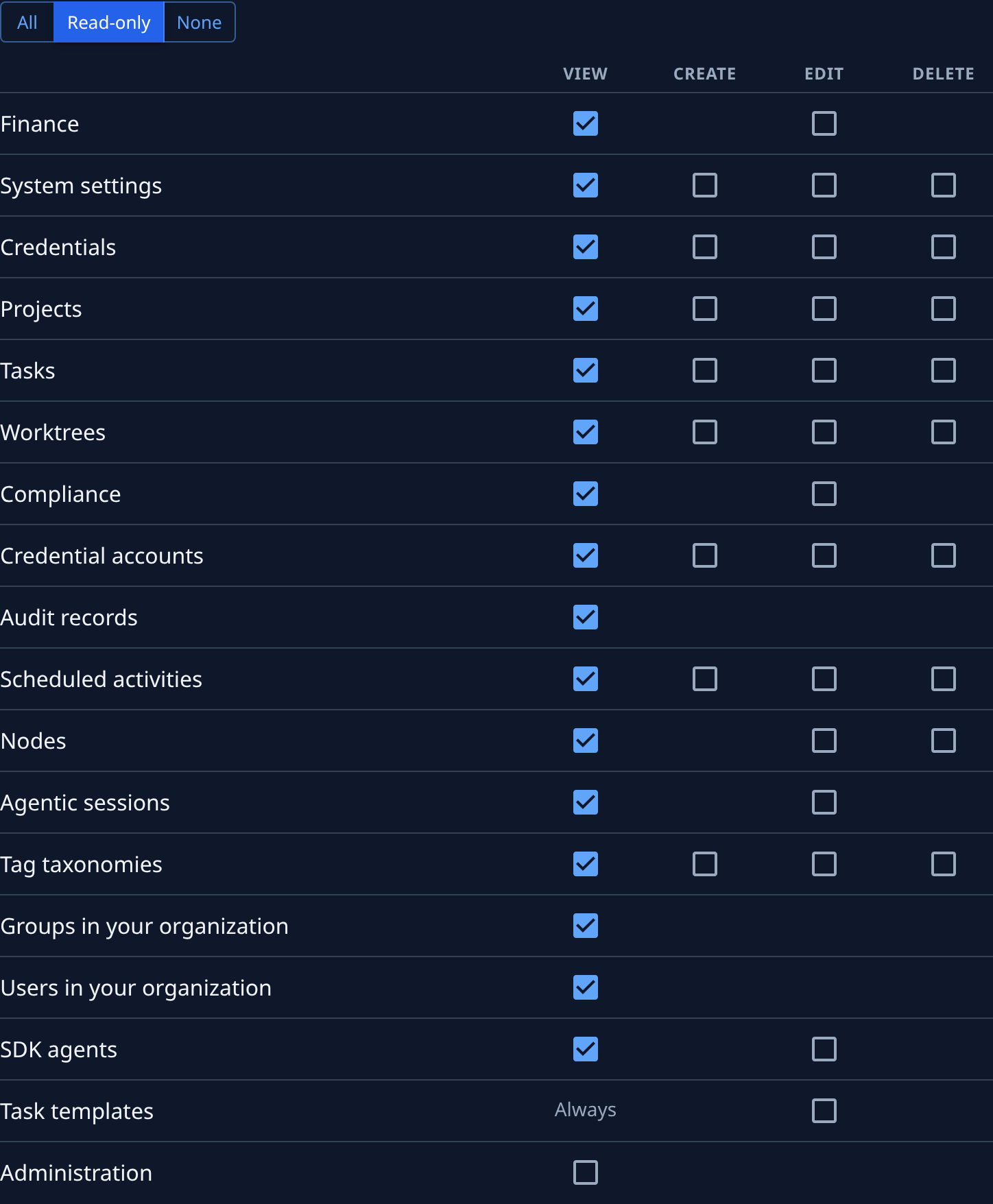
Select the Permissions tab. Select All, Read-only or None to set every box at once, then tick or untick single boxes under View, Create, Edit and Delete, row by row.
-
Org Owners and Admins also see an Administration row. Tick it only if the job manages people, groups, access or settings.
-
Select Save. It stays greyed out until something has changed. Saved. confirms it.
What to expect
- The change applies from the key's next call. The script or job keeps its secret.
- A key never does more than its owner can. If the owner loses a role, the key loses it too, whatever its boxes say.
- With every box ticked, the key also gets permissions Jaah adds later. Untick one box and it keeps exactly the set you ticked.
- The key's Activity tab lists the change, with who made it.
- To change the expiry, make a new key with the expiry you want, move the job to it and revoke the old one.
Related
- Create an API key: make a key, with its expiry and first permissions.
- Rotate or revoke an API key: give a key a new secret, or end it.
- API keys: every field on a key's page.