Get a task going when your answer doesn't reach it
After you answer a task's question, the runner normally carries on within seconds. Sometimes it doesn't: the answer never reached the node, the node didn't pass it on, or the agent took it and then went quiet. The task still says Running, but nothing happens. A minute after the hand-over, the task's Q&A tab says so and offers the fixes.
Who can do this: anyone who can view the task sees the warning. The buttons on it need edit access to the task's project.
-
Open the task and select the Q&A tab.
-
Read the amber warning at the top. It says what happened to your answer and when you sent it:
- Answer not delivered: the node never received it.
- Answer dropped: the node received it but did not pass it to the agent.
- Agent has not resumed: the node passed it on, and the agent has done nothing since.
- Answer not picked up: the answer went to the agent, and the agent has done nothing since.
-
If the answer reached the node (the last two), select Console on the warning. The task's live session opens, so you can see whether the agent is stuck and send it a message. See Chat with a running task.
-
If it is still stuck, select Stop on the warning and confirm. The task is paused with its work kept. Then open the task's ⋯ menu and select Start to queue it again: it carries on with your answers.
-
If you'd rather start over, select Reset on the warning instead. The task goes back to a clean draft, and its questions and answers are cleared. Read the confirmation before you agree.
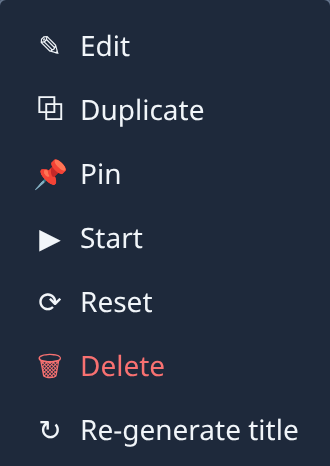
-
Check the Q&A tab again. The warning goes away once the agent shows any new activity.
A different note, Not delivered yet, means the node turned your answer down and Jaah keeps retrying; it names the node's reason. If it repeats, check the node: see Check on a task that won't start.
No task in the organization the capture was taken in had a stuck answer, so the warning could not be photographed; the menu above holds the same Stop and Reset.
Related
- Answer a task's question — pick or write an answer and send it.
- Stop, restart or reset a task — every action in the task's ⋯ menu.
- Change an answer you gave a task — reopen a question and send a new answer.