Fold finished tasks in each group
When the board is grouped by something other than state, each group keeps its finished tasks out of the way. They fold under one ✓ Done row at the end of the group, with how many there are, so the open work reads first. Open the row when you want to see what the group has finished.
Who can do this: anyone who can see tasks.
-
In the sidebar, select All projects. If the page shows a stage strip, select All tasks at the top of the page.
-
Open Filter & view, select Group by, then Project. Feature, Recency, None or a tag group work the same way.
-
Look at the end of each group. After the group's open tasks comes a row with a green ✓, Done and a count. A group with nothing finished has no such row.
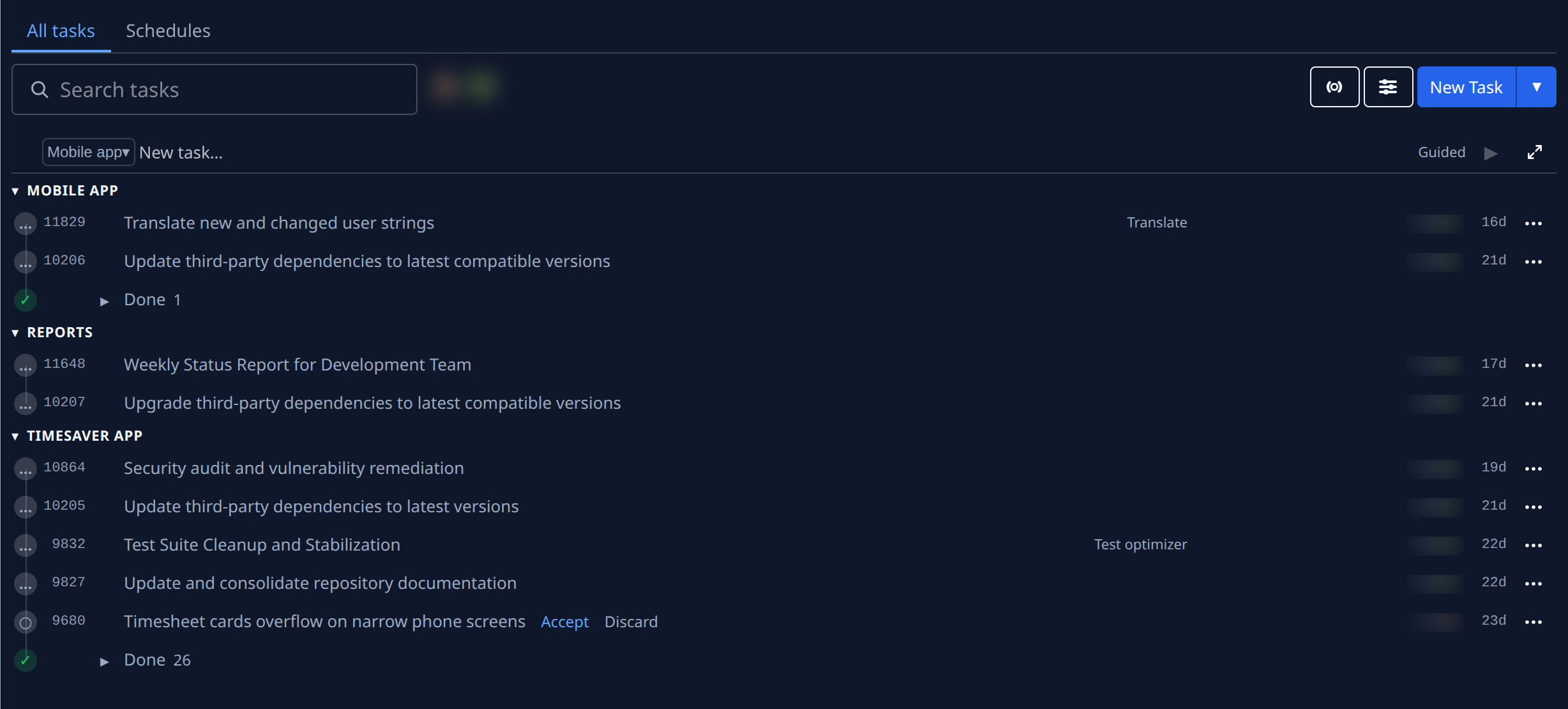
-
Select ▸ on the Done row, or the word Done, to open it. The group's finished tasks are listed newest first, one level in.
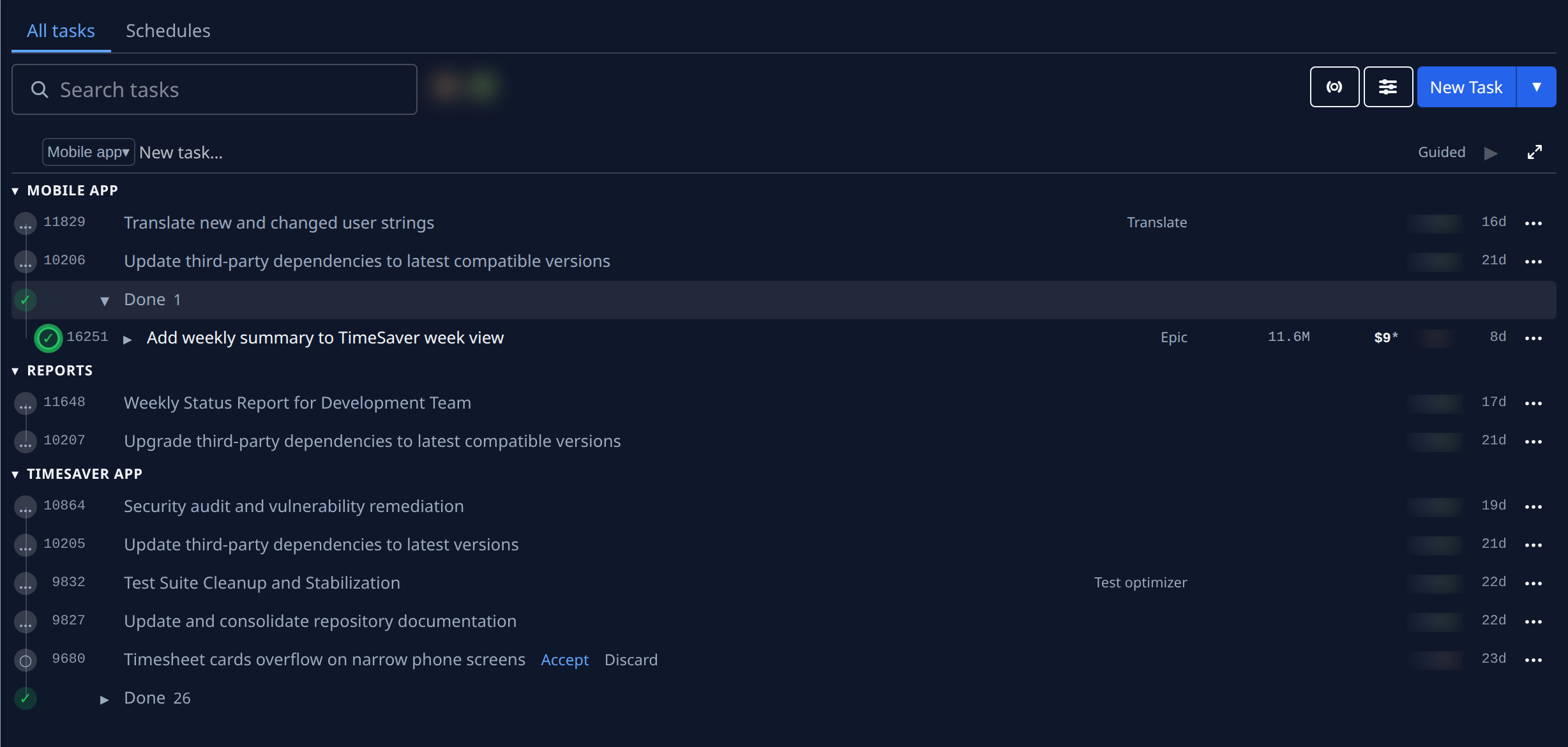
-
If a release shipped some of those tasks, they fold under the release: a green truck, the release's version in bold, such as v1.8.2, and the stage it reached in green. A release with no version reads Release #12. Select the release's name to list its tasks.
-
Select a task's title to open it. See Read a task's result.
-
Select ▾ on the Done row, or Done again, to fold it.
Each group's row opens and folds on its own. The browser tab remembers which ones you opened until you close it; a new tab starts with every Done folded. A row also opens by itself when it holds a task you opened from a link. While State under Filter & view is set to Done, nothing folds, since those rows are what you asked for.
Grouped by State, the default, finished tasks sit in the Done section instead, with the same release folds: see Find what shipped in a release.
Related
- Task board › Sections: the sections and the Done folds.
- Label tasks with tags: group the board by a tag group.
- Hide finished work from the board: take finished tasks off the board altogether for a while.