Hide finished work from the board
A busy board mixes what still needs you with what is already done. Focus takes finished and archived tasks off the board, and the queued subtasks inside an epic, so drafts, questions, stopped, running and queued tasks stand out. Nothing is deleted or changed: turn Focus off and they come back.
Who can do this: anyone who can see tasks.
-
In the sidebar, select All projects, or a project to look at its tasks only.
-
In the board's toolbar, find Focus, the pulse icon just left of Filter & view. Hover it to read Focus — hide finished tasks and queued subtasks.
-
Select Focus. The button stays highlighted while it is on, and the Done section and its rows leave the board.
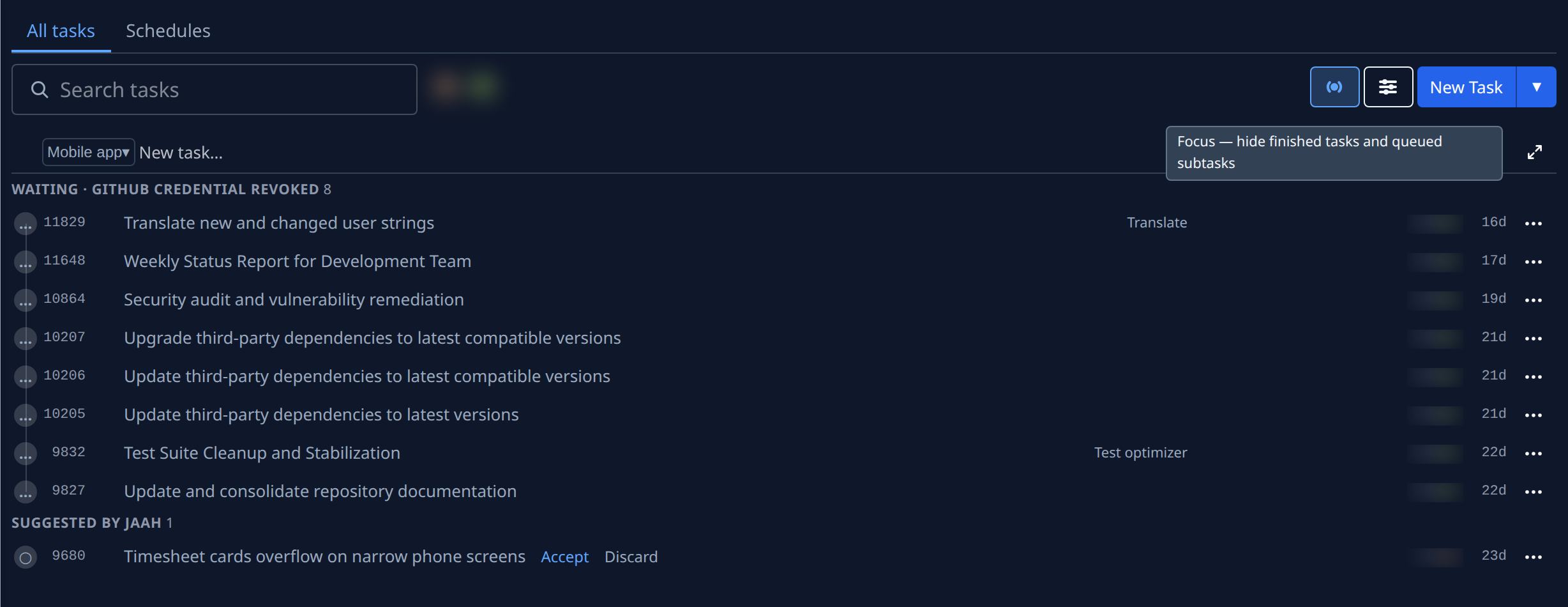
-
Work through what is left. Open an epic with ▸: its running, asking, stopped and draft subtasks show, its queued and finished ones don't.
-
Narrow the board further with search or Filter & view if you like. Focus applies on top of every filter.
-
Select Focus again to turn it off. Finished tasks and every subtask come back.
The browser tab remembers Focus until you close it; a new tab opens with it off. While Focus is on, the starter tiles a new organization sees under the board are hidden too.
If a finished task you expected is missing, check that Focus is off before anything else. To find one particular task, see Find a task on the board.
Related
- Task board › The board: every button on the toolbar.
- Fold finished tasks in each group: keep finished tasks on the board, folded at the end of each group.
- How tasks work: the states a task goes through.