Choose the agent and account a task runs on
Jaah picks what runs a task for you: the project's default agent, any model account with room, the model level its persona asks for, and a free node. Most tasks never need more. Pin one of them when a task needs it — a subscription with quota left, an engine that suits the work, or a node that holds a tool.
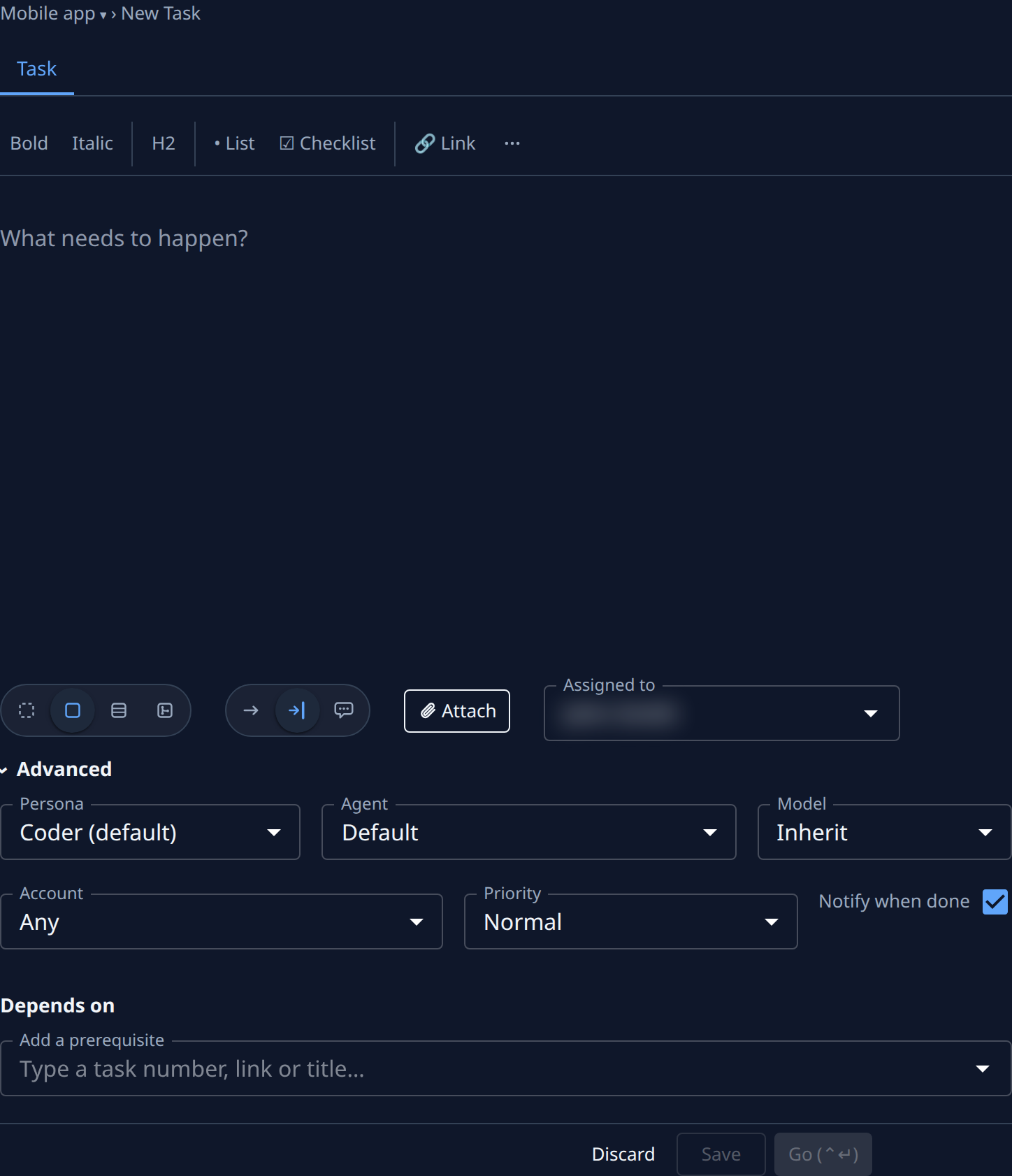
- Start a task as usual: on the board, select New Task, then write the description. See Start a task.
- Select Advanced.
- In Agent, pick the engine. Default uses the project's default agent. Built-in lists Jaah's own runners; Your agents & catalog lists your organization's agents and the connectors it turned on. One that can't run the task's persona is greyed out, with the reason.
- In Account, pick the model account. Any lets Jaah pick; the list is narrowed to the agent's provider. It isn't shown beside one of your organization's own agents, which run on no account.
- In Model, pick the model level, or leave Inherit to use the stage's default, then the project's. Only Org Owners and Admins see it.
- In Node, pick one of the project's nodes, or Any. It shows only when your organization's node picker is on.
- Select Go.
A pinned task runs on that account or node only, so while it is busy, disabled or offline the task waits in Queued. Change the pin on the task's Task tab, under Advanced.
Check what it ran on
- Open the task and select the Routing tab. It shows once a run has been routed.
- Read each run's card, Attempt 1 first: Ran on names what that run used, or Not dispatched yet.
Related
- Every setting under Advanced: New task › Advanced.
- How Jaah picks an account when you don't: How model accounts work.
- What each engine is: How agents work.