See finished tasks you haven't opened
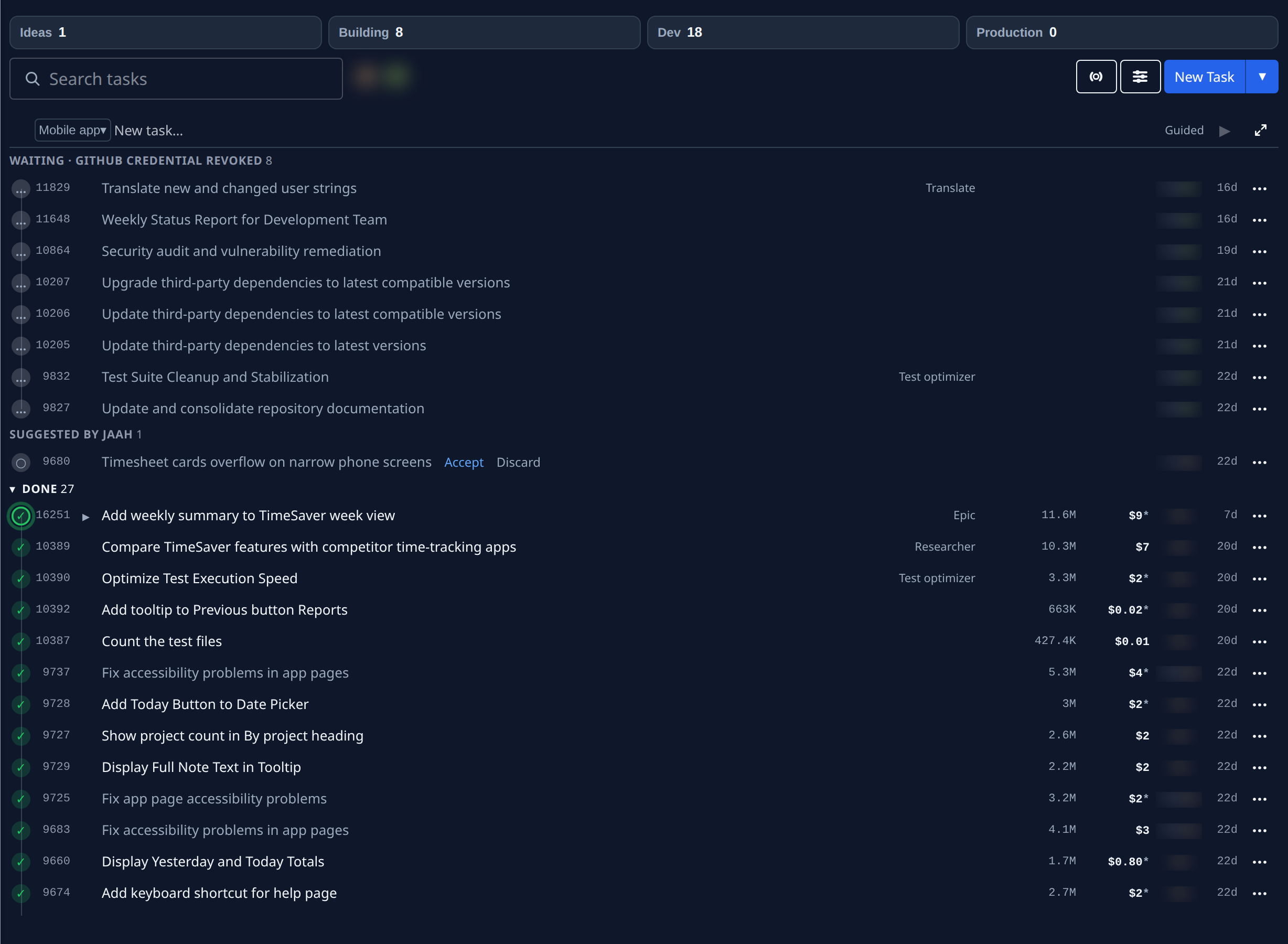
When a task you are waiting for finishes, the board marks it until you look at it: a pulsing ring around its ✓. That way you can come back after a few hours and see at a glance which results you haven't read yet.
Who gets the mark: the task's assignee, and the person who filed it, when they filed it in the console. Tasks filed by a schedule, a trigger or an agent, and subtasks, get no ring, except the incident tasks Production QA files.
-
In the sidebar, select All projects to open the task board.
-
Check that Focus, the first button left of Filter & view, is off. While it is on, finished tasks are hidden.
-
Open Filter & view, select Group by, then State. Finished tasks now sit together under Done.
-
If Done is folded, select ▸ beside it. The board remembers that it is open next time.
-
Look down the Done section for a ✓ with a pulsing ring around it. Hover the status icon or the title: the state ends with not yet seen.
-
Select the task's title to open it and read its result. The ring stops once you have opened it.
-
Repeat for the other ringed tasks. If a task is reopened and finishes again, its ring comes back until you open it once more.
The same ring shows in any grouping, and on a project's board as well, wherever the finished task sits.
Related
- Read a task's result: what the task page shows once you open a finished task.
- Get told when your tasks finish or need you: hear about finished tasks on email, Slack or Telegram as well.
- Task board: the board's sections and row icons.