Switch between the tasks and pipeline views
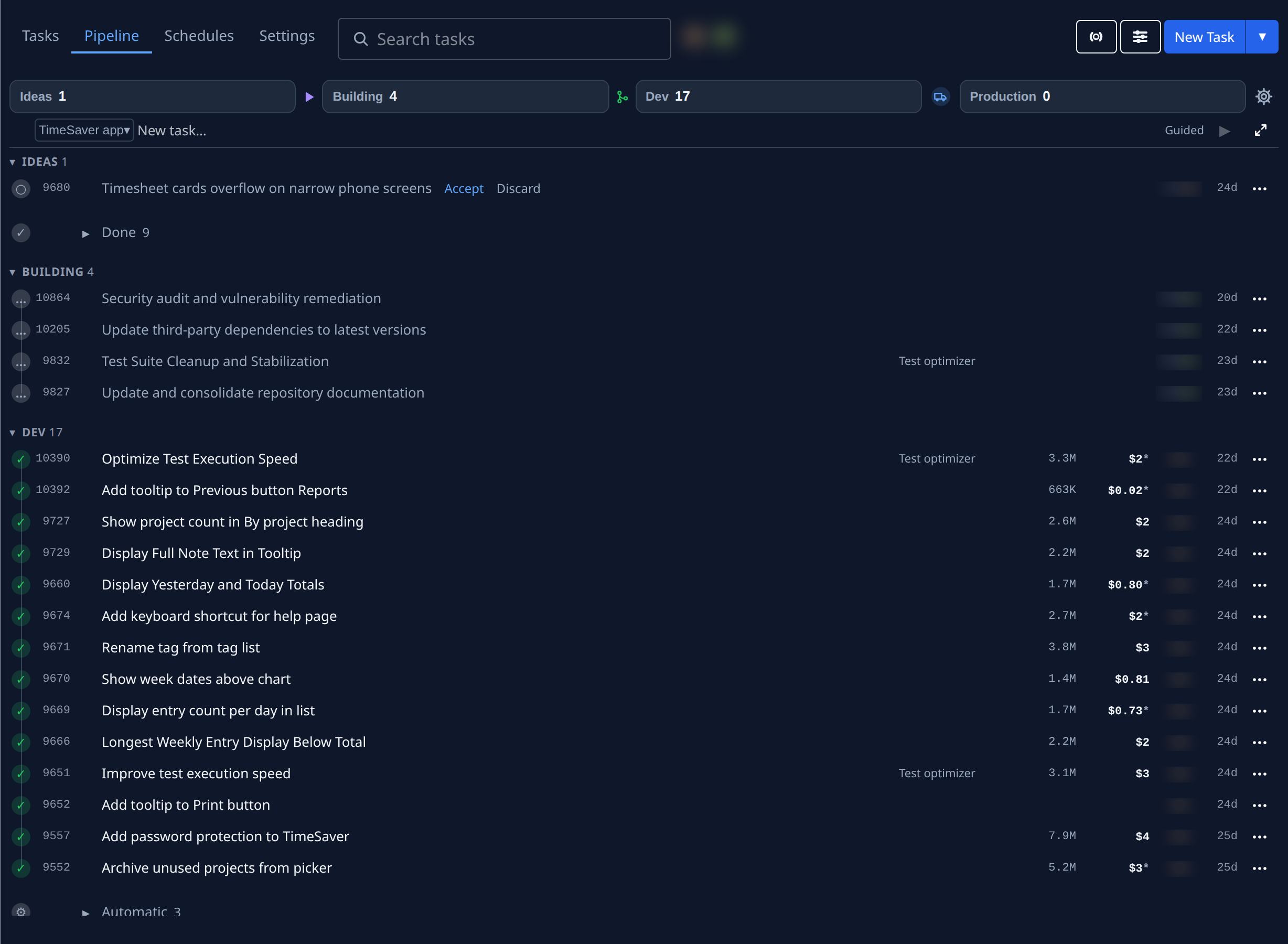
The Tasks page has up to four tabs, leading the one line at its top that also holds that view's search and buttons. Tasks lists every task you can see in one board, grouped by state: questions first, then stopped, running, queued, drafts and done. Pipeline lays the picked project's work out by stage, such as Ideas, Building, Dev and Production, with a stage strip to start, merge and release from. Schedules lists automations: the picked project's, or the whole organization's with no project picked. Settings opens the picked project's settings, the same sections as on its page. Use Tasks to see what needs you; use Pipeline to move work towards production.
Who can do this: anyone who can see tasks. Schedules shows only to an organization owner or admin.
-
In the sidebar, select Tasks. The page opens on Tasks, unless you picked another tab earlier in this browser tab.
-
In the sidebar's Projects tree, select a project. Pipeline and Settings join the tabs; they show only while a project is picked. The project stays highlighted in the sidebar on every tab.
-
At the top of the page, select Pipeline. The stage strip appears under the top line, with one block per stage and how many tasks each holds, and one section per stage below it.
-
To look at one stage only, select its block on the strip. The list below shows that stage's tasks alone.
-
To change the project's stages, branches or anything else it is set up with, select Settings. It saves the same way as on the project's page: see Projects › Settings.
-
To go back, select Tasks at the top of the page. The board lists every task by state again.
The browser tab remembers the tab you last picked until you close it. A new browser tab opens on Tasks, and so does a remembered Pipeline or Settings while no project is picked.
Related
- Task board › The pipeline: every part of the stage strip and its sections.
- Move tasks to the next stage: tick tasks, then Start, Merge or Move to.
- Projects › Schedules: the automations list a project's Schedules tab shows.
- Find what shipped in a release: the release folds under Done in Tasks.
- How tasks work: the states a task goes through.