Open a file a task produced
A task can hand back more than a report: a log, a CSV, a requirements document, a screenshot, a recording. Each one lands on the task's Artifacts tab. Most open right there, so you rarely need to download anything to read it.
Who can do this: anyone who can open the task.
-
On the board, select the task's title. Its page opens beside the board.
-
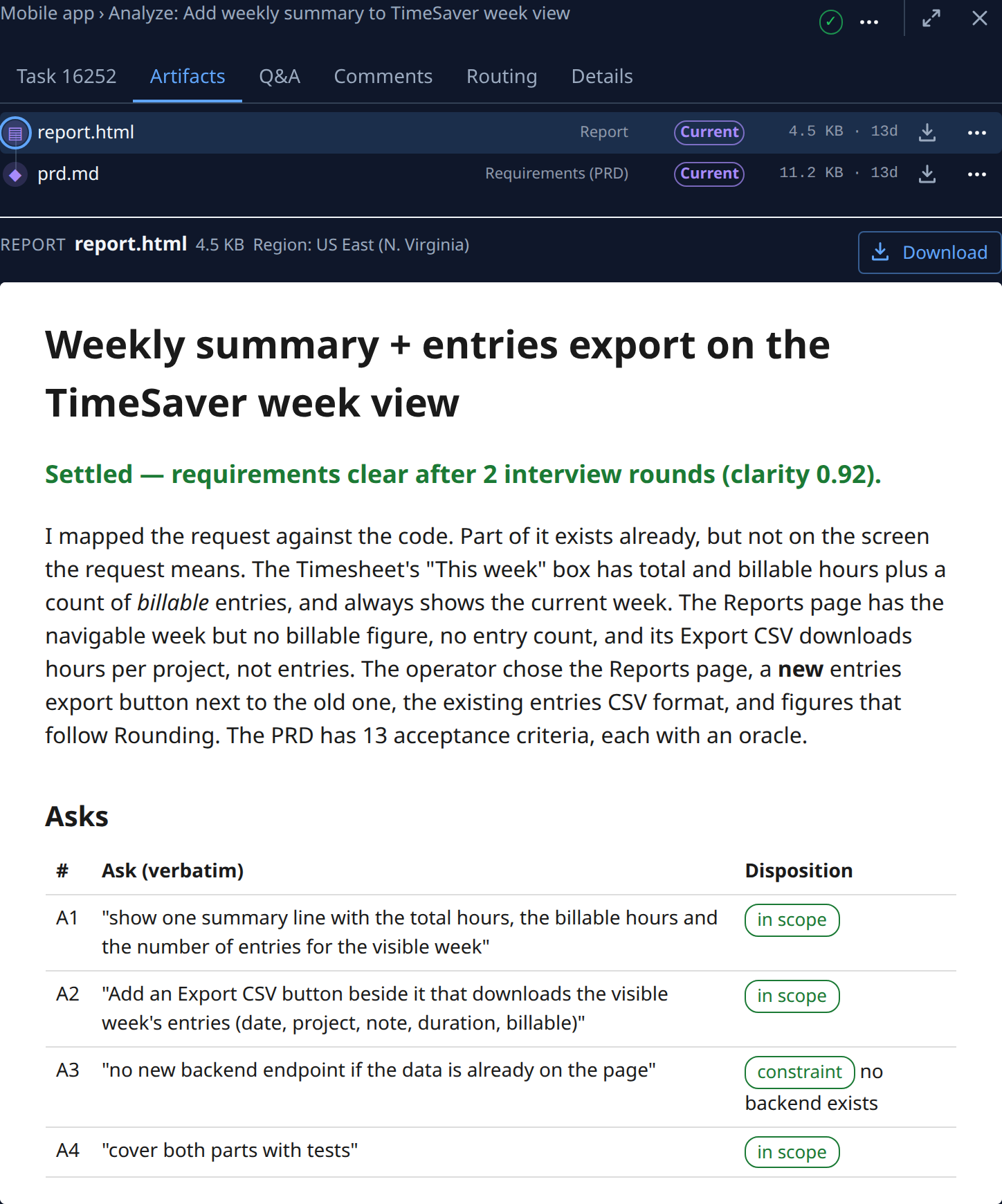
Select the Artifacts tab. Each file is a row: its name, its kind (such as Report or Requirements (PRD)), Current on the newest of each kind, its size and age.
-
Select the file's row. It opens below the list, under a line with its kind, name, size and the region it is stored in.
-
Read it in place. How it shows depends on the file:
File How it opens .mdAs a formatted document. .txt,.log,.json,.csvAs plain text. .htmlAs a web page. .png,.jpg,.gif,.webp,.svgAs a picture. .pdfIn your browser's PDF viewer. .mp3,.wav,.m4a,.ogg, and other audioIn a player. Select play; nothing starts on its own. .mp4,.mov,.webm, and other videoIn a player, with seek and full screen. .docx,.xlsx,.pptxAs a preview: see Preview a document, spreadsheet or slide deck on a task. -
If the file shows a card that says No preview — download to open., the page can't show that kind of file, such as a
.zip. A text or Markdown file over 2 MB also gets the card. Select Download on the card. -
To save any file, select Download beside its name, or the download arrow on its row.
-
If a row has older versions, select ⋯ on it, then Show earlier versions. Select one to open it; Hide earlier versions folds them away again.
If your browser is set to download PDFs instead of showing them, a PDF shows Your browser downloads PDFs — download to open. If a file fails to load, the page says This artifact could not be loaded. Its content is still stored on the task. Reload the page, or download the file.
Related
- Read a task's result: the outcome, the change and the cost, next to the files.
- Open an earlier version of a task's report: go back to a report a later run replaced.
- Look at an artifact beside a question: read a file while you answer the task.